
Xbox has no delete button of its own
Your Xbox profile is part of your Microsoft account. Xbox support puts it plainly:
To delete your XBOX profile, you need to close your Microsoft account. There’s no way to close your account while keeping your XBOX profile or gamertag.
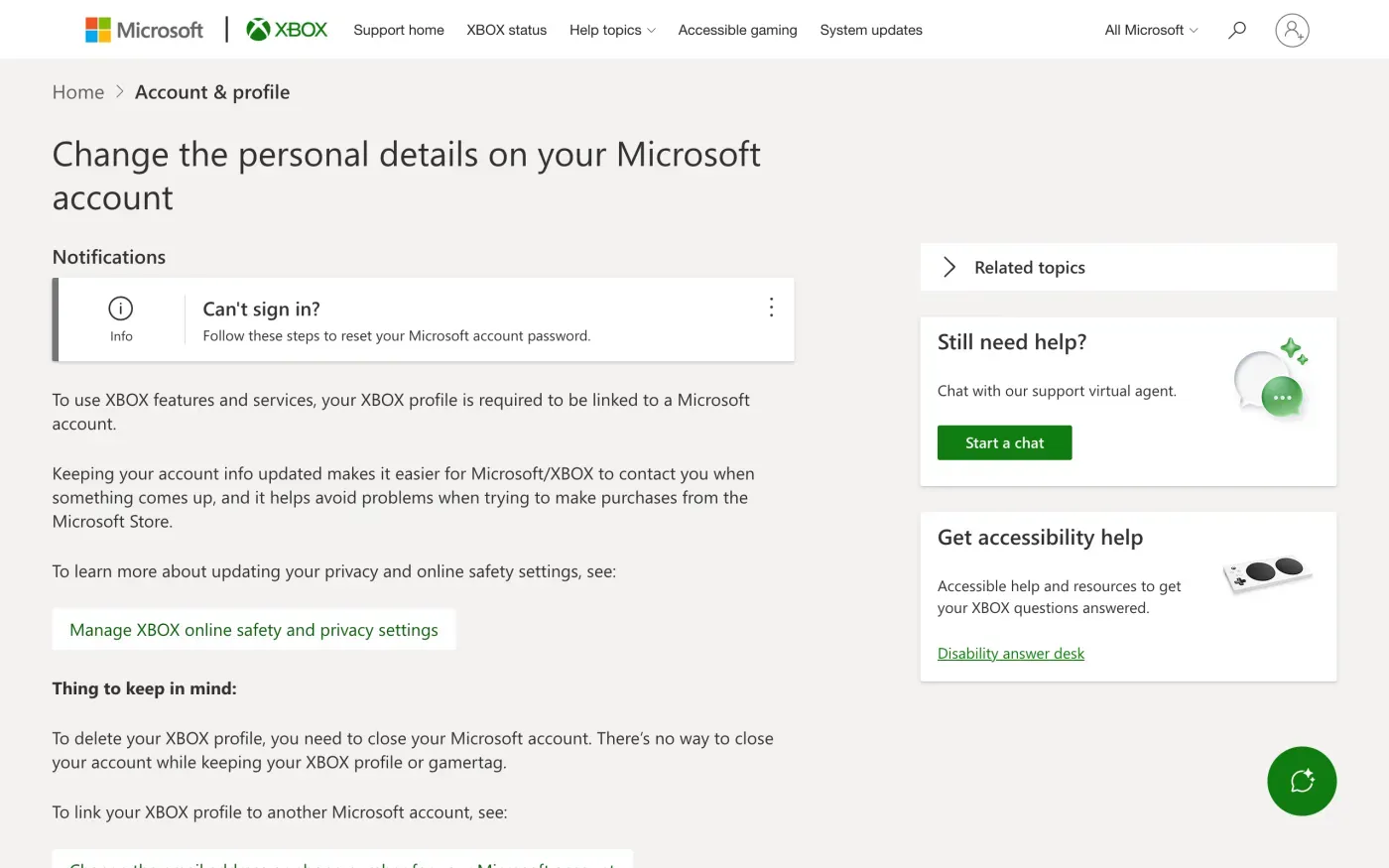
Before you close it, check what else uses the same account. The Microsoft guide covers the closing steps, the privacy dashboard and the account’s other products. This guide covers the Xbox side.
What you lose when the gamertag goes
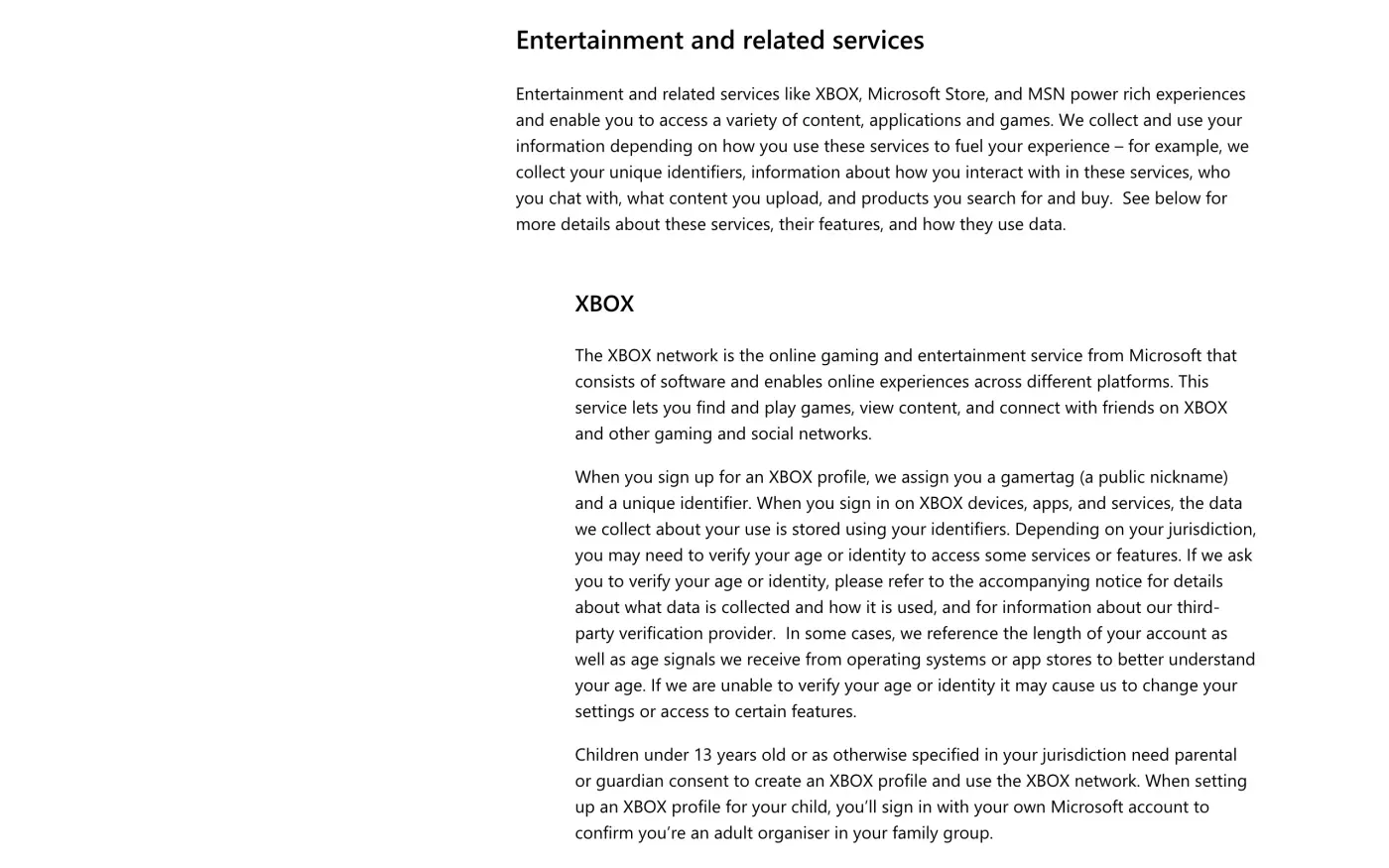
Xbox’s side of the privacy statement says that when you sign up for an Xbox profile, Microsoft assigns “a gamertag (a public nickname) and a unique identifier”, and that the data about your use is “stored using your identifiers”.
| Xbox data | What the sources say |
|---|---|
| Gamertag and profile | Deleted with the Microsoft account. It cannot be kept. Your gamertag and leaderboard scores are "considered public and cannot be hidden" while the profile exists. |
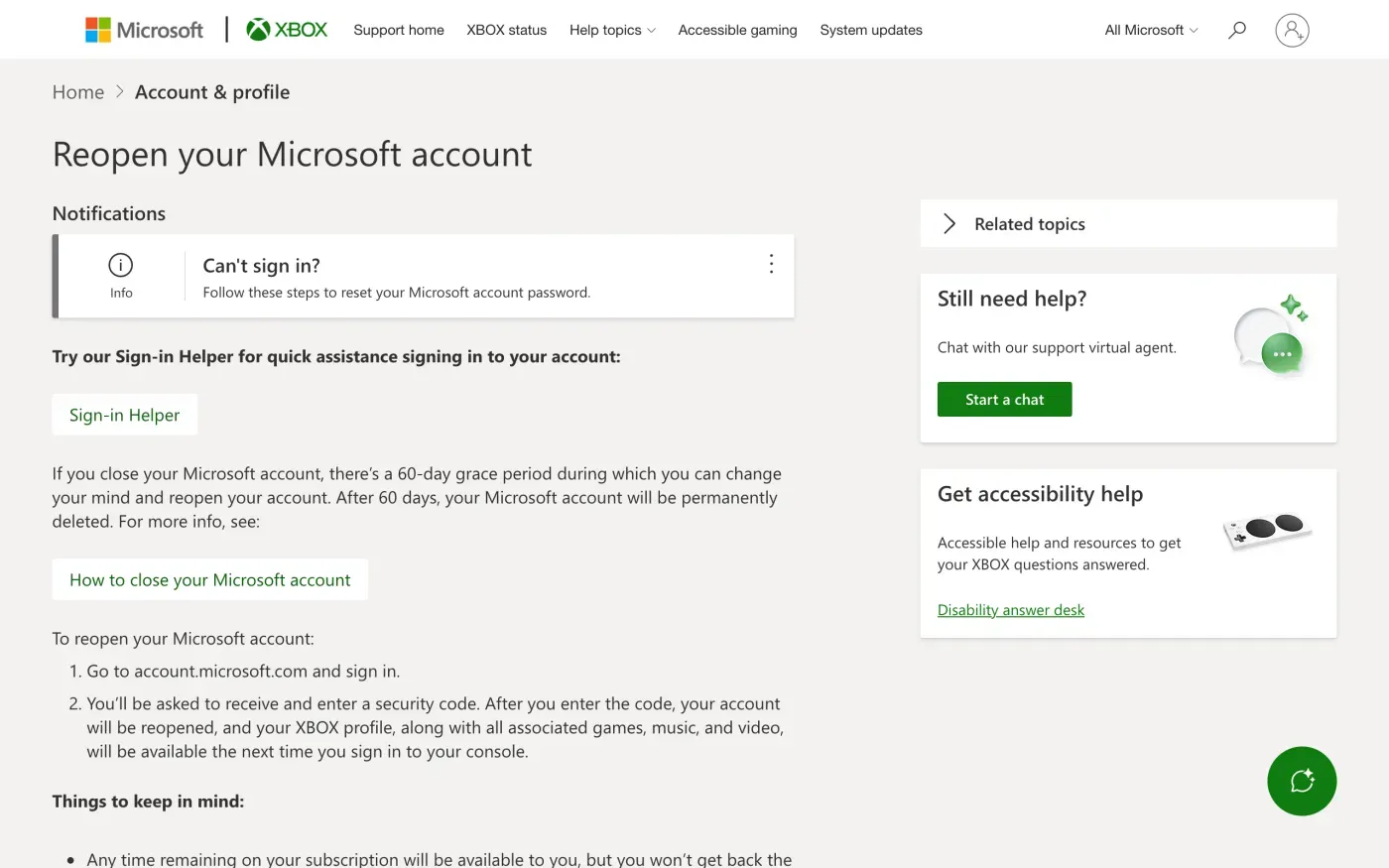
| Games, music and video | Reopening the account within the window brings them back. After the window they are gone with the account. |
| Game Pass and other subscriptions | Xbox support says time left on a subscription is available if you reopen, but you do not get back the time that passed. A subscription you cancelled has to be bought again. |
| Game clips and screenshots | Xbox support says captures on the Xbox network "may be deleted after 90 days". Back up the ones you want. It says uploading to OneDrive does not delete them from the console or the network. |
| Chats with Game assist | The statement says you can view, export or delete them in the Copilot section of the Microsoft privacy dashboard. |
The privacy statement also says that Xbox shares data with game publishers: your user identifier, gamertag, country, age range, play sessions, friends lists and what you create in the game. Deleting your account does not reach into a publisher’s own systems. For those, write to the publisher. The statement says some publisher access can be revoked at microsoft.com/consent.
If you use Xbox on a PC through the Microsoft Store, the same account applies. Move any purchases you care about before you close it.
Closing the account, in the order that matters
- Back up what you want.
Upload clips to OneDrive from the Captures app on your console, and download your data from the privacy dashboard at account.microsoft.com/privacy.
- Cancel what you pay for.
Cancel Game Pass and any other subscription yourself so no billing continues if the closure does not go as expected.
- Close the Microsoft account.
Sign in and use the page How to close your Microsoft account. Tick each item, pick a 30 or 60 day reopen window and select Mark account for closure.
- Do not sign in again.
Xbox support says that signing in at account.microsoft.com within the window reopens the account, with your Xbox profile, games, music and video. Leave it alone until the window ends if you want it gone.
Closing a child’s Xbox account
Under 13, or the age your country sets, a child needs parental consent to have an Xbox profile. The privacy statement says the parent signs in with their own account to confirm they are the adult organiser of the family group. To delete the account, Xbox support says to sign in with your child’s credentials, check the page shows the right account, and use the close your account form. Closing deletes “all subscriptions, Microsoft email accounts, unused Rewards points, and other items and services” tied to the child’s account. Microsoft then waits 60 days before it permanently deletes the account, and signing in again within that period reinstates it.
The statement also says a family organiser can “view and delete a child’s data” on the privacy dashboard, and that parents have more controls in the Xbox Family Settings app. That is a way to remove some data without closing the whole account.
When to write to Microsoft instead
The tools above close an account. They do not promise to remove everything. The privacy statement says: “Not all personal data processed by Microsoft can be accessed or controlled via the tools described in this section.” For the rest, you contact Microsoft directly.
The statement names Microsoft Ireland Operations Limited as the controller for people in the EEA, the UK and Switzerland. Its address is:
Microsoft Ireland Operations Limited, Attn: Data Protection Officer, One Microsoft Place, South County Business Park, Leopardstown, Dublin 18, Ireland
The statement also points to its “privacy support and requests” page for questions to the privacy team or the Data Protection Officer. Xbox publishes no separate privacy address of its own. This guide gives no email for the same reason. For the web form and the UK position, see the Microsoft guide. The controller is the same, so a UK reader writes to Dublin too, and uses the UK version of the letter.
Writing is the right route when you are locked out, when you want the data erased without waiting out a reopen window, or when you want to know what Microsoft kept after closure.
The letter
Fill in your Microsoft account email and your gamertag, and say if the request covers a child’s account. If you want a copy of your data first, send the access letter before the erasure one.
Dear Xbox privacy team,
Under Article 15 of the GDPR, I ask for a copy of all the personal data you hold about me.
Please also tell me why you use it, what kinds of data you hold, who you have shared it with, how long you will keep it, where you got it if not from me, and whether you make automated decisions about me.
My account uses the email address [your account email].
Please answer within one month of receiving this request, as Article 12(3) of the GDPR requires.
Kind regards,
[Your name]
Dear Xbox privacy team,
Under Article 17 of the GDPR, I ask you to erase all the personal data you hold about me.
My account uses the email address [your account email]. If you keep any of my data, please tell me what you keep and the legal reason.
Please answer within one month of receiving this request, as Article 12(3) of the GDPR requires.
Kind regards,
[Your name]
In the UK, use the UK versions: the UK right to be forgotten guide explains them. For what each request means and the deadlines, see the subject access request guide, the deletion letter guide and the response deadline guide.
More accounts than Xbox?
Reflex finds the companies in your Gmail, sends this letter to each from your own address and follows up for three months. Free to join the beta, €19 once when you start.
If Microsoft does not answer
Microsoft has one month from receiving your request, extendable by two only if it tells you why within the first month (Article 12(3)). If that passes, send a reminder from the guide to ignored requests.
Then complain. In the EU, the Irish Data Protection Commission takes concerns through its online form and says to contact the company first. Article 77 also lets you complain to the authority where you live. In the UK, complain to the ICO.
If you also play elsewhere, see the guides for PlayStation, Nintendo and Steam.
Questions
Can I delete my Xbox account but keep my Microsoft account?
No. Xbox support says that to delete your Xbox profile you need to close your Microsoft account, and that there is no way to close the account while keeping your Xbox profile or gamertag.
Can I keep my gamertag when I delete my account?
No. The gamertag belongs to the Xbox profile, and the profile is deleted with the Microsoft account. Xbox support says there is no way to keep it.
Can I get my Xbox account back after closing it?
Yes, within the reopen window. When you close the Microsoft account you pick a 30 or 60 day window, and the Xbox reopen article describes the 60-day one. Signing in at account.microsoft.com within your window reopens the account together with your Xbox profile, games, music and video. Check which window you picked, because the account is permanently deleted when it ends.
How do I delete my child's Xbox account?
Xbox support says to use the close your account form, sign in with your child's credentials, and follow the instructions. Microsoft then waits 60 days before it permanently deletes the account.
Are my Xbox game clips deleted?
Xbox support says clips and screenshots uploaded to the Xbox network may be deleted after 90 days. Closing the account deletes the profile they belong to, so back up what you want to keep first.
Sources
- Change the personal details on your Microsoft account, Thing to keep in mind: closing the account deletes the Xbox profileXbox Support, checked 16 November 2026
- Reopen your Microsoft accountXbox Support, checked 16 November 2026
- How to delete a child accountXbox Support, checked 16 November 2026
- Back up your game capturesXbox Support, checked 16 November 2026
- How to close your Microsoft accountMicrosoft Support, checked 16 November 2026
- Microsoft Privacy Statement (UK), Last updated November 2026. Entertainment and related services, XBOX; How to access and control your personal dataMicrosoft, checked 16 November 2026
- Microsoft Privacy Statement (US English), Last updated November 2026. How to contact usMicrosoft, checked 16 November 2026
- Raising a concern with the Data Protection CommissionData Protection Commission (Ireland), checked 16 November 2026
- Make a complaintICO, checked 16 November 2026
- Regulation (EU) 2016/679, the GDPR, Articles 12, 15, 17 and 77EUR-Lex, checked 16 November 2026