
Closing the account is not the same as a data request
PlayStation has two routes. Closing the account is a step you take in an app. A data request goes to the company that controls your data, and it is the one that gets you a written answer about what is kept.
PlayStation’s help page says closing the account “will permanently delete all data and content associated with it”, and that you will not be able to sign in with that account again. It lists three places to start: the PlayStation app, the PlayStation Family app and a Sony account page. The steps for the PlayStation app are:
- Open the PlayStation app and sign in.
The route runs through the app, not through a web page you can open from a browser.
- Select Settings from the top of the home screen.
Then scroll to the bottom of the menu.
- Select Close Your Account.
Follow the on-screen instructions. The family app has the same option under Settings at the bottom of its home screen.
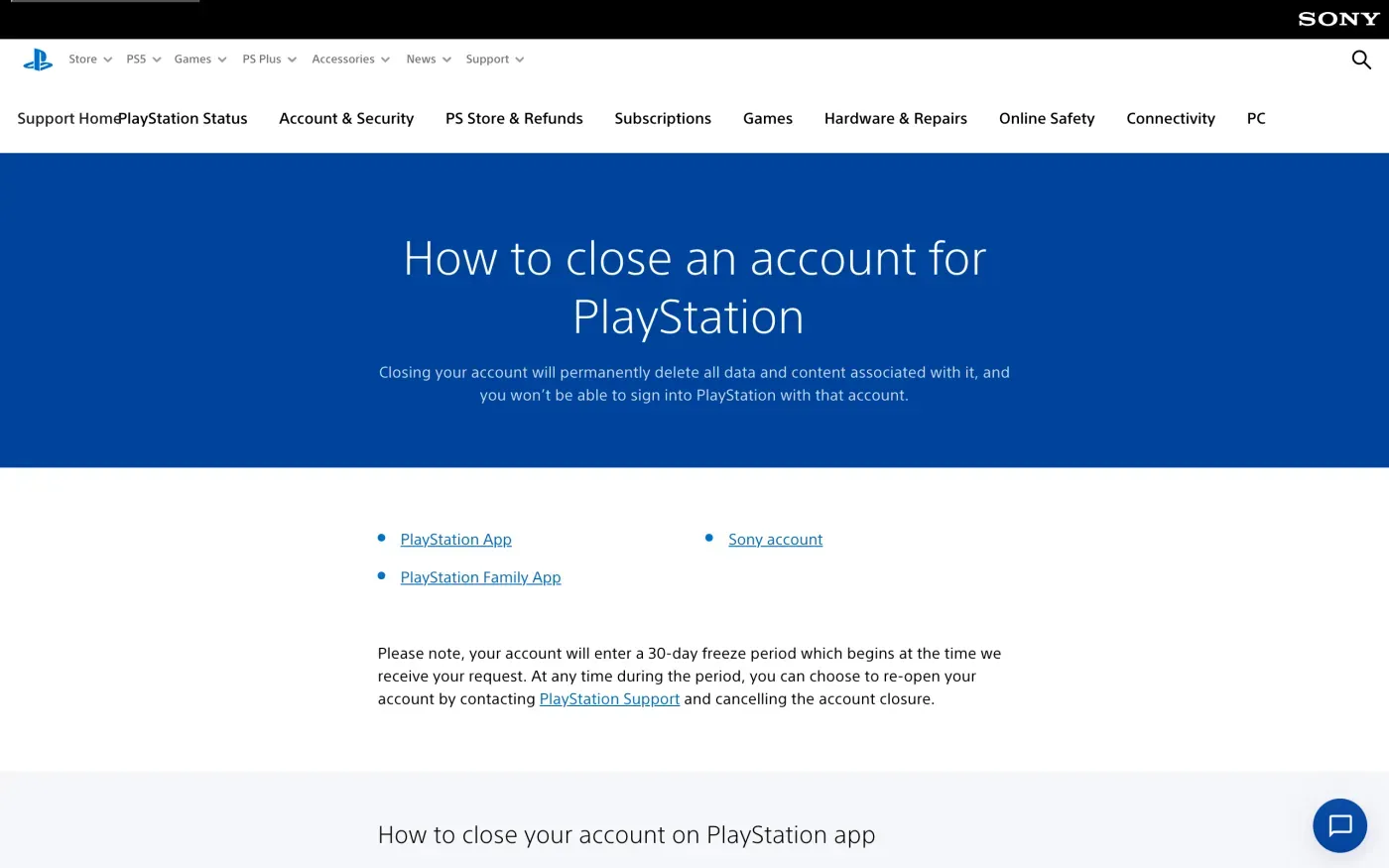
If you want a copy of your data, get it before you close anything. Once the account is closed you cannot sign in to download it.
Get a copy of your data first
PlayStation has a download tool in Account Management. The steps from its help page:
- Sign in to Account Management.
Use the account you plan to close.
- Select Privacy Settings, then Data Access Requests, then Request Data.
Select OK on the confirmation.
- Wait for two emails.
The first confirms the request. The second says your data is ready. PlayStation says to allow up to seven days for it.
- Download the file within seven days.
The data is available for seven days after the second email. An Excel file downloads when you click the link.
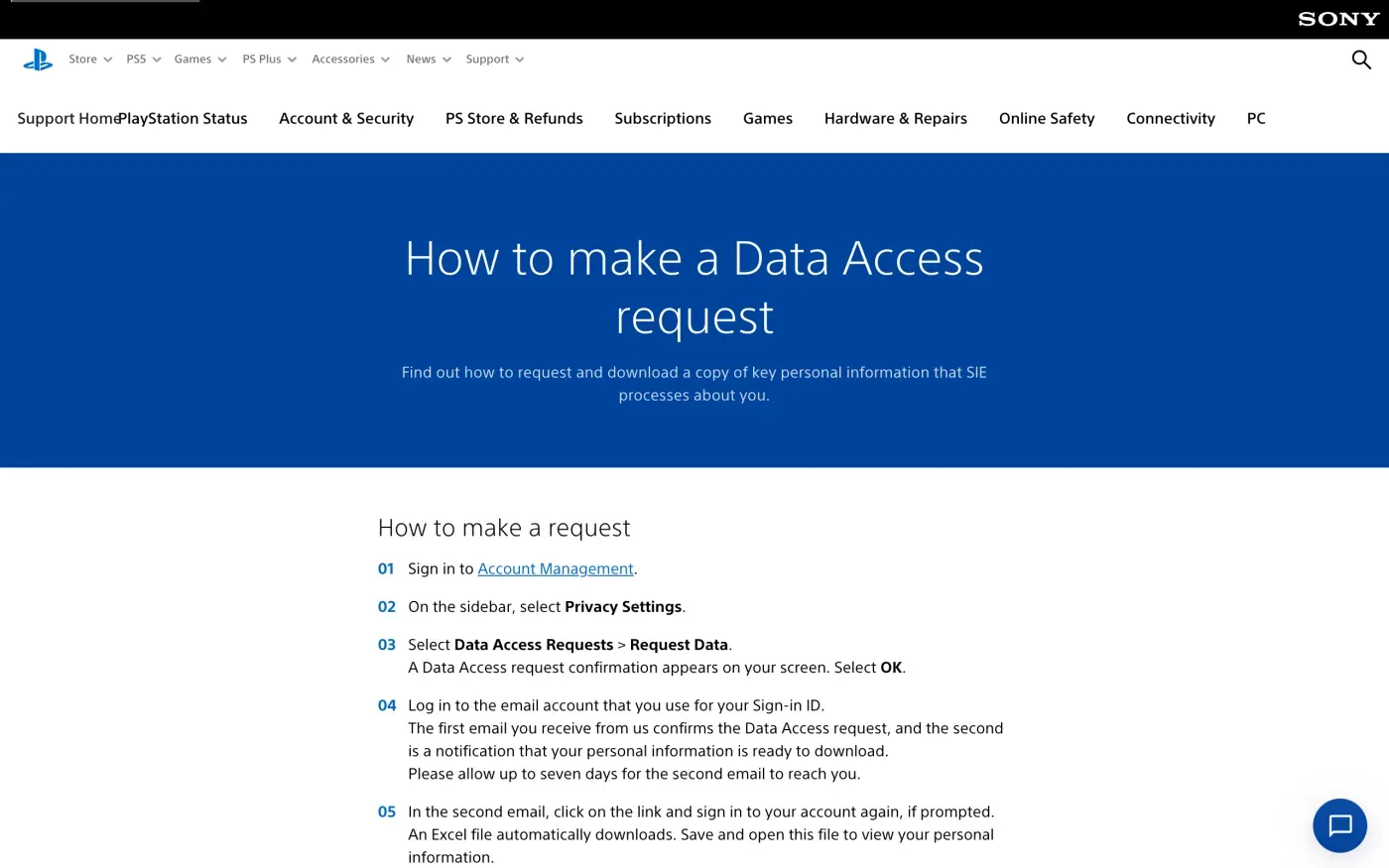
The privacy policy calls the download “a copy of key PI that we process”. For everything else, use the formal request below and name the data you expect, such as purchase history, gameplay and device data.
Where to send a formal request
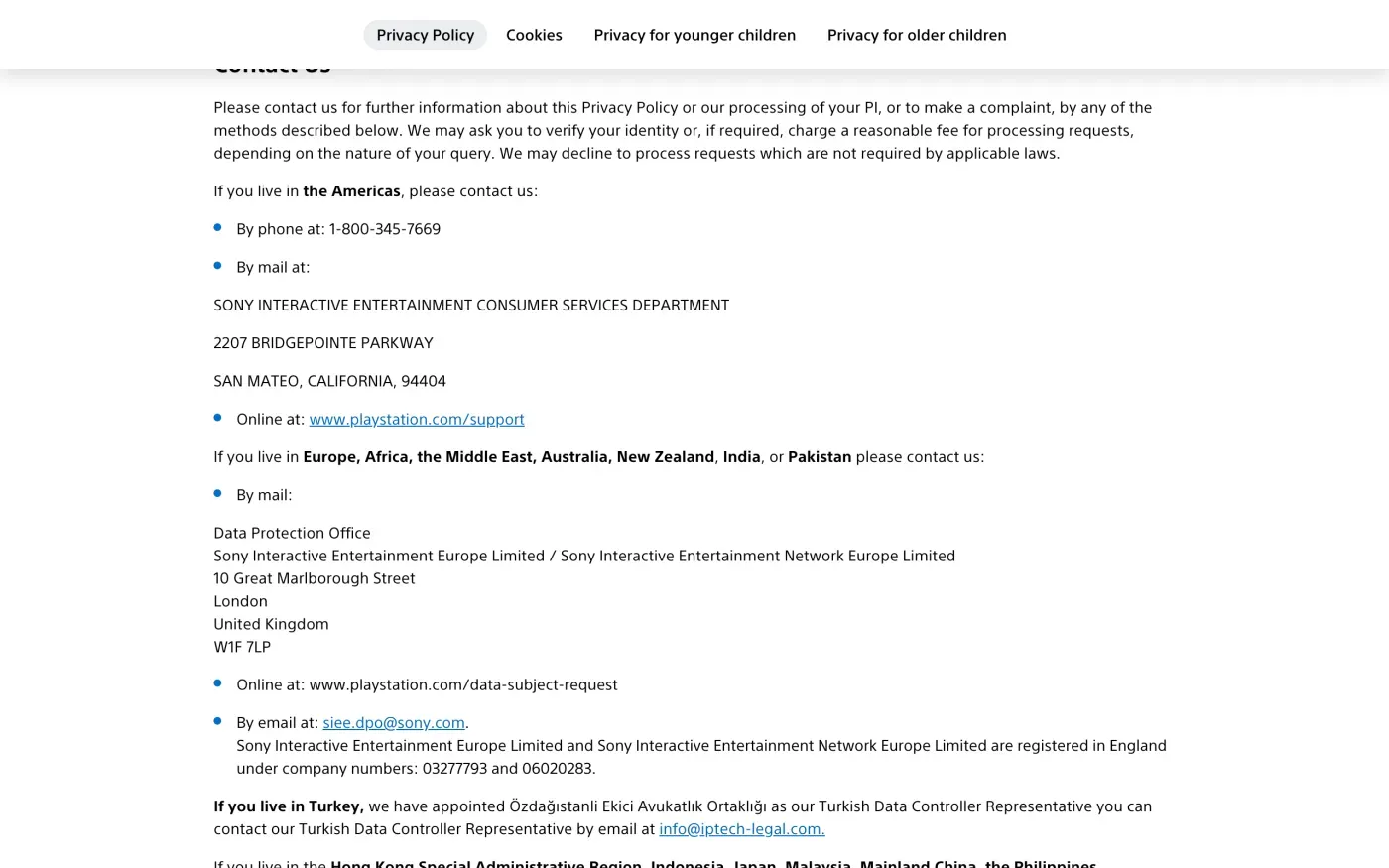
The privacy policy sets out contact routes for people in Europe, Africa, the Middle East, Australia, New Zealand, India and Pakistan. It says:
Online at: www.playstation.com/data-subject-request
By email at: siee.dpo@sony.com.
By post, it gives: Data Protection Office, Sony Interactive Entertainment Europe Limited / Sony Interactive Entertainment Network Europe Limited, 10 Great Marlborough Street, London, United Kingdom, W1F 7LP.
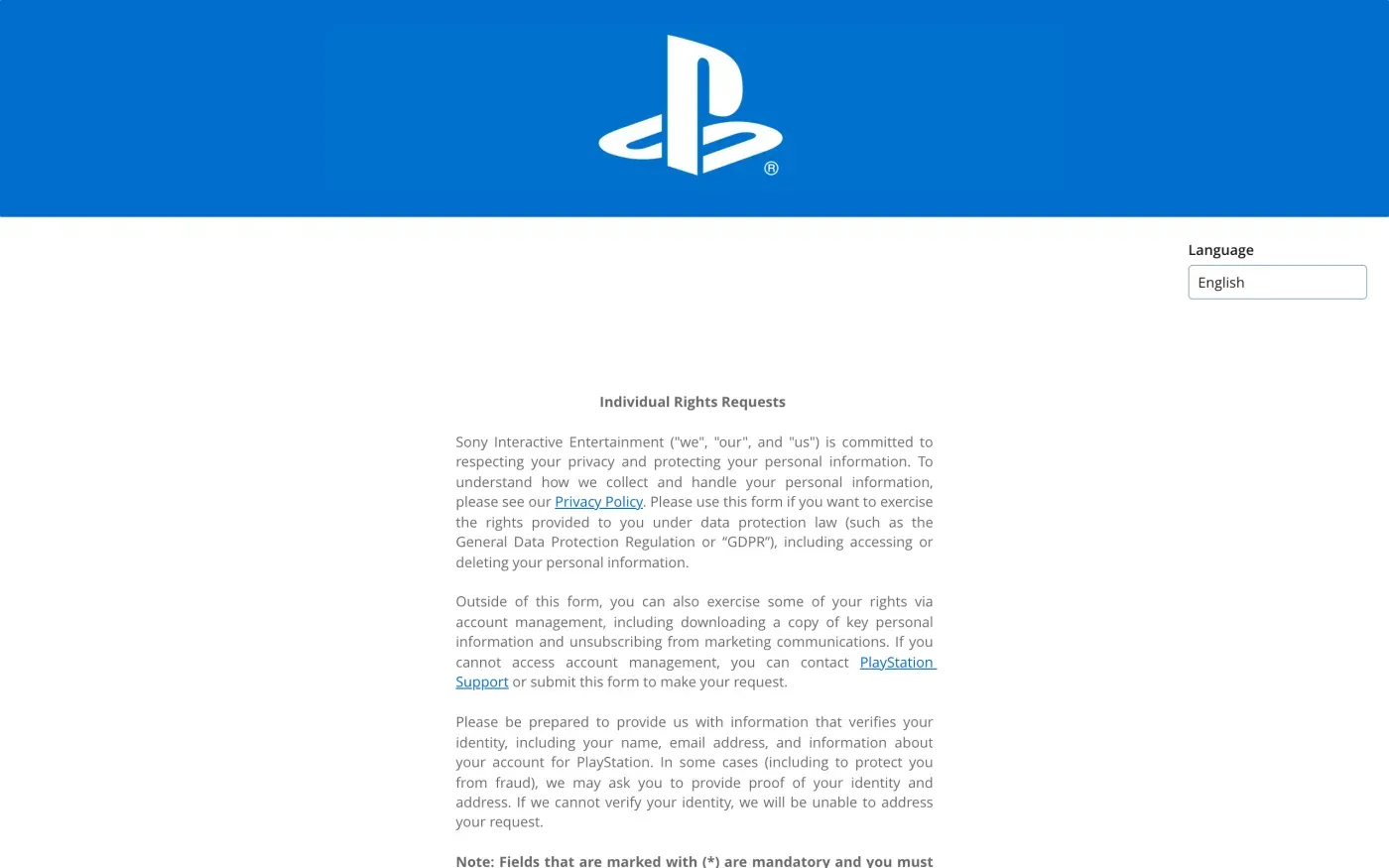
The web address redirects to an Individual Rights Requests form. Its introduction says to “use this form if you want to exercise the rights provided to you under data protection law (such as the General Data Protection Regulation or “GDPR”), including accessing or deleting your personal information”. An email leaves a record in your sent folder, which helps if you have to chase it.
Who holds your data
The policy says the PlayStation company that controls your data depends on where your account is registered. For Europe, Africa, the Middle East, Australia, New Zealand or India it is “Sony Interactive Entertainment Europe Limited and its wholly owned subsidiary Sony Interactive Entertainment Network Europe Limited”. The contact section says both are registered in England, with company numbers 03277793 and 06020283.
So the controller for a European account is a UK company, and the policy does not name an EU entity. Which law you cite depends on where you live. If you live in the UK, the UK GDPR applies. If you live in the EU, the EU GDPR still protects you under Article 3, because PlayStation offers services to people there. The letter below comes in both versions.
The policy sets two limits:
- Studios that make games may control some data too. The policy says “the first and third-party studios who develop games for PlayStation may also control the PI collected”. A request to PlayStation covers PlayStation’s own data, so for a game’s studio you send a separate request.
- Other Sony accounts are separate. The policy says “If you have accounts with other Sony group companies, you will need to contact those companies separately to close those accounts.”
What PlayStation says it keeps
The erasure paragraph of the EEA, UK and Switzerland addendum says what can survive:
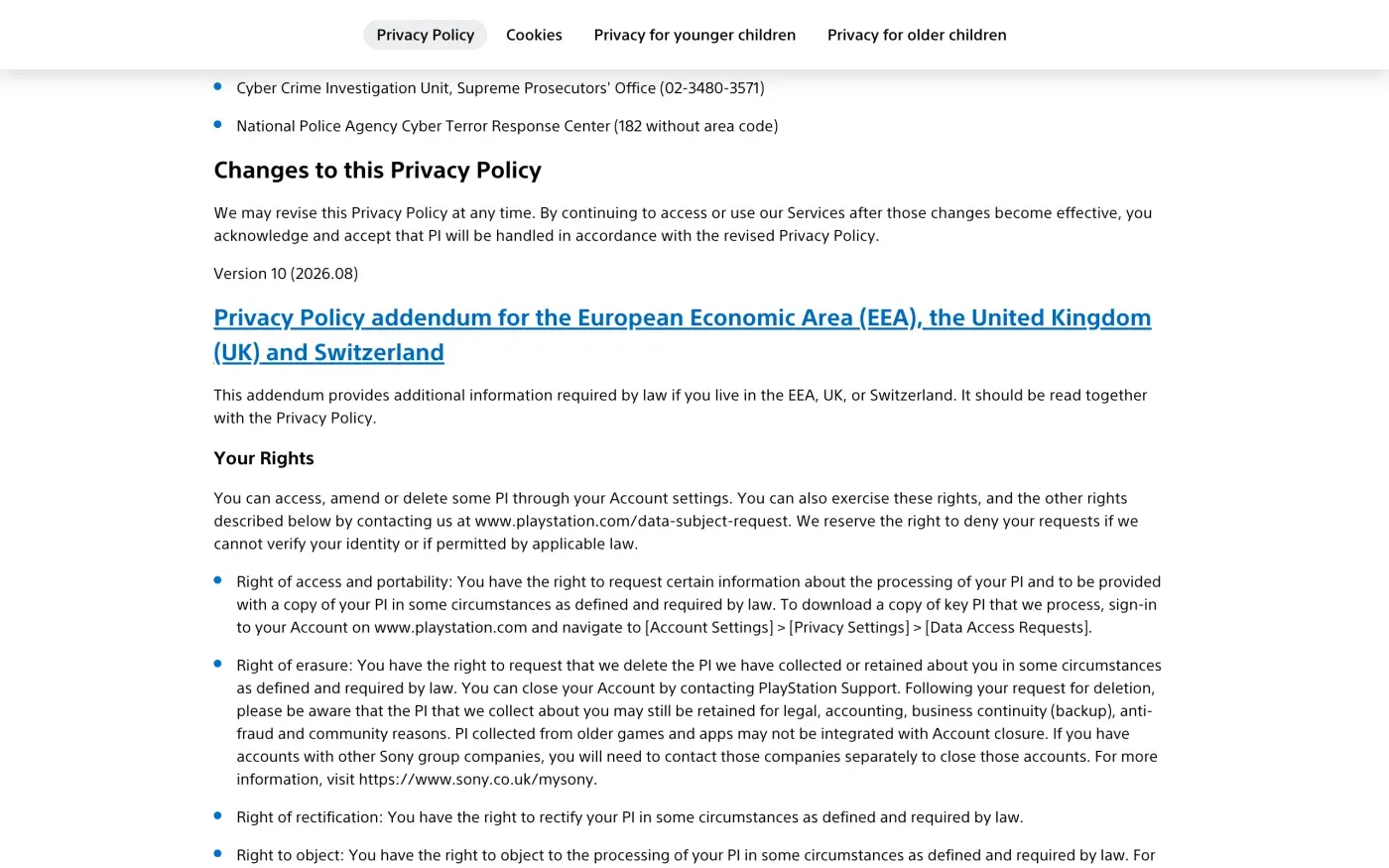
| Topic | What the privacy policy says |
|---|---|
| Data kept after a deletion request | "may still be retained for legal, accounting, business continuity (backup), anti-fraud and community reasons" |
| Older games and apps | "PI collected from older games and apps may not be integrated with Account closure" |
| Backups | "your PI may remain on backup or archival media as well as other information systems" |
| How long data is kept | No fixed period. It says PlayStation retains data "as long as it is necessary" for its purposes, and as long as the law permits or requires |
The policy gives no retention periods, so the letter asks for them: what is kept, for how long and under which legal basis. Under Article 12(4) of the GDPR, a company that declines part of a request must give its reasons.
Will PlayStation ask for ID
The privacy policy says PlayStation “may ask you to verify your identity”, and its form says to “be prepared to provide us with information that verifies your identity, including your name, email address, and information about your account”. In some cases it may ask for proof of identity and address, and says that “if we cannot verify your identity, we will be unable to address your request.”
Send the email from the address you use to sign in to PlayStation, and include your online ID. Under Article 12(6) of the GDPR, a company can ask for more only when it has reasonable doubts about who you are, so do not attach a passport up front.
The letter
Fill in your sign-in email and online ID, and send it to siee.dpo@sony.com from the address on the account. Choose the version that matches where you live. If you want both a copy and deletion, send the access letter first, then the erasure letter once you have the file.
For deletion from the EU:
Dear PlayStation privacy team,
Under Article 17 of the GDPR, I ask you to erase all the personal data you hold about me.
My account uses the email address [your account email]. If you keep any of my data, please tell me what you keep and the legal reason.
Please answer within one month of receiving this request, as Article 12(3) of the GDPR requires.
Kind regards,
[Your name]
For deletion from the UK, citing the UK GDPR (the UK guide explains the difference):
Dear PlayStation privacy team,
Under Article 17 of the UK GDPR, I ask you to erase all the personal data you hold about me.
My account uses the email address [your account email]. If you keep any of my data, please tell me what you keep and the legal reason.
Please answer within one month of receiving this request, as Articles 12(3) and 12A of the UK GDPR require.
Kind regards,
[Your name]
For a full copy of your data, rather than the download tool’s key information:
Dear PlayStation privacy team,
Under Article 15 of the GDPR, I ask for a copy of all the personal data you hold about me.
Please also tell me why you use it, what kinds of data you hold, who you have shared it with, how long you will keep it, where you got it if not from me, and whether you make automated decisions about me.
My account uses the email address [your account email].
Please answer within one month of receiving this request, as Article 12(3) of the GDPR requires.
Kind regards,
[Your name]
For a full copy from the UK, citing the UK GDPR (the subject access request guide has the detail):
Dear PlayStation privacy team,
Under Article 15 of the UK GDPR, I ask for a copy of all the personal data you hold about me.
Please also tell me why you use it, what kinds of data you hold, who you have shared it with, how long you will keep it, where you got it if not from me, and whether you make automated decisions about me.
My account uses the email address [your account email].
Please answer within one month of receiving this request, as Articles 12(3) and 12A of the UK GDPR require.
Kind regards,
[Your name]
The deletion letter guide explains the deadlines and what PlayStation must tell you if it refuses.
More accounts than PlayStation?
Reflex finds the companies in your Gmail, sends this letter to each from your own address and follows up for three months. Free to join the beta, €19 once when you start.
If PlayStation does not answer
PlayStation has one month from receiving your request, extendable by two months only if it tells you why within the first month (Article 12(3)). See the response deadline guide for how to count it. If the month passes, send a reminder; the guide to ignored requests has one.
The privacy policy says to contact PlayStation first, and then: “you can contact your local data protection regulator or the Information Commissioner’s Office (“ICO”) in the United Kingdom.” It does not name a lead authority for the EU. Under Article 77 you can complain to the authority where you live, and the EDPB keeps the list of national authorities. In the UK, complain to the ICO.
Questions
How do I delete my PlayStation account?
PlayStation's help page gives the route in the PlayStation app (or the PlayStation Family app) under Settings, then Close Your Account at the bottom of the menu. Your account then enters a 30-day freeze before it is closed.
Can I get my PlayStation account back after closing it?
During the 30-day freeze, yes. PlayStation says you can re-open the account at any time in that period by contacting PlayStation Support and cancelling the closure.
What is PlayStation's email address for data requests?
The privacy policy gives siee.dpo@sony.com for people in Europe, plus the form at www.playstation.com/data-subject-request and a postal address for the Data Protection Office in London.
How do I download my PlayStation data?
Sign in to Account Management, choose Privacy Settings, then Data Access Requests and Request Data. PlayStation says an Excel file with key personal information follows by email, within seven days.
Who do I complain to about PlayStation?
The policy says to contact your local data protection regulator or the Information Commissioner's Office in the UK, after contacting PlayStation first.
Sources
- PlayStation Privacy Policy (UK site, version 10, 2026.08), Who we are; Contact us; Complaints; addendum for the EEA, UK and Switzerland (Your Rights, Retention)PlayStation, checked 15 November 2026
- How to close an account for PlayStationPlayStation, checked 15 November 2026
- How to make a Data Access requestPlayStation, checked 15 November 2026
- Individual Rights Requests form, Redirects to PlayStation's privacy web formPlayStation, checked 15 November 2026
- Regulation (EU) 2016/679, the GDPR, Articles 3, 12, 17, 77EUR-Lex, checked 15 November 2026
- Members of the EDPB, national data protection authoritiesEuropean Data Protection Board, checked 15 November 2026
- Make a complaintICO, checked 15 November 2026