
The delete button waits for your subscription to run out
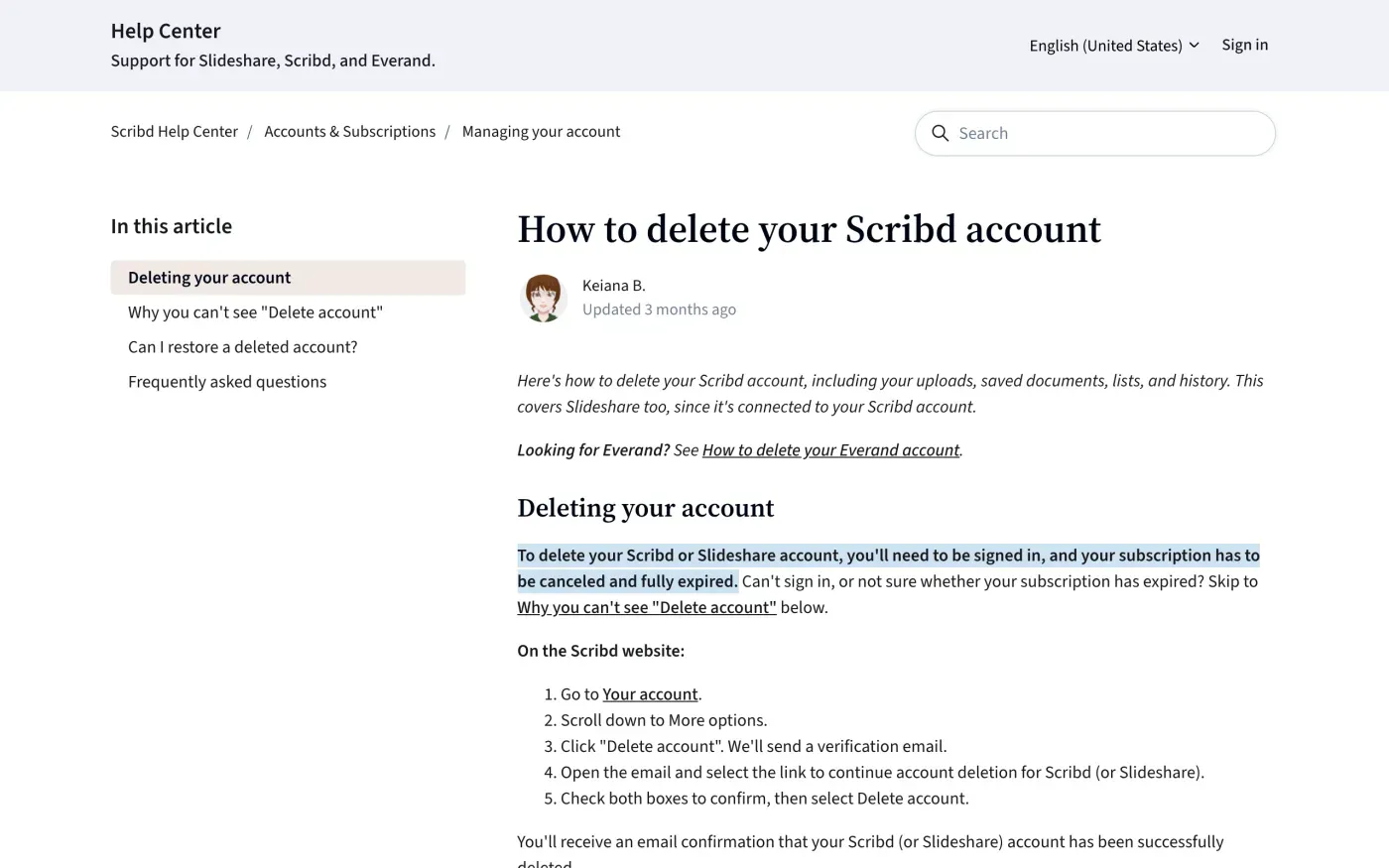
One company, Scribd, Inc., runs Scribd, Slideshare, Everand and Fable. You can delete an account yourself, but only after your subscription ends. Scribd’s help article says “To delete your Scribd or Slideshare account, you’ll need to be signed in, and your subscription has to be canceled and fully expired.”
- Cancel the subscription.
Cancelling stops the billing. You keep access until the paid time ends. If you subscribed through the App Store or Google Play, cancel there.
- Wait until your account page says Expired.
Scribd says the button appears once the page shows “Expired” next to Your subscription and your plan reads “Basic”.
- On the website: Your account, More options, Delete account.
Scribd sends a verification email. Open it, follow the link, tick both boxes and select Delete account.
- In the app: Account, Account Information, Delete account.
Follow the prompts. An “Account deleted” banner confirms it.
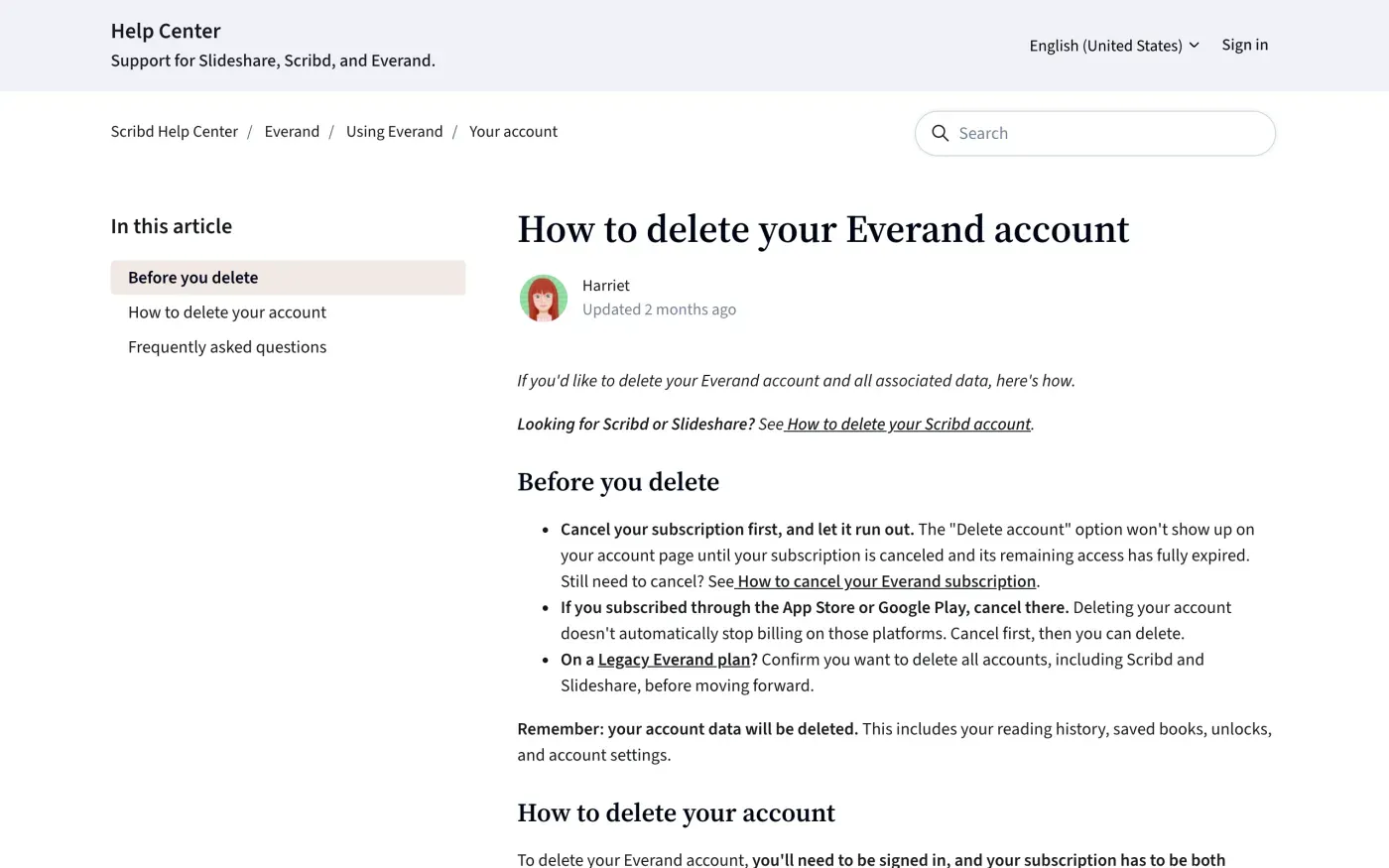
Everand has its own article with the same condition. It warns that deleting removes “your reading history, saved books, unlocks, and account settings”, and that deleting does not stop billing taken by the App Store or Google Play.
When you can’t use the button
Three cases push you to a privacy request instead: you cannot sign in, the email on the account no longer works, or you want the data gone without waiting for a subscription to end. Scribd’s article sends lost-access users to a support request. A GDPR request does not need a login.
Where to send the request
Scribd’s privacy policy, section 5.1, offers two routes, and section 6.2 adds a third for readers in the EU and UK.
| Route | What Scribd publishes |
|---|---|
| Privacy Rights Request Form | scribd.wufoo.com/forms/privacy-rights-request-for-scribd-inc |
| privacy@scribd.com | |
| Post, EU representative | Scribd Netherlands BV, Schiphol Boulevard 195, 1118 BG Schiphol, The Netherlands (Attention: Data Privacy) |
The form covers Scribd, Slideshare, Everand and Fable, and lets you ask to access, delete or correct your information, or stop certain uses of it if you are in the EU or UK. It needs JavaScript. Email leaves you a copy of what you sent.
Who holds your data: a US company
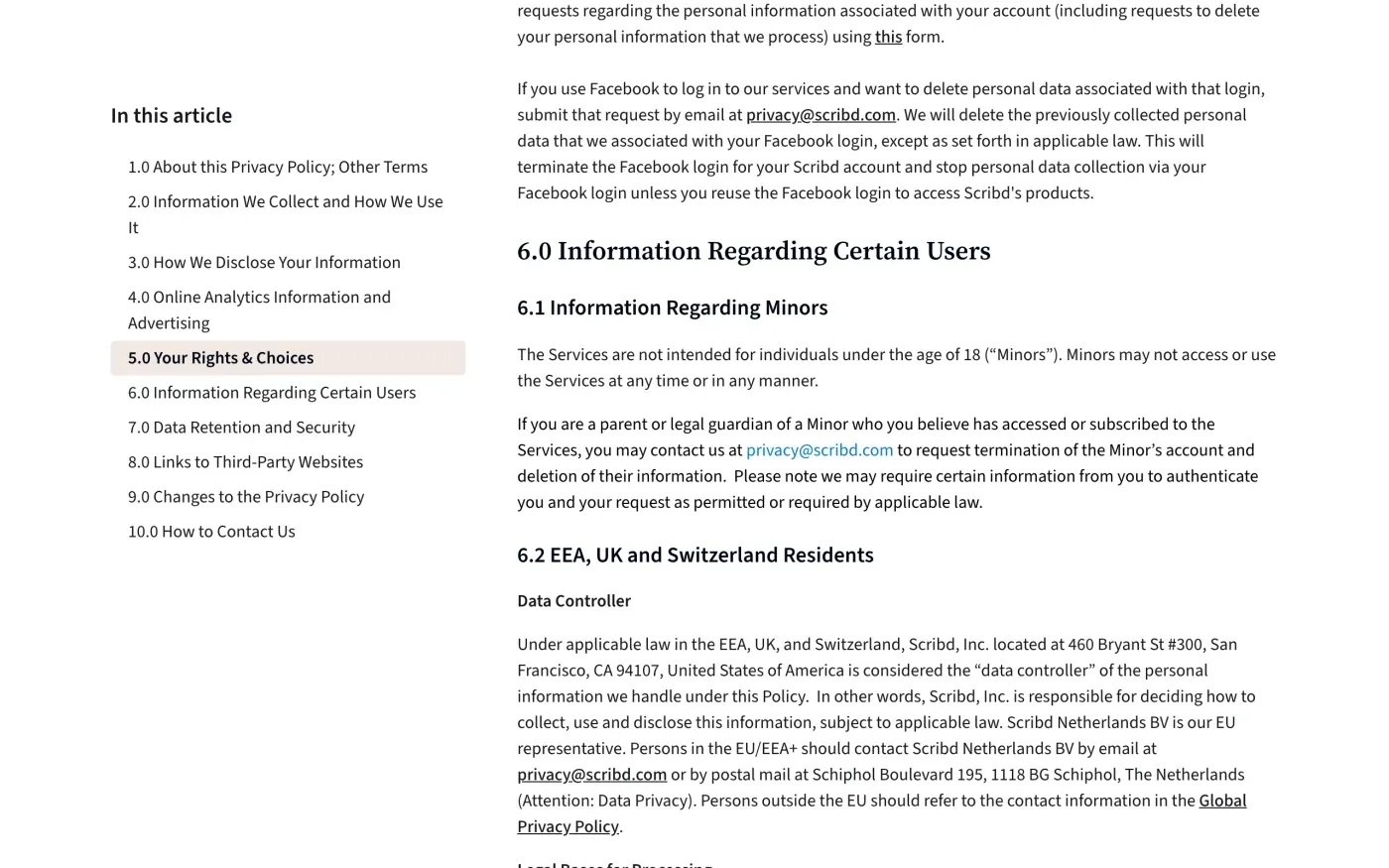
Scribd’s policy says that for the EEA, UK and Switzerland, “Scribd, Inc. located at 460 Bryant St #300, San Francisco, CA 94107, United States of America is considered the ‘data controller’”. Scribd Netherlands BV is described as its EU representative, a contact point under Article 27 of the GDPR. It is not named as the controller. The policy names no separate UK controller, so UK readers use the same address and the UK version of the letter.
What Scribd says it keeps
The policy gives no table of retention periods. Section 7.0 says it keeps information “for as long as we determine is necessary” for purposes such as providing the services, resolving disputes, audits and complying with law. Section 5.1 adds that “certain information may be exempt from such requests under applicable law such as information we retain for legal compliance and to secure our Services”, and that if you ask it to delete data it needs, “you may no longer be able to use the Services”.
The letter therefore asks Scribd to list what it keeps, the legal reason for each item and how long (Article 12(4)). Scribd says it will “take commercially reasonable steps to verify your identity”. Send the request from the account’s email address and add ID only if Scribd asks and explains why.
If you want a copy of your data first, tick access as well. The subject access request guide explains what you are entitled to.
If you signed in with Facebook, section 5.4 has a separate route: email privacy@scribd.com and Scribd says it will delete the data it linked to your Facebook login and end that login.
The letter
Fill in the fields and send it to privacy@scribd.com from the email address on your account. Add the name of each product you used (Scribd, Slideshare, Everand, Fable) on a line of its own.
Dear Scribd privacy team,
Under Article 17 of the GDPR, I ask you to erase all the personal data you hold about me.
My account uses the email address [your account email]. If you keep any of my data, please tell me what you keep and the legal reason.
Please answer within one month of receiving this request, as Article 12(3) of the GDPR requires.
Kind regards,
[Your name]
To get a copy of your data first, use the access letter:
Dear Scribd privacy team,
Under Article 15 of the GDPR, I ask for a copy of all the personal data you hold about me.
Please also tell me why you use it, what kinds of data you hold, who you have shared it with, how long you will keep it, where you got it if not from me, and whether you make automated decisions about me.
My account uses the email address [your account email].
Please answer within one month of receiving this request, as Article 12(3) of the GDPR requires.
Kind regards,
[Your name]
In the UK, use the UK version of the letter, which cites the UK GDPR:
Dear Scribd privacy team,
Under Article 17 of the UK GDPR, I ask you to erase all the personal data you hold about me.
My account uses the email address [your account email]. If you keep any of my data, please tell me what you keep and the legal reason.
Please answer within one month of receiving this request, as Articles 12(3) and 12A of the UK GDPR require.
Kind regards,
[Your name]
Subscribed to more than one service?
Reflex finds the companies in your Gmail, sends this letter to each from your own address and follows up for three months. Free to join the beta, €19 once when you start.
If Scribd does not answer
Scribd has one month to answer, or to tell you within that month why it needs up to two more (see the response deadline). If it misses that, send a reminder, then complain.
Because Scribd, Inc. has no main establishment in the EU, there is no single lead authority to go to. Under Article 77 you can complain to the data protection authority where you live. The EDPB keeps the list of national authorities. Scribd’s policy says the same: “you also have the right to lodge a complaint with a supervisory authority in your country.” UK readers complain to the ICO.
The reminder letter and the complaint, step by step, are in what to do if a company ignores your request. For a general letter, see the deletion letter guide. Other subscription services with their own delete routes are Spotify, Netflix and Dropbox.
Questions
Why is there no Delete account button on Scribd?
Scribd's help centre says the button appears under More options on your account page only when you are signed in and your cancelled subscription has fully expired. Your account page should show "Expired" next to Your subscription and a plan called "Basic".
Does cancelling my Scribd subscription delete my account?
No. Scribd says cancelling stops the billing but keeps your account, reading history, saved lists and uploads as they are.
Is deleting Scribd the same as deleting Everand?
Scribd runs separate help articles for each. The Scribd article covers Scribd and Slideshare. Everand has its own. On a Legacy Everand plan, Scribd says to confirm you want to delete all accounts, including Scribd and Slideshare.
Can I undo a Scribd deletion?
Usually yes for an ordinary deletion, if you contact Scribd's virtual assistant with the email address that was on the account. Scribd says a deletion you requested as an erasure under privacy law is permanent.
Who do I complain to about Scribd?
Scribd, Inc. is in San Francisco, so there is no single lead authority. Complain to the data protection authority in the country where you live. UK readers complain to the ICO.
Sources
- Global Privacy Policy, Updated 27 July 2026. 5.1 Information Rights and Choices; 5.4 Account and Subscription Management; 6.2 EEA, UK and Switzerland Residents; 7.0 Data Retention and SecurityScribd, checked 16 November 2026
- How to delete your Scribd account, Updated 12 August 2026Scribd, checked 16 November 2026
- How to delete your Everand account, Updated 21 August 2026Scribd, checked 16 November 2026
- Privacy Rights Request Form, Updated 21 October 2026. The form itself is at https://scribd.wufoo.com/forms/privacy-rights-request-for-scribd-inc/Scribd, checked 16 November 2026
- Regulation (EU) 2016/679, the GDPR, Articles 12, 17, 27 and 77EUR-Lex, checked 16 November 2026
- Members of the EDPB, national data protection authoritiesEuropean Data Protection Board, checked 16 November 2026
- Make a complaintICO, checked 16 November 2026