
Cancelling is not deleting
Most people who want Netflix gone cancel and stop there. After you cancel, “we keep your Viewing Activity for 24 months after your account closes”, along with your recommendations, ratings, account details, gameplay history and game saves. Netflix keeps it so the account is waiting if you come back.
Its page on deleting your account says: “It is our standard practice to automatically delete Netflix accounts 24 months after the membership has been canceled.” If you want the data gone sooner, you have to ask.
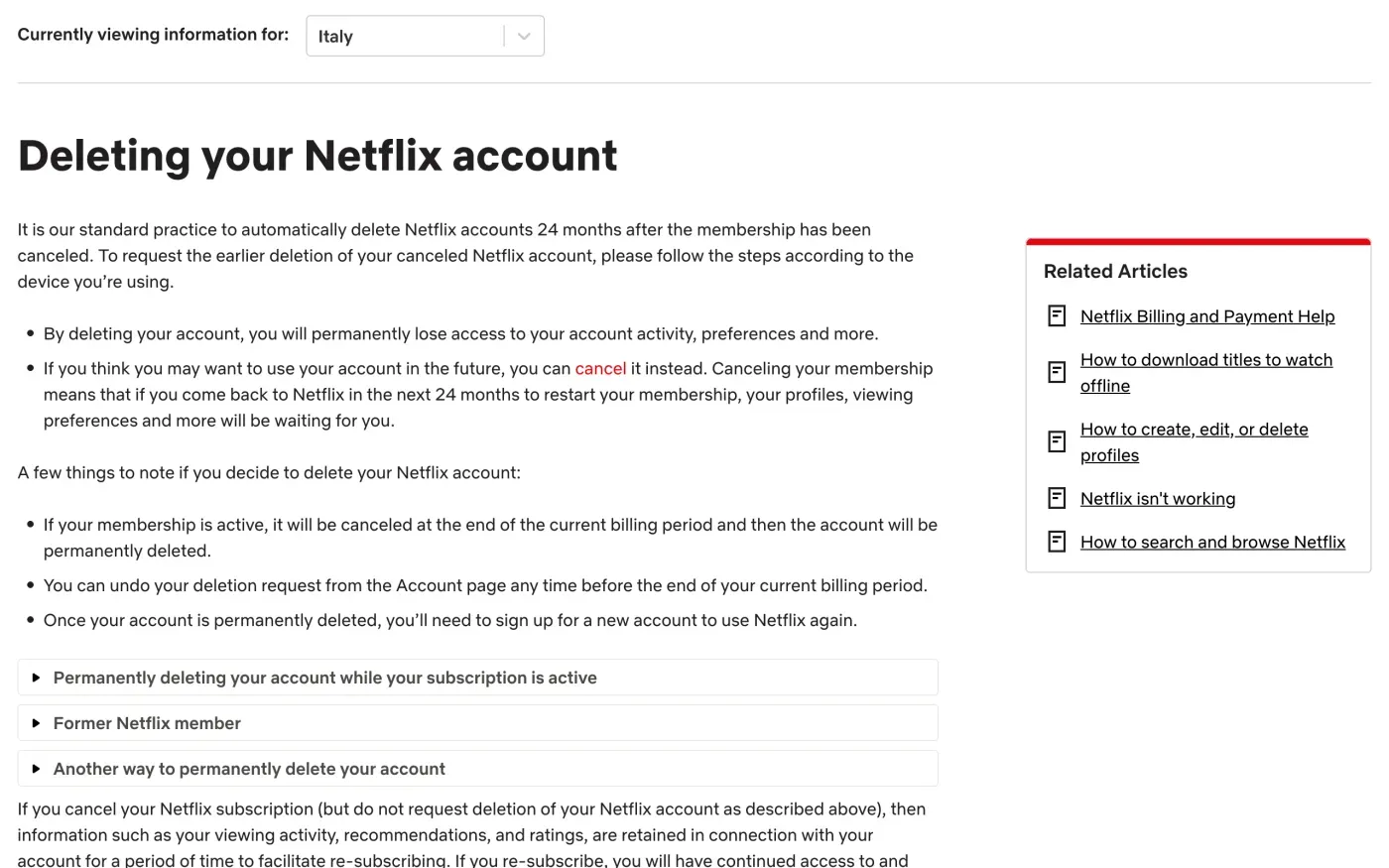
Which route fits you
| Your situation | What Netflix says | What to do |
|---|---|---|
| You can sign in | Use Delete account in the Security section of the account page, in the Netflix app, or in a Netflix game app. | Use the button. Ask for a copy of your data first. |
| You cannot use the button, or the account is already cancelled | Email privacy@netflix.com "from the email address associated with the account". | Send the letter below from that address. |
| Someone else pays for it (a partner or provider bills you) | Netflix can only delete the account once cancellation through the third party takes effect at the end of the billing period. | Cancel with them, then email Netflix. |
| You signed up but never finished | Email privacy@netflix.com to delete what you entered during sign-up. | Send the letter. |
The delete button
Netflix gives the same three steps in three places. On the web, go to the Security section of your account page and select Delete account. In the Netflix app, tap My Netflix, the profile name, Account, then Delete account under Settings. In a Netflix game app, tap your Profile icon, Account, then Delete account under Settings. Each route then asks you to complete a Security Check, tick a box and tap Permanently Delete, and Netflix emails you a confirmation.
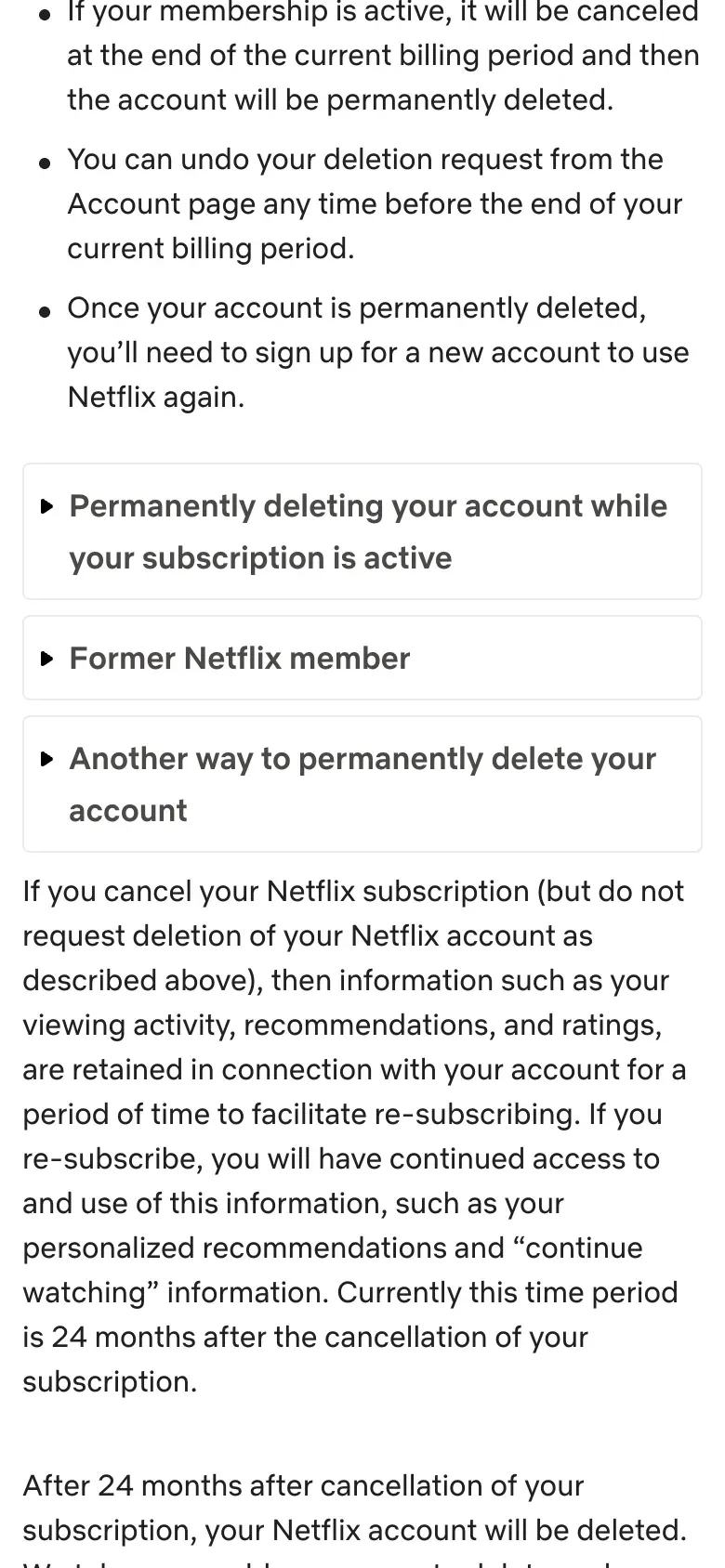
Netflix says that once the account is permanently deleted, “you’ll need to sign up for a new account to use Netflix again”, and that you “will permanently lose access to your account activity, preferences and more”. If you only want a break, cancelling keeps your data for 24 months, including game saves.
Get a copy of your data first
Deletion cannot be undone once it takes effect, so ask for your data first if you want it. Netflix’s help centre says: “Go to https://www.netflix.com/account/getmyinfo and follow the instructions. It may take up to 30 days from the date we verify your request to produce the requested information.” If you have trouble, it says to write to privacy@netflix.com.
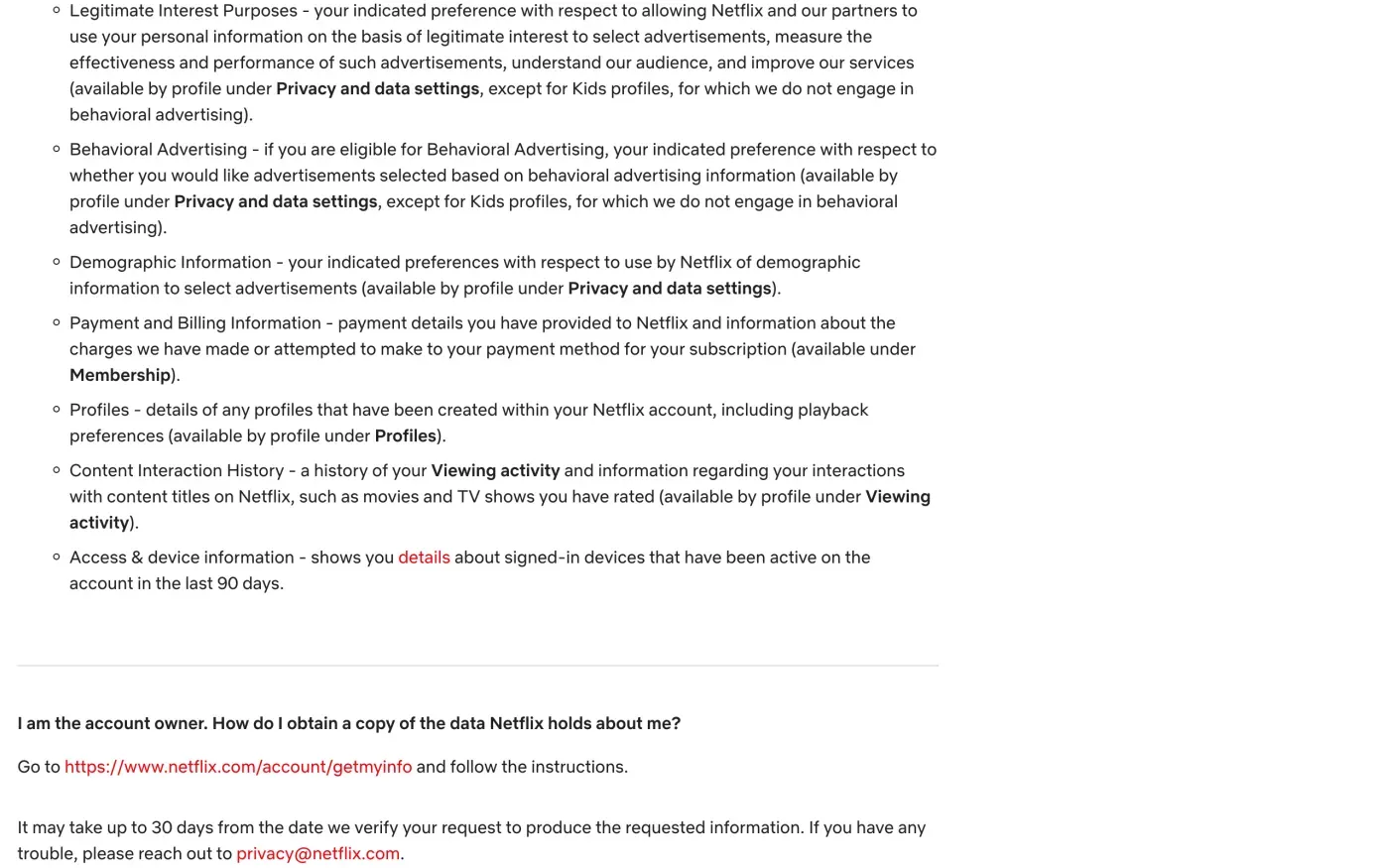
This is a route for the account owner. If you use a profile on someone else’s account and have added your own email address to it, Netflix says to email privacy@netflix.com instead, and adds: “Please note that the account owner will be notified of your request.”
To ask in writing rather than through the tool, the letter for a copy of your data is below, and the subject access request guide explains what comes back.
Where to send it at Netflix
Netflix has one privacy address for everyone. Its privacy statement, last updated 10 April 2026, says:
For questions about this Privacy Statement, our use of your personal information, or how to exercise your privacy rights, please contact our Data Protection Officer/Privacy Office at privacy@netflix.com.
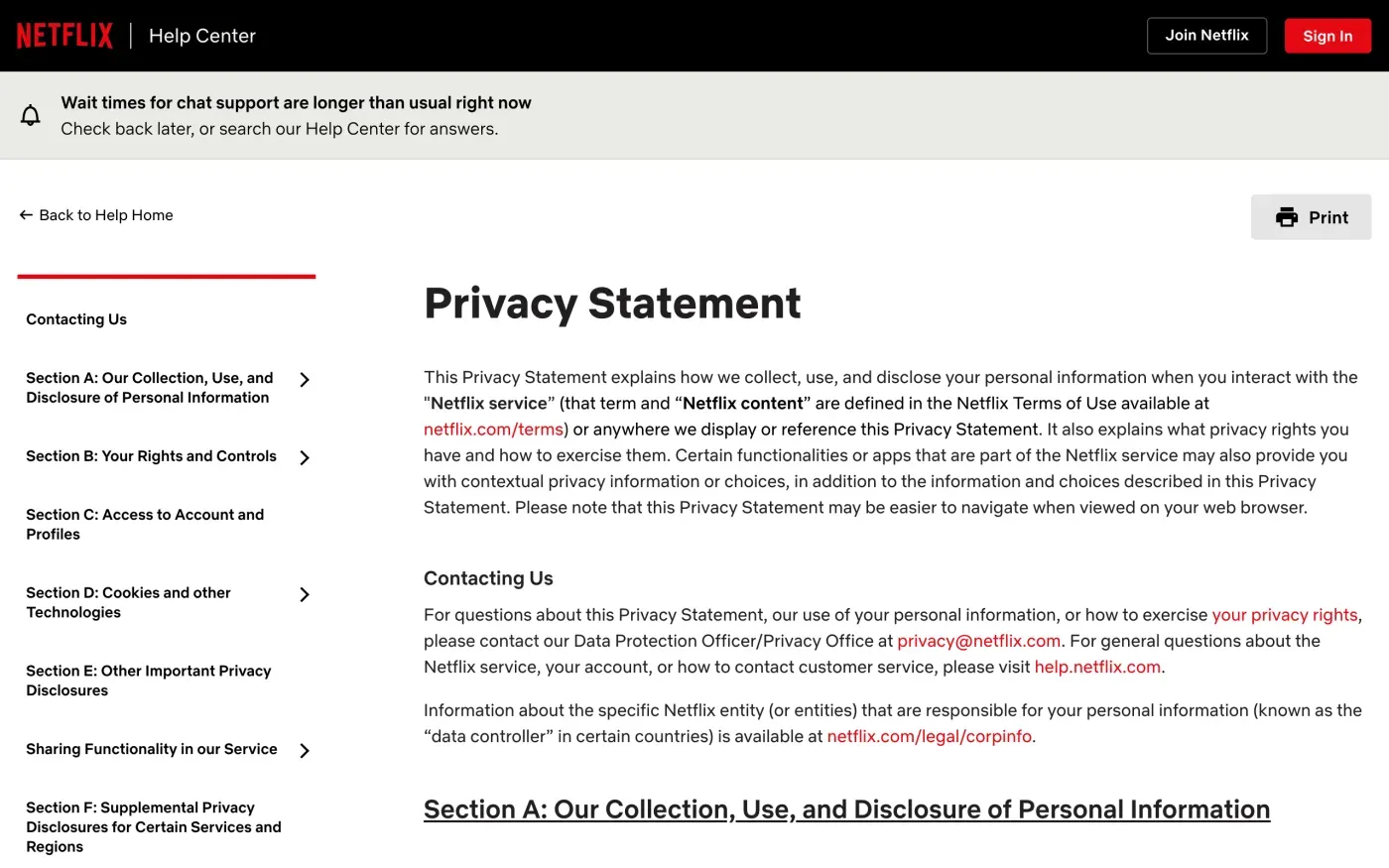
Netflix publishes no postal address for privacy requests in the statement. The statement points to the corporate information page for the data controller, and for the pages we checked that page lists these companies as “joint controllers”:
| Company | Address on Netflix's corporate page |
|---|---|
| Netflix International B.V. | Karperstraat 8-10, 1075 KZ Amsterdam, the Netherlands |
| Netflix Services Italy S.R.L. | Via Boncompagni no. 8-10, Villino Rattazzi, 00187 Rome, Italy |
The corporate page changes with the country selected in the help centre, so check the one for your country at netflix.com/legal/corpinfo. The version we read was set to Italy. Do not assume the same two companies apply to every country. We could not confirm from Netflix’s pages whether a separate company is the controller for UK members.
Will Netflix ask for ID
The pages we read do not ask for a passport, but they are strict about the sender’s address. For deletion by email, the help article says to write “from the email address associated with the account” and adds: “Including the email address in the body of a request sent from a different email address (including an email alias) does not suffice for these purposes.”
So send from the exact address you sign in with, not an alias, and do not attach ID. Under Article 12(6) of the GDPR, a company may ask for more only if it has reasonable doubts about who you are. If Netflix does ask, give only what it needs to find the account.
What Netflix keeps after you delete
Netflix does not publish a retention table. The pages we read say:
| Data | What Netflix says |
|---|---|
| A cancelled account | Deleted automatically 24 months after cancellation |
| Your emails to privacy@netflix.com | "we will retain this correspondence for 6 years" |
| Anything the law requires or allows | "We retain personal information as required or permitted by applicable laws and regulations, including to honor your choices, for our billing or records purposes" |
The privacy statement adds that retention depends on factors such as your relationship with Netflix, the nature of the data, legal obligations “and the need to defend or resolve current or anticipated legal claims”. That is general wording, so ask Netflix in your letter to say what it keeps after the deletion and why. It must tell you (Article 12(4)), including when the answer is no.
The letter
Use the letter if the button is out of reach, the account is already cancelled, or you want the answer in writing. Send it to privacy@netflix.com from the email address on the account. Fill in your name and that address.
Dear Netflix privacy team,
Under Article 17 of the GDPR, I ask you to erase all the personal data you hold about me.
My account uses the email address [your account email]. If you keep any of my data, please tell me what you keep and the legal reason.
Please answer within one month of receiving this request, as Article 12(3) of the GDPR requires.
Kind regards,
[Your name]
To get a copy of your data in writing first, or as well:
Dear Netflix privacy team,
Under Article 15 of the GDPR, I ask for a copy of all the personal data you hold about me.
Please also tell me why you use it, what kinds of data you hold, who you have shared it with, how long you will keep it, where you got it if not from me, and whether you make automated decisions about me.
My account uses the email address [your account email].
Please answer within one month of receiving this request, as Article 12(3) of the GDPR requires.
Kind regards,
[Your name]
In the UK, use the versions that cite the UK GDPR:
Dear Netflix privacy team,
Under Article 17 of the UK GDPR, I ask you to erase all the personal data you hold about me.
My account uses the email address [your account email]. If you keep any of my data, please tell me what you keep and the legal reason.
Please answer within one month of receiving this request, as Articles 12(3) and 12A of the UK GDPR require.
Kind regards,
[Your name]
For the deadlines, see the response deadline guide and the deletion letter guide. UK readers can also read the UK right to be forgotten guide.
Streaming is only one of your accounts
Reflex finds the companies in your Gmail, sends this letter to each from your own address and follows up for three months. Free to join the beta, €19 once when you start.
If Netflix does not answer
Netflix has one month from receiving your request, extendable by two months only if it tells you why within the first month (Article 12(3)). If that passes, send a reminder. The guide to ignored requests has one.
If there is still no answer, complain to a data protection authority (Article 77). Netflix’s privacy statement says:
If you are a data subject from the European Economic Area, our main establishment within the European Union is in the Netherlands. If you are a data subject from the UK, our competent supervisory authority is the Information Commissioner’s Office. But we encourage you to first contact us with any questions or concerns.
In the EU that makes the Dutch authority the lead authority (Article 56). You do not have to complain in the Netherlands. Article 77 lets you complain to the authority where you live, which passes the complaint on. The EDPB keeps the list of national authorities. In the UK, complain to the ICO.
If you are still looking for other accounts to close, the guide to finding companies that hold your data helps.
Questions
Does cancelling Netflix delete my account?
No. Netflix's help centre says that after you cancel, your viewing activity, recommendations, ratings, account details, gameplay history and game saves stay available for 24 months, and the account is deleted automatically after that.
What is the email address for deleting my Netflix data?
privacy@netflix.com. Netflix's privacy statement names it as the address of its Data Protection Officer and Privacy Office for exercising your privacy rights.
Can I get a copy of my Netflix data?
Yes. The account owner goes to netflix.com/account/getmyinfo and follows the instructions. Netflix says it may take up to 30 days from the date it verifies your request.
Do I need to be logged in to delete my Netflix account?
The delete button needs you to sign in. If you cannot use it, or you are a former member, Netflix says to email privacy@netflix.com from the email address on the account.
Who regulates Netflix in Europe?
Netflix's privacy statement says its main establishment in the EU is in the Netherlands, so the Dutch authority leads. You can complain to the authority where you live. For the UK, the statement names the ICO.
Sources
- Deleting your Netflix accountNetflix, checked 15 November 2026
- How to cancel Netflix, Rejoining NetflixNetflix, checked 15 November 2026
- What personal information Netflix holds about you and how to request a copyNetflix, checked 15 November 2026
- Deletion, removal and retention of informationNetflix, checked 15 November 2026
- Netflix Privacy Statement, Contacting Us; Your Privacy Rights; Retention of Personal Information; Last Updated April 10, 2026Netflix, checked 15 November 2026
- Corporate Information, Data ControllersNetflix, checked 15 November 2026
- Members of the EDPB, national data protection authoritiesEuropean Data Protection Board, checked 15 November 2026
- Regulation (EU) 2016/679, the GDPR, Articles 12, 15, 17, 56 and 77EUR-Lex, checked 15 November 2026
- Make a complaintICO, checked 15 November 2026