
Download first, because closing is one way
Spotify has two separate routes, and the order matters. To get a copy, the privacy policy says you can “use the ‘Download your data’ tool on your Account Privacy page” or “contact us”. Closing the account deletes the data, so nothing is left to download.
The help page on data rights describes the tool as an “automated Download your data tool on your Account Privacy page”. The Account Privacy page at spotify.com/account/privacy needs you to be logged in, so it is not shown here.
The data arrives as JSON files in three packages, which you can download separately or all at once. The packages differ in how far back they go:
| What you want | What Spotify says the package holds |
|---|---|
| Your listening, in the account data package | Streaming history "in the past year" |
| Your whole listening history | Extended Streaming History, covering "the lifetime of your account", with country code and IP address for each stream |
| Your account details | Username, email address, date of birth, gender, postal address, mobile number, payment method type and last four card digits, customer service correspondence |
| What Spotify infers about you | A list of market segments you are currently associated with, used for interest-based advertising |
If you only care about playlists and saved music, the account data package lists your playlists with their songs, and a summary of Your Library. Save the files somewhere safe before you close anything.
Closing the account, and the 7 days
Spotify’s help page, Closing your account and deleting your data, separates cancelling from deleting. To stop paying you can move from Premium to the free plan. To delete, you use a link to a separate close-your-account page.
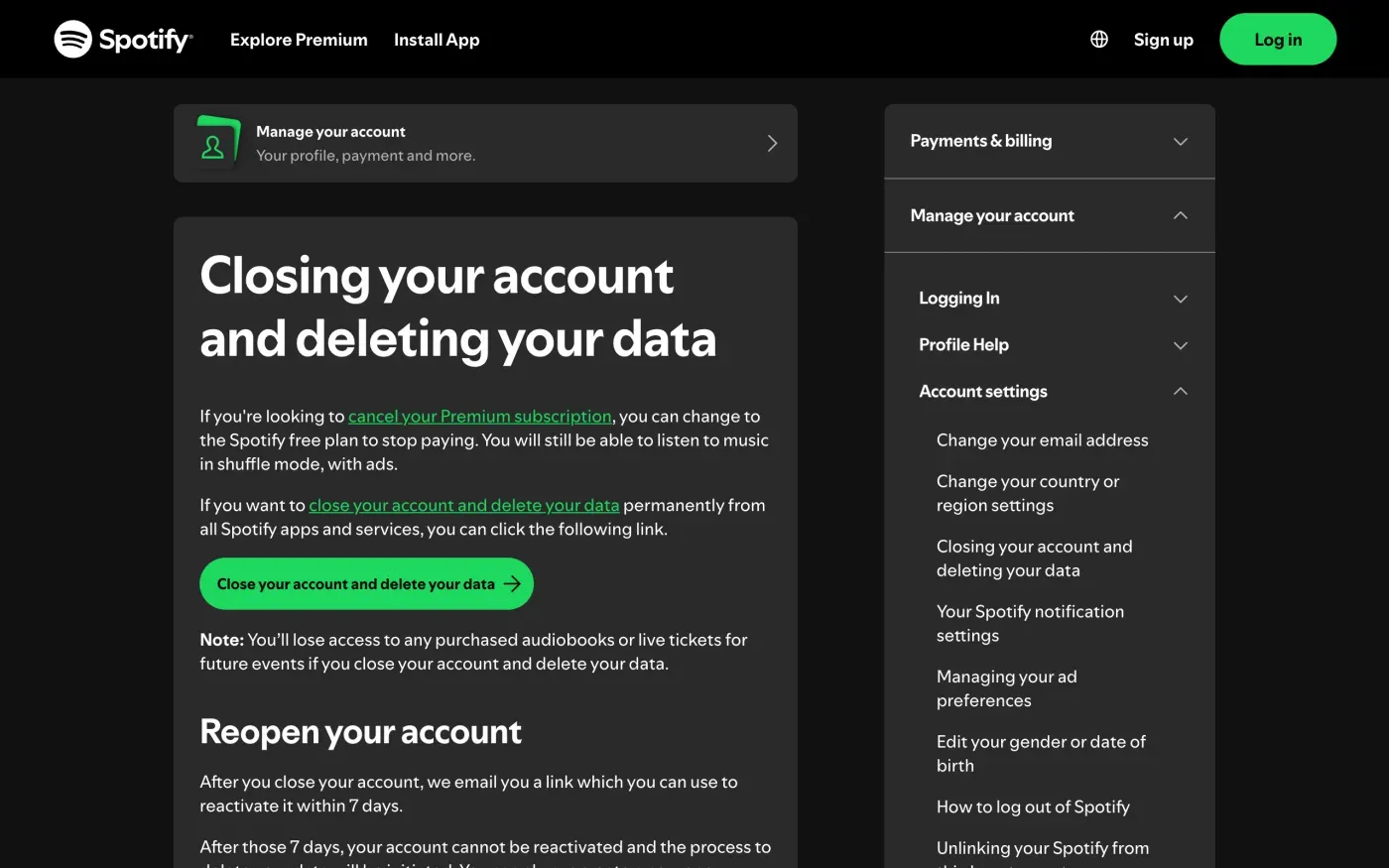
Before you click, note what the page says. “You’ll lose access to any purchased audiobooks or live tickets for future events if you close your account and delete your data”, so use any tickets first. “After you close your account, we email you a link which you can use to reactivate it within 7 days.” After that, “your account cannot be reactivated and the process to delete your data will be initiated.” You can create a new account with the same email address only “after 14 days from the date of closing your account.”
The close page asks you to log in, so this route does not help if you are locked out. Spotify’s page on disabled accounts says that if an account is disabled for suspected fraudulent activity, you contact Spotify and “may need to provide proof of account ownership, or purchase or payment details.” The email request below is the written route in that case.
What Spotify keeps after you close
Section 6 of the privacy policy, Data retention, sorts data into groups. For an account you close, two matter:
| Group | What the policy says |
|---|---|
| Kept until the account is deleted | Examples are "your Spotify username and profile information", and streaming history, kept "for the life of an account". When the account is deleted, "this category of data is deleted or de-identified". |
| Search queries | Deleted "after 90 days". |
| Kept longer for limited purposes | "After your account is deleted, we keep some data for a longer time period but for very limited purposes", such as mandatory data retention laws, government orders to preserve data, or litigation. Data removed from the service may also be kept for a limited time to protect user safety or against harmful content. |
| Age check data | "deleted immediately after your Age Check is complete". |
The policy does not give a number of months for the longer group. That is why a written request is useful: you can ask Spotify to say what it kept, for what purpose and for how long.
Where to send a written request
Spotify’s privacy policy, section 12, How to contact us, lists the Data Protection Officer’s contacts:
email us at: privacy@spotify.com
write to us at: Spotify AB, Regeringsgatan 19, 111 53 Stockholm, Sweden, Attn: Data Protection Officer
Spotify AB is the data controller of personal data processed under this Policy.
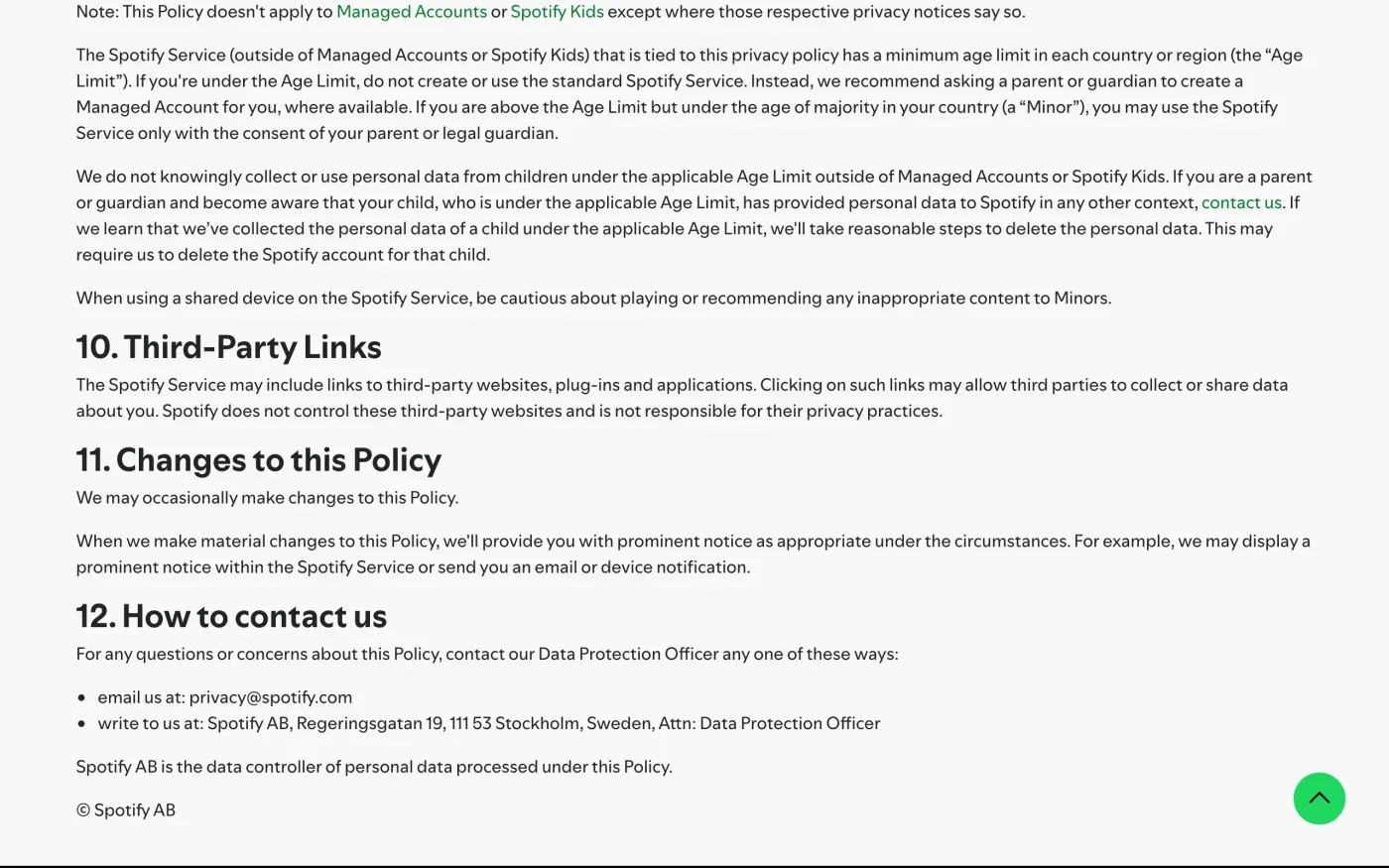
There is no separate form in the policy. For erasure outside the account button, section 2 says “for any other deletion requests, you can contact us”.
One company for the EU and the UK
The UK page of the privacy policy carries the same text and the same section 12: Spotify AB is the data controller. It does not name a separate UK company, so UK users write to the same address. As a UK user you rely on the UK GDPR rather than the EU one; the UK right to be forgotten guide has the version of the letter that cites it.
Ask for the copy and the deletion in one email
The policy lists both rights under section 2. On access it says that when you download your data “you will receive the information about your data that Spotify has to provide under Article 15 of the GDPR”. If you want more detail on how your data is processed, it says you can contact Spotify. On erasure, it lists the reasons Spotify can refuse: data still needed for its purpose, its own overriding interest such as fraud protection, a legal obligation, or legal claims.
If you want both, send the access letter first and let Spotify answer before you close the account. The subject access request guide explains what to expect. Then send the erasure letter, or use the close button.
The letters
Send from the email address on your Spotify account and give your username. Start with the copy.
Dear Spotify privacy team,
Under Article 15 of the GDPR, I ask for a copy of all the personal data you hold about me.
Please also tell me why you use it, what kinds of data you hold, who you have shared it with, how long you will keep it, where you got it if not from me, and whether you make automated decisions about me.
My account uses the email address [your account email].
Please answer within one month of receiving this request, as Article 12(3) of the GDPR requires.
Kind regards,
[Your name]
Then the deletion. It asks Spotify to say what it keeps after closing, which the help page does not tell you. See the deletion letter guide for the rules behind it.
Dear Spotify privacy team,
Under Article 17 of the GDPR, I ask you to erase all the personal data you hold about me.
My account uses the email address [your account email]. If you keep any of my data, please tell me what you keep and the legal reason.
Please answer within one month of receiving this request, as Article 12(3) of the GDPR requires.
Kind regards,
[Your name]
Streaming is only one of your accounts
Reflex finds the companies in your Gmail, sends these letters to each from your own address and follows up for three months. Free to join the beta, €19 once when you start.
If Spotify does not answer
Spotify has one month from receiving your request, which it can extend by two months only if it tells you why within the first month. The response deadline guide has the details. If the month passes, send a reminder; the guide to ignored requests has one.
Spotify’s policy names its authority under Lodge a complaint: the Swedish Authority for Privacy Protection, IMY, “or your local data protection authority”. IMY has an online complaint form in English. It asks you first to contact the company and to enclose the correspondence. In the UK, complain to the ICO.
Not sure which other companies hold your data? The guide to finding them shows how.
Questions
How do I delete my Spotify account?
Spotify's help page links to a "Close your account and delete your data" page that deletes your data from all Spotify apps and services. You need to be logged in to use it.
Can I get my Spotify account back after closing it?
For 7 days. Spotify emails you a link to reactivate the account within that time. After 7 days it cannot be reactivated and deletion of your data begins.
How do I download my Spotify data?
Use the "Download your data" tool on your Account Privacy page, or contact Spotify. The files come in JSON format, in three packages you can download separately or together.
What is Spotify's email address for data requests?
privacy@spotify.com. Spotify's privacy policy lists it with a postal address for its Data Protection Officer, Spotify AB, Regeringsgatan 19, 111 53 Stockholm, Sweden.
Does Spotify have a separate UK company for privacy?
Not in the privacy policy. The UK version of the policy says Spotify AB is the data controller, the same company as for the EU.
What do I lose if I close my account?
Spotify's help page says you lose access to purchased audiobooks and to live tickets for future events.
Sources
- Spotify Privacy Policy (UK site), Effective as of 12 June 2026, sections 2, 6 and 12Spotify, checked 15 November 2026
- Closing your account and deleting your dataSpotify Support, checked 15 November 2026
- Data rights and privacy choicesSpotify Support, checked 15 November 2026
- Understanding your dataSpotify Support, checked 15 November 2026
- Spotify disabled accountsSpotify Support, checked 15 November 2026
- Complain about incorrect processing of your personal dataSwedish Authority for Privacy Protection (IMY), checked 15 November 2026
- Regulation (EU) 2016/679, the GDPR, Articles 12, 15, 17, 20 and 77EUR-Lex, checked 15 November 2026
- Make a complaintICO, checked 15 November 2026