
Two routes, and they do different things
Dropbox splits the job in two. One route closes the account. The other deals with the rest of the personal data Dropbox holds about you. If you use only one, something stays behind.
| Route | What Dropbox says it does | What it leaves |
|---|---|---|
| Delete account, in your settings | "Your files in private folders will be deleted from Dropbox servers. All content is non-recoverable as soon as you delete your account." | Files in shared folders stay with the other members. Other records, such as sales and marketing data, are not mentioned. |
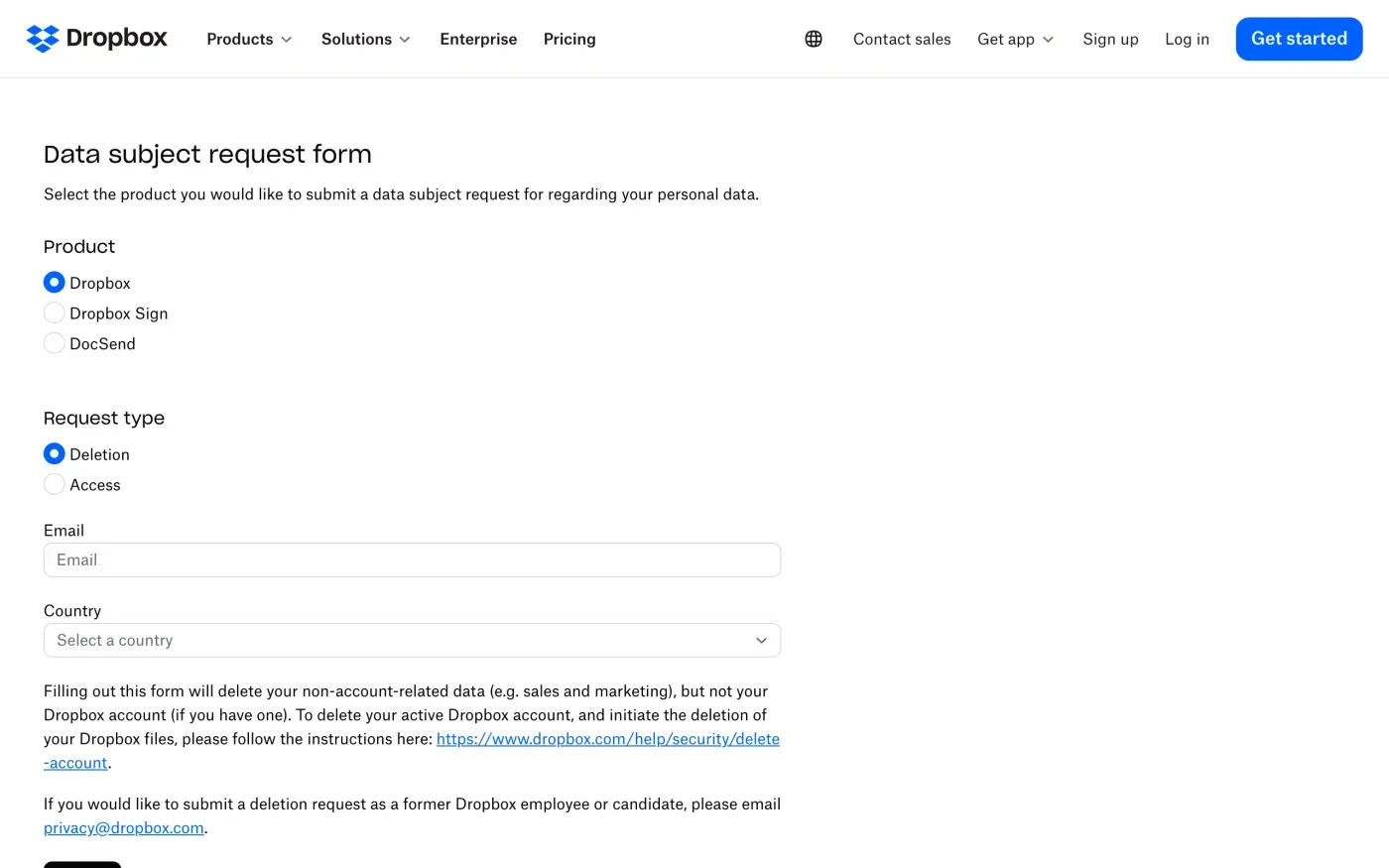
| Data subject request form, deletion | Deletes "your non-account-related data (e.g. sales and marketing)" | "but not your Dropbox account (if you have one)" |
| Email to privacy@dropbox.com | The policy gives this address for its Data Protection Officer and for questions about your personal data | Nothing, if you ask for everything and name your account |
Delete the account first, or ask for a copy
Dropbox’s help article gives the steps for Basic, Plus, Professional and Essentials accounts:
- Log in at dropbox.com.
Click your avatar in the bottom-left corner.
- Open settings.
Click settings in the top right.
- Choose Delete account.
It sits at the bottom of the General tab. Dropbox says an active subscription has to be cancelled first.
The article adds a path in the iPhone and iPad app: account, settings, scroll down, Delete account, enter your password, choose a reason, confirm. For Dropbox Family, the article says to click your avatar, then Manage account, then Cancel account at the bottom of the page.
Decide whether you need a copy before you delete, because the help article says the account cannot be restored. Dropbox’s access article says a data access request covers your files, account information such as name and email, hardware details such as the IP addresses of connected devices, and records of your contact with support. You make it from the Privacy tab in your account settings, or with the same form linked above, by choosing Access as the request type. For your own files, the quickest copy is usually the Dropbox desktop app, since content synced to your computer stays there after deletion, though it stops syncing.
What stays behind in shared folders
The help article says files in shared folders remain accessible to the other members, and you lose access. Deleting your account does not delete what other people can still see. If a shared folder holds something you uploaded and want gone, remove it from the folder before you delete the account, or ask the owner to.
Team accounts and the other Dropbox products
The privacy policy treats team accounts differently. Outside North America, “if you are a Dropbox Team customer or use the Dropbox Sign or DocSend team portions of the Services, Dropbox acts as a processor of your data.” A processor handles data on the instructions of someone else, here your employer or the team that pays for the account. For a work account, the help article tells you to contact your team admin or Dropbox Support. Your privacy rights on that data run against the organisation that runs the team.
The request form lists three products, Dropbox, Dropbox Sign and DocSend, so each is handled as its own request. Dropbox also publishes separate help articles for deleting a Dropbox Sign account and a DocSend account. If you use more than one product, send one request per product, or name all of them in the letter below.
Where to send a GDPR request at Dropbox
Dropbox’s privacy policy, effective 30 May 2025, says:
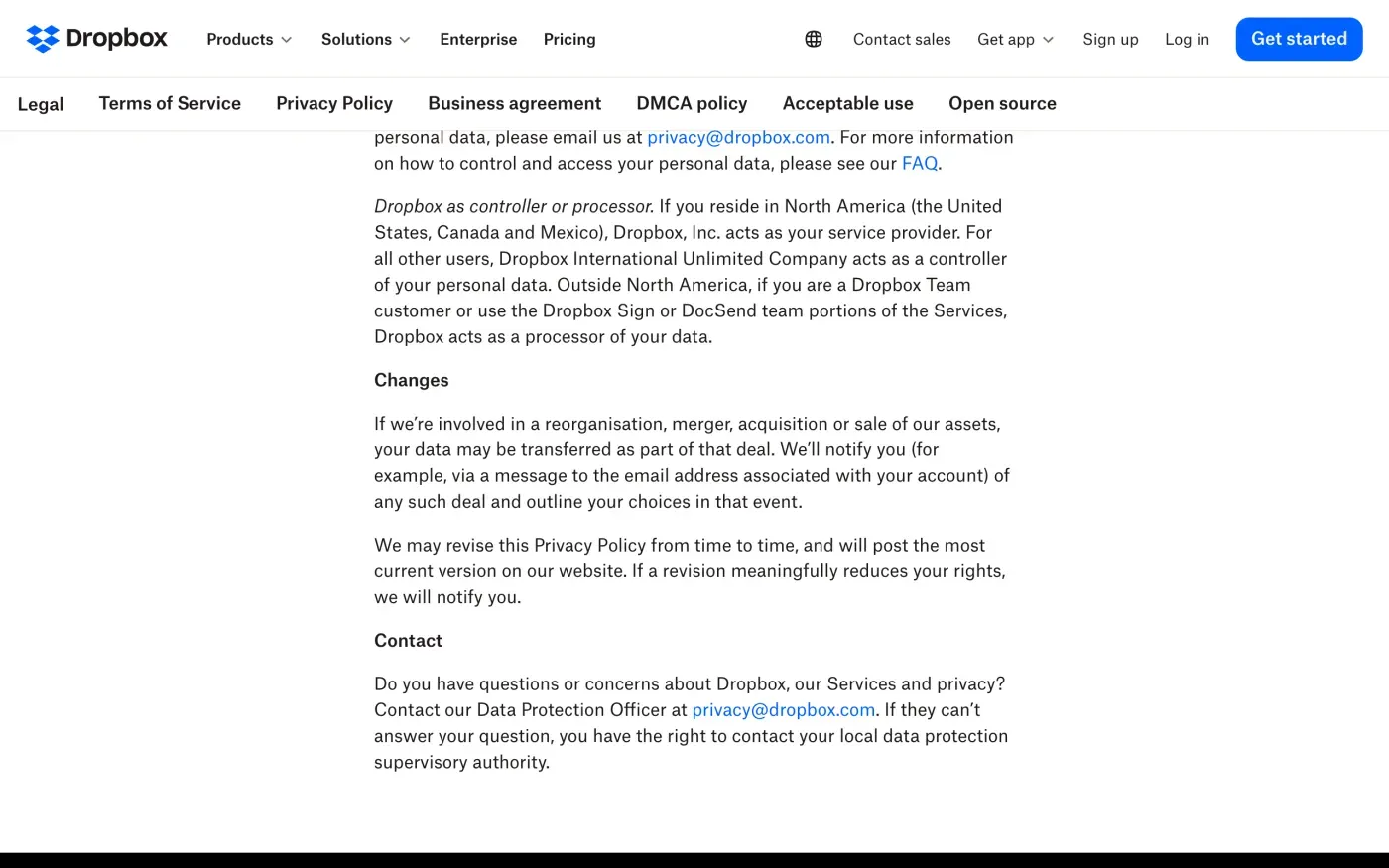
Dropbox International Unlimited Company acts as a controller of your personal data.
That applies, in the policy’s words, to “all other users” outside North America, which covers the EU and the UK. The policy names no separate UK company, so write to the same address. The contact section says:
Do you have questions or concerns about Dropbox, our Services and privacy? Contact our Data Protection Officer at privacy@dropbox.com. If they can’t answer your question, you have the right to contact your local data protection supervisory authority.
The policy also says “You can submit a data access request or request that your personal data be deleted” using one link if you have an account and another if you do not. The policy gives no postal address for Dropbox International Unlimited Company, so this guide gives none. Use the email or the form.
What Dropbox keeps, and for how long
The policy’s Retention section is short:
If you delete your account, we’ll initiate deletion of this information after 30 days.
It adds two cautions: there may be “some latency in deleting this information from our servers and backup storage”, and Dropbox may keep information “if necessary to comply with our legal obligations, resolve disputes or enforce our agreements.”
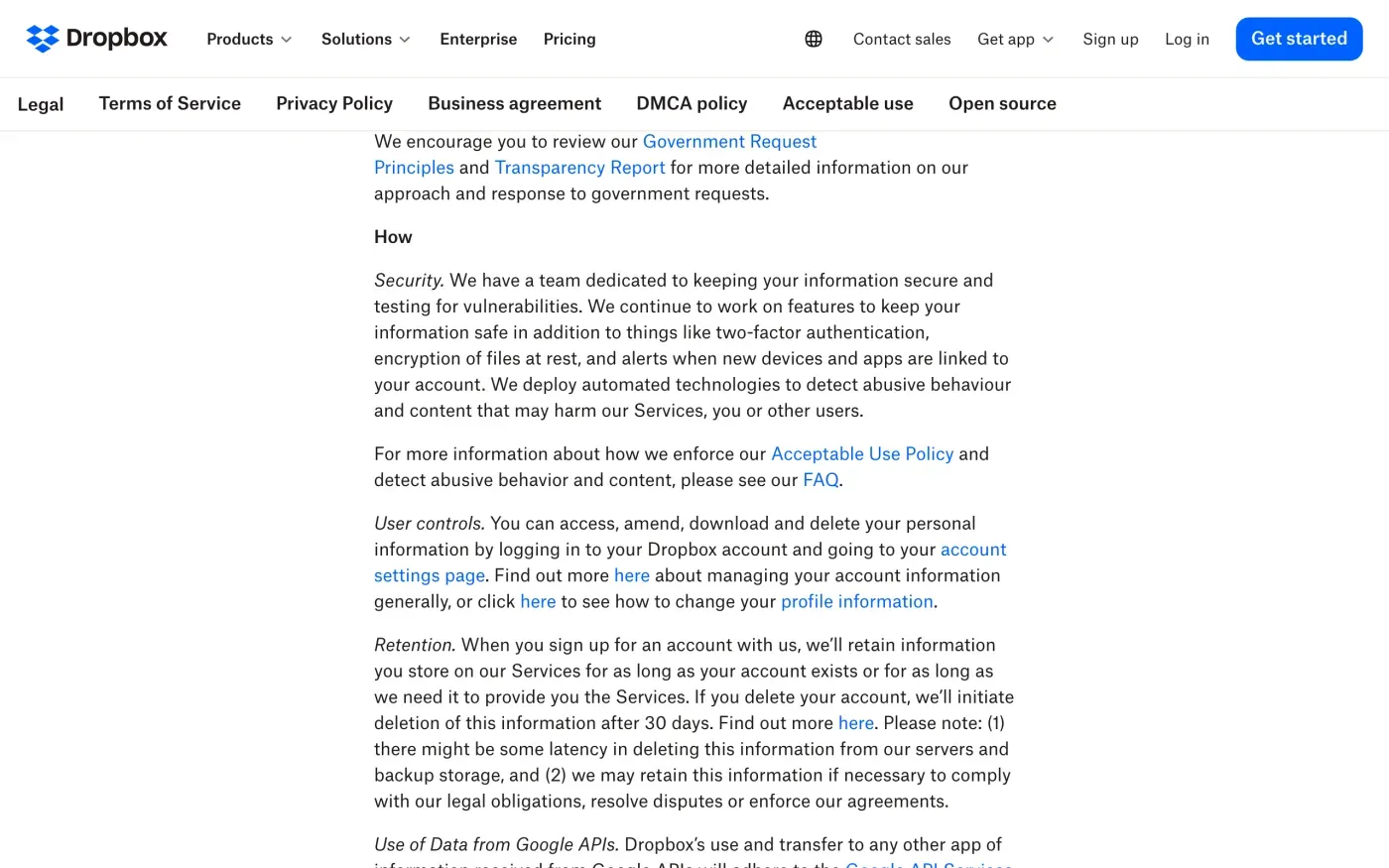
Dropbox says it will “initiate” deletion after 30 days, which marks the start of deletion. Ask in your letter for confirmation of when deletion finished, and for the reason behind anything kept (GDPR Article 12(4), Article 17(3)).
Will Dropbox ask for ID
Neither the form nor the policy mentions ID. The form asks for an email address and a country. Send your request from the email address on your account and do not attach a passport. Under Article 12(6) of the GDPR, a company may ask for more only when it has reasonable doubts about who you are. If you no longer have access to that inbox, say so and give the old address anyway, plus anything only the owner would know, such as the date you joined or a folder name.
The letter
Send it to privacy@dropbox.com from your account email, after you have used the form. In the UK, use the UK version of the deletion letter instead. To ask for a copy of your data first, the access request guide has that letter. Mention each product you use, and whether your account is a personal or a team one.
Dear Dropbox privacy team,
Under Article 17 of the GDPR, I ask you to erase all the personal data you hold about me.
My account uses the email address [your account email]. If you keep any of my data, please tell me what you keep and the legal reason.
Please answer within one month of receiving this request, as Article 12(3) of the GDPR requires.
Kind regards,
[Your name]
For the deadlines and what Dropbox must tell you if it refuses, see the deletion letter guide and the response deadline guide.
More services than Dropbox?
Reflex finds the companies in your Gmail, sends this letter to each from your own address and follows up for three months. Free to join the beta, €19 once when you start.
If Dropbox does not answer
Dropbox has one month from receiving your request, extendable by two months only if it tells you why in the first month (Article 12(3)). If that passes, send one reminder. The guide to ignored requests has one.
If there is still no answer, complain to a data protection authority (Article 77). Dropbox’s policy does not name a lead authority. It says you may contact “your local data protection supervisory authority”, and the EDPB keeps the list of national authorities. Ireland’s Data Protection Commission takes complaints through an online form and asks you to contact the company first. In the UK, complain to the ICO. If you are not sure who holds your data at other companies, the guide to finding companies that hold your data can help.
Questions
Does the Dropbox privacy form delete my account?
No. The form itself says it "will delete your non-account-related data (e.g. sales and marketing), but not your Dropbox account (if you have one)". To delete the account and start deletion of your files, use Delete account in your settings.
What is Dropbox's email address for privacy requests?
Dropbox's privacy policy says to contact its Data Protection Officer at privacy@dropbox.com. The policy also points to a data subject request form, one version for people with an account and one for people without.
Can I delete Dropbox without logging in?
The policy says there is a route "if you don't have a Dropbox account", and the data subject request form does not ask for a login. It deletes your non-account data only, so a locked-out account holder should also write to privacy@dropbox.com and say the account should be closed.
How long does Dropbox keep my files after I delete my account?
Its privacy policy says "we'll initiate deletion of this information after 30 days", with some delay in servers and backups, and that it may keep information needed for legal obligations, disputes or enforcing its agreements.
Who controls my data, Dropbox Inc. or an Irish company?
Outside the United States, Canada and Mexico, the policy says Dropbox International Unlimited Company acts as controller. On a Dropbox Team, Sign or DocSend team account it acts only as a processor, so your team admin decides.
Sources
- Dropbox Privacy Policy, Effective 30 May 2025; Dropbox as controller or processor, Retention, ContactDropbox, checked 15 November 2026
- Data subject request formDropbox, checked 15 November 2026
- How to delete your Dropbox account, Updated 10 October 2023Dropbox, checked 15 November 2026
- Access personal information on your Dropbox account, How to submit data access requestsDropbox, checked 15 November 2026
- How to delete your Dropbox Sign accountDropbox, checked 15 November 2026
- How to delete your Dropbox DocSend accountDropbox, checked 15 November 2026
- Raising a concern with the Data Protection CommissionData Protection Commission (Ireland), checked 15 November 2026
- Members of the EDPB, national data protection authoritiesEuropean Data Protection Board, checked 15 November 2026
- Regulation (EU) 2016/679, the GDPR, Articles 12, 15, 17 and 77EUR-Lex, checked 15 November 2026
- Make a complaintICO, checked 15 November 2026