
Delete the account, or delete the data
Twitch gives you two routes, and they do different things. Its Privacy Choices page lists both:
| What you want | What Twitch says to do |
|---|---|
| Disable the account for now | Log in, open Settings, scroll to the bottom and select "disable my account". Twitch describes this as temporary and recoverable. |
| Close the account and delete your profile information | Go to https://www.twitch.tv/user/delete-account, or submit a Support request under "Privacy Questions". The page says: "A deleted account cannot be recovered." |
| Delete the personal information Twitch holds about you | The same delete page or Support request. The page adds: "We are unable to maintain your Twitch account and also delete all the personal information that Twitch processes about you." |
The privacy notice words it the same way: if you close your account, “Twitch may retain certain information about you for the activities described in this Privacy Notice, or as permitted or required by applicable law.” So the button gets you out. A written request under Article 17 of the GDPR gets you an answer about everything else, including what Twitch kept and why.
Get your data before you close the account
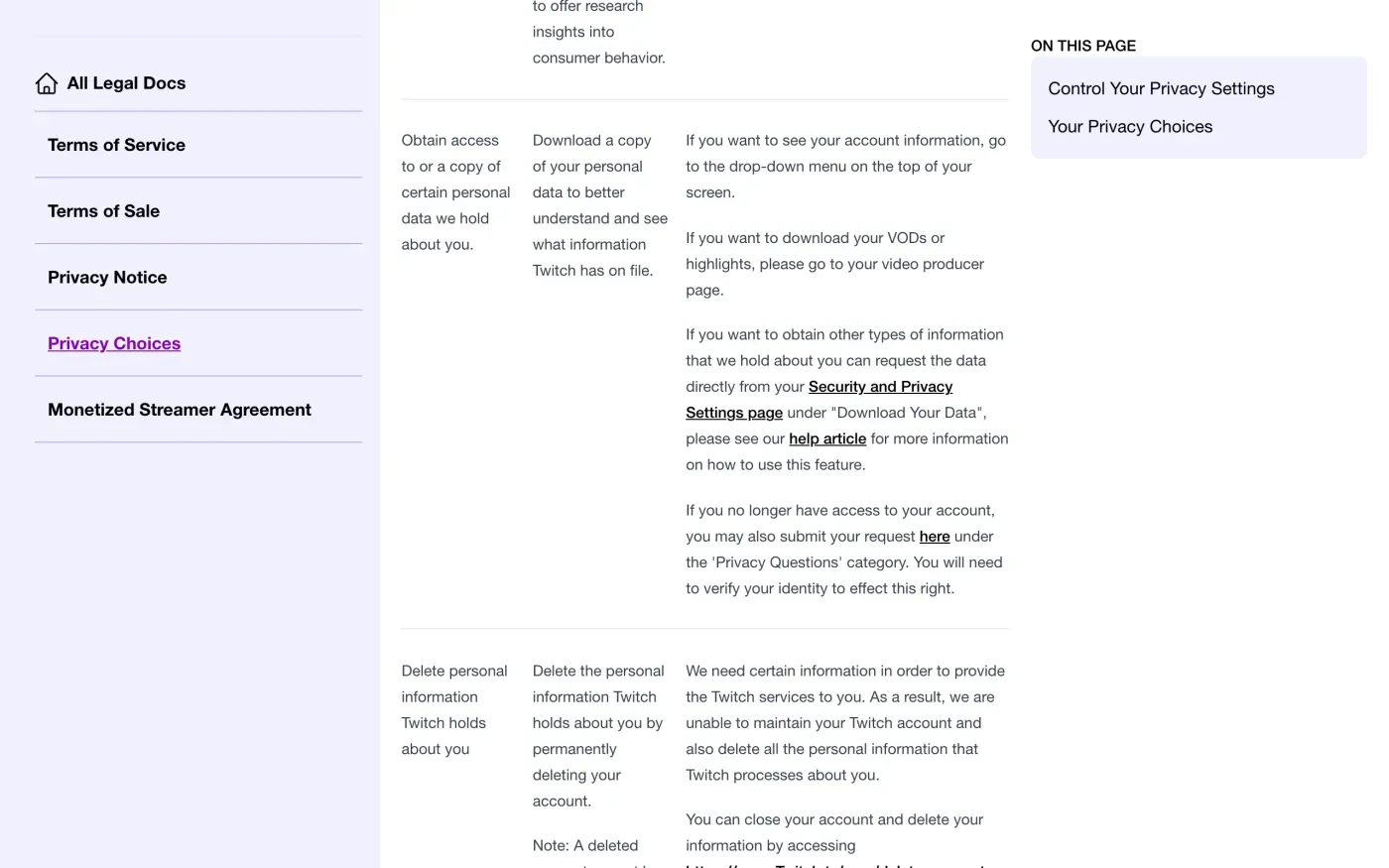
Deletion cannot be undone, so get your copy first. Twitch’s Privacy Choices page gives three places to look:
- Your account information.
The page says to use “the drop-down menu on the top of your screen”.
- Your videos and highlights.
Log in, click your profile picture and select Video Producer, to download your VODs or highlights.
- Everything else.
Request the data “directly from your Security and Privacy Settings page under ‘Download Your Data’”. Twitch’s help article on this is titled Requesting Your Data From Twitch.
Twitch’s help article says any logged-in user can request a summary of their data from their user settings page, and that the feature is available on desktop. The help centre did not load the rest of that article when we checked, so how long the export takes is unconfirmed. Read the article when you request it.
If you cannot log in, the Privacy Choices page says: “If you no longer have access to your account, you may also submit your request here under the ‘Privacy Questions’ category. You will need to verify your identity to effect this right.” The link goes to the Contact Support page.
Who holds your data
No EU company is named as the controller. The privacy notice says: “Twitch Interactive, Inc. located at 350 Bush Street, 2nd Floor, San Francisco, CA 94104, is the ‘data controller’ of your information collected in connection with the Twitch Services.” Twitch Interactive and its affiliates are subsidiaries of Amazon.com, Inc., and the notice says data may be combined with Amazon customer data and shared with Amazon’s subsidiaries.
For people in Europe it names two representatives:
| If you live in | Representative named in the notice | Address |
|---|---|---|
| The EU | Twitch Interactive Germany GmbH | Marcel-Breuer-Str. 12, 80807 München, Germany |
| The UK | Twitch UK Limited | 1 New Oxford Street WC1A 1BA, UK |
Both are described as designated by Twitch Interactive, Inc. as its representative under the GDPR and the UK GDPR, and both entries point you to the same three routes: the Contact Support page, post to that address, or privacy@twitch.tv. A representative is a contact point, so address the letter to Twitch Interactive, Inc. and send it to the email address.
Where to send it
The notice’s Twitch Contact Information section says: “Please contact Twitch with any questions or comments about this Privacy Notice at 350 Bush Street, 2nd Floor, San Francisco, CA 94104, visit the Contact Support page under the ‘Privacy’ category, or send an email to privacy@twitch.tv. Our Data Protection Officer (DPO) can also be contacted at privacy@twitch.tv. We will respond to your inquiry within 30 days of its receipt.”
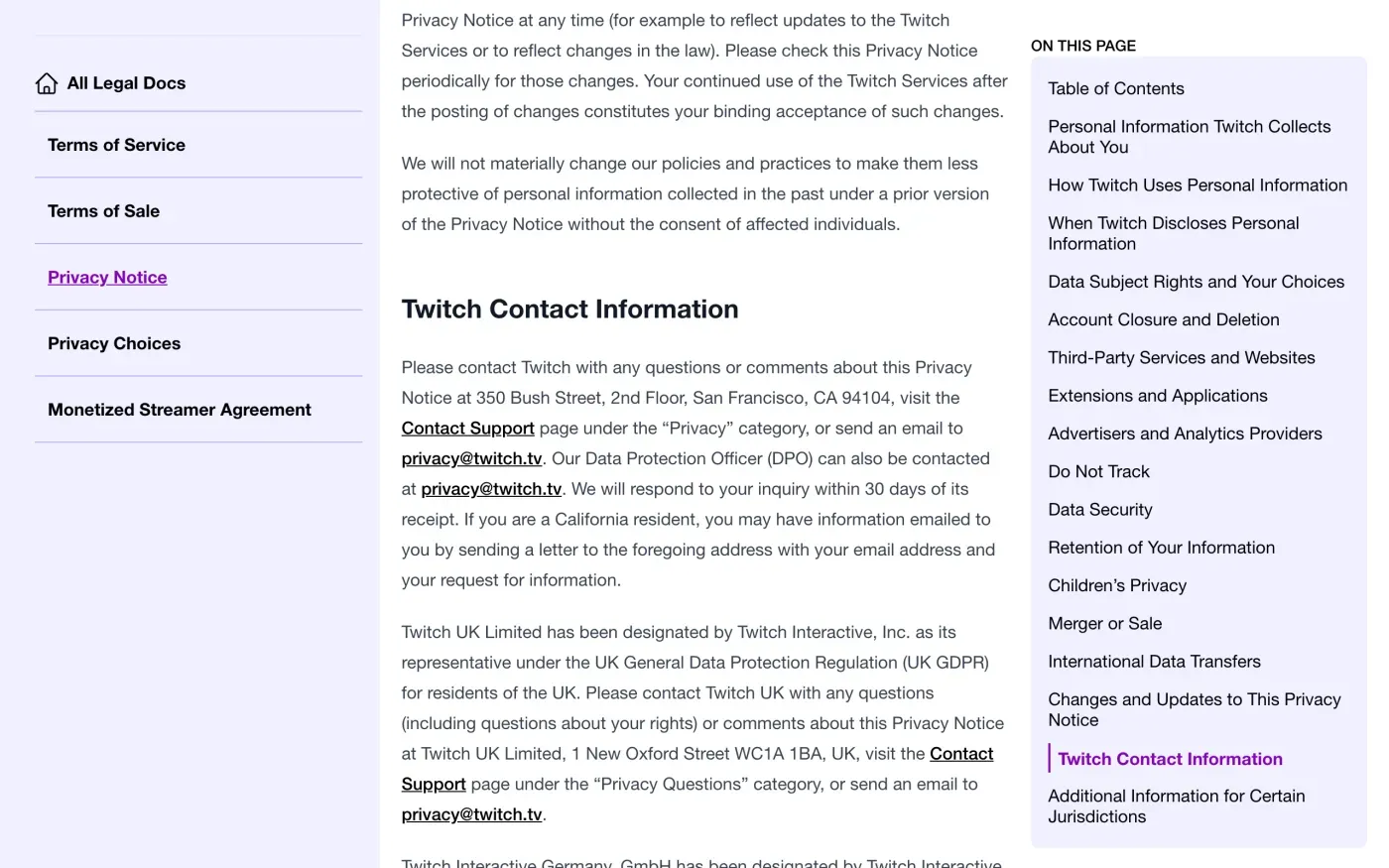
The Contact Support page is a web form on Twitch’s help centre, and Twitch calls the category “Privacy Questions” in some places and “Privacy” in others; pick the one that reads as privacy. Email gives you a dated written record to use if Twitch does not answer. The notice also gives surveysupport@twitch.tv for deleting extra information if you took part in Twitch user surveys or research.
What Twitch keeps
Twitch gives no table of periods. Its Retention of Your Information section says: “Twitch maintains data related to your usage of Twitch for as long as it is required to fulfill the relevant purposes described in this Privacy Notice, as may be required (or permitted) by law such as for tax and accounting purposes, or as otherwise communicated to you. Once you have asked us to close your account and delete your profile information, we will delete all information that we are not required or permitted to retain by law.”
That leaves the periods open. Under Article 12(4) and Article 17(3) a company that keeps data must tell you which exception it relies on, so the letter below asks Twitch to list what it keeps and why. Purchases, subscriptions and any payout records are the likeliest to be kept for tax and accounting.
Will Twitch ask for ID
The notice says Twitch “may take steps to verify your identity before granting you access or making corrections to your information”. The Privacy Choices page adds that it may ask for “your IP address, date of birth, transaction IDs, and email address”. That list has no passport. Send from the email address on your account and give your username. Under Article 12(6) Twitch may ask for more only if it has reasonable doubts about who you are.
The letter
Fill in your username and account email and send it to privacy@twitch.tv. If you want a copy first, send the access letter, then the erasure letter once you have it. In the UK, use the UK versions.
Dear Twitch privacy team,
Under Article 17 of the GDPR, I ask you to erase all the personal data you hold about me.
My account uses the email address [your account email]. If you keep any of my data, please tell me what you keep and the legal reason.
Please answer within one month of receiving this request, as Article 12(3) of the GDPR requires.
Kind regards,
[Your name]
Dear Twitch privacy team,
Under Article 15 of the GDPR, I ask for a copy of all the personal data you hold about me.
Please also tell me why you use it, what kinds of data you hold, who you have shared it with, how long you will keep it, where you got it if not from me, and whether you make automated decisions about me.
My account uses the email address [your account email].
Please answer within one month of receiving this request, as Article 12(3) of the GDPR requires.
Kind regards,
[Your name]
Dear Twitch privacy team,
Under Article 17 of the UK GDPR, I ask you to erase all the personal data you hold about me.
My account uses the email address [your account email]. If you keep any of my data, please tell me what you keep and the legal reason.
Please answer within one month of receiving this request, as Articles 12(3) and 12A of the UK GDPR require.
Kind regards,
[Your name]
Dear Twitch privacy team,
Under Article 15 of the UK GDPR, I ask for a copy of all the personal data you hold about me.
Please also tell me why you use it, what kinds of data you hold, who you have shared it with, how long you will keep it, where you got it if not from me, and whether you make automated decisions about me.
My account uses the email address [your account email].
Please answer within one month of receiving this request, as Articles 12(3) and 12A of the UK GDPR require.
Kind regards,
[Your name]
For the deadlines and what Twitch must tell you if it refuses, see the deletion letter guide and the guide to asking for a copy of your data. UK readers can also read the UK right to be forgotten guide.
More services than Twitch?
Reflex finds the companies in your Gmail, sends this letter to each from your own address and follows up for three months. Free to join the beta, €19 once when you start.
If Twitch does not answer
Twitch says it will respond within 30 days. The GDPR gives one month, and a company may take up to two more only if it tells you why within the first month (Article 12(3)). The response deadline guide shows how to count it. If the time passes, send a reminder; what to do if a company ignores your request has one.
Then complain. Twitch’s notice does not name a lead authority. It says: “If applicable, you may make a complaint to the data protection supervisory authority in the country where you are based.” Article 77 of the GDPR lets you do that, and the EDPB keeps a list of national authorities. In the UK, complain to the ICO.
To find other services that hold your data, see how to find every company that has your data.
Questions
What is Twitch's email address for data deletion?
Twitch's privacy notice gives privacy@twitch.tv for questions and requests, and says the same address reaches its Data Protection Officer. It also offers the Contact Support page under "Privacy Questions".
Does deleting my Twitch account delete all my data?
Not necessarily. The privacy notice says that if you close your account Twitch "may retain certain information about you", and that it will delete "all information that we are not required or permitted to retain by law". Ask in writing what it kept.
Can I get a copy of my Twitch data before I delete?
Yes. Twitch's Privacy Choices page says you can request your data from your Security and Privacy Settings page under "Download Your Data". If you no longer have access, it says you can submit a request under "Privacy Questions" and verify your identity.
Which company is responsible for my Twitch data in Europe?
The privacy notice names Twitch Interactive, Inc. in San Francisco as the data controller. It names Twitch Interactive Germany GmbH as its representative for EU residents and Twitch UK Limited for UK residents.
How long does Twitch take to answer?
Twitch's privacy notice says it will respond within 30 days of receiving your inquiry. The GDPR sets one month, extendable only in the cases Article 12(3) allows.
Sources
- Twitch Privacy Notice, Last modified 08/12/2026 as shown on the page; Data Subject Rights, Account Closure and Deletion, Retention, Twitch Contact InformationTwitch, checked 15 November 2026
- Twitch Privacy Choices, Your Privacy Choices, rows on access to a copy and on deleting personal informationTwitch, checked 15 November 2026
- Twitch Help, Requesting Your Data From TwitchTwitch, checked 15 November 2026
- Twitch Contact Support, The page the privacy notice names for requests under "Privacy Questions"Twitch, checked 15 November 2026
- Regulation (EU) 2016/679, the GDPR, Articles 12, 15, 17, 20 and 77EUR-Lex, checked 15 November 2026
- EDPB, members and national data protection authoritiesEuropean Data Protection Board, checked 15 November 2026
- Make a complaintICO, checked 15 November 2026