
Deleting the account is permanent, and it is not the same as cancelling
TeamViewer’s help article on deleting your account gives two sets of steps. In the first, sign in to the TeamViewer Remote client or at web.teamviewer.com, click Settings in the lower left corner, choose Go to your profile’s settings, and under Delete account click Delete. Confirm, and you are signed out. In the second, sign in at login.teamviewer.com, click your username, choose Edit profile, click the Delete account button and confirm with Yes.
The article also warns:
When deleting your TeamViewer account, it will be permanently deleted, including all the data it contains. This includes all the groups you own and the computers and contacts inside them. This data cannot be recovered later!
Deleting the TeamViewer license account will not cancel your subscription. License cancellations must be submitted in written form.
So go in this order. Note down what you need from your device list and groups, cancel any paid plan in writing, then delete. If you want a full copy of what TeamViewer holds about you, ask for it before you delete, as described below.
If there is no delete button
The help article says only the account owner can delete an account, and adds: “If the account you want to delete belongs to a company, it must be removed from the company before the account can be deleted.” People often cannot find the button because a work or IT-support account belongs to a company profile, and the person who administers that profile decides.
| Your situation | What to do |
|---|---|
| A personal account, signed in as the owner | Use the Delete button in your profile settings. |
| An account inside a company profile | Ask the company administrator to remove you from the profile, or to delete the account. If the company is your employer, this is their data decision. |
| A free account you stopped using | TeamViewer says inactive free accounts, with no activity for more than 2 years, are deleted. |
| You cannot sign in at all | Send a data request instead. The email address and form below do not need a login. |
Where to send a data request at TeamViewer
For a copy of your data or a full erasure request, you do not have to use the delete button. TeamViewer’s General Privacy Notice says in section G:
You may contact us either in writing or by email at privacy@teamviewer.com in order to exercise the following rights to the extent you are entitled to under applicable law
The list that follows includes access (Article 15), erasure (Article 17) and data portability (Article 20). The Privacy Notice for TeamViewer Products adds a second route: “You may contact us either in writing by email at privacy@teamviewer.com or via web form”. The web form is TeamViewer’s Data Subject Request Form.
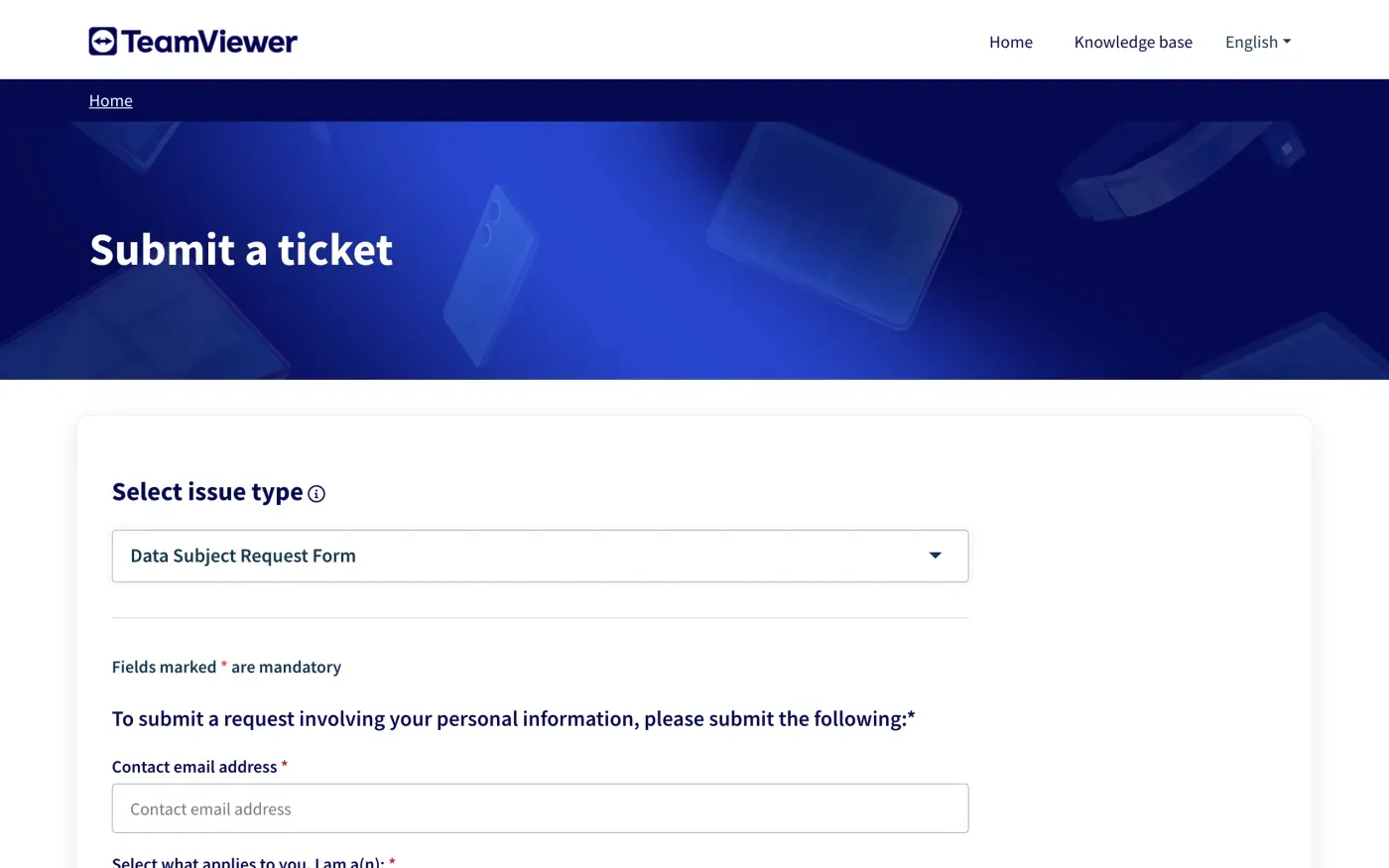
The form’s own note says: “Alternatively, you can submit your query to us via privacy@teamviewer.com.” Email gives you a written copy of what you sent, so use it if you want a record.
To write by post, section B of the General Privacy Notice gives this address: TeamViewer Germany GmbH, for the confidential attention of the DPO, Bahnhofsplatz 2, 73033 Göppingen, Germany.
Which TeamViewer company holds your data
The General Privacy Notice names TeamViewer Germany GmbH, Bahnhofsplatz 2, 73033 Göppingen, Germany, as controller for teamviewer.com. It also says your contracting TeamViewer entity is controller for data it decides how to use. TeamViewer’s list of contracting entities says that if you order at its web shop, or use a free version, trial or test period, the entity is TeamViewer Germany GmbH. Only customers in the United States who order at the web shop get TeamViewer US, Inc.
The same list names TeamViewer UK Ltd. and 1E Limited, both at 2nd Floor Midas House, 62 Goldsworth Road, Woking, Surrey, GU21 6LQ, UK, but only for a quote or other contract document that names them. If you hold such a contract, check which entity it names. Both privacy notices give the same privacy@teamviewer.com address.
What TeamViewer keeps after you delete
TeamViewer’s notices give these periods:
| Data | What TeamViewer says |
|---|---|
| Your account information | Kept "as long as your user relationship exists". Accounts are generally deleted after two years of inactivity. |
| An account attached to a valid paid license | Deemed active, so not deleted for inactivity. |
| Invoices and payment details | Kept "for up to 10 years", because the law requires it. |
| Support ticket data and CRM data | "for up to 3 years (duration of statutory limitation period)", to protect TeamViewer's own legitimate interests. |
| Marketing data | Depends on your consent, or on when the purpose ends. The notice gives two years for pseudonymized usage data and one year for survey results as examples. |
The notice adds that “a deviating deletion term may apply, in particular due to regional requirements and/or security reasons”. Keeping invoices matches the exception in Article 17(3)(b) of the GDPR for data a company must keep under a legal obligation. Ask TeamViewer to say in its reply which of these it is keeping from your account and why.
One more point: a comment you post in TeamViewer’s Community or blog is public with your name or username, and the product notice says it may appear in search engines. Ask for that to be removed by name in your request.
The letter
Fill in the email address on your TeamViewer account and your name, and send the letter to privacy@teamviewer.com. If you want a copy of your data first, send the access letter, wait for the answer, then send the erasure letter. Deleting the account first can remove what you wanted a copy of.
Dear TeamViewer privacy team,
Under Article 15 of the GDPR, I ask for a copy of all the personal data you hold about me.
Please also tell me why you use it, what kinds of data you hold, who you have shared it with, how long you will keep it, where you got it if not from me, and whether you make automated decisions about me.
My account uses the email address [your account email].
Please answer within one month of receiving this request, as Article 12(3) of the GDPR requires.
Kind regards,
[Your name]
Dear TeamViewer privacy team,
Under Article 17 of the GDPR, I ask you to erase all the personal data you hold about me.
My account uses the email address [your account email]. If you keep any of my data, please tell me what you keep and the legal reason.
Please answer within one month of receiving this request, as Article 12(3) of the GDPR requires.
Kind regards,
[Your name]
If you are in the UK, use the versions that cite the UK GDPR:
Dear TeamViewer privacy team,
Under Article 15 of the UK GDPR, I ask for a copy of all the personal data you hold about me.
Please also tell me why you use it, what kinds of data you hold, who you have shared it with, how long you will keep it, where you got it if not from me, and whether you make automated decisions about me.
My account uses the email address [your account email].
Please answer within one month of receiving this request, as Articles 12(3) and 12A of the UK GDPR require.
Kind regards,
[Your name]
Dear TeamViewer privacy team,
Under Article 17 of the UK GDPR, I ask you to erase all the personal data you hold about me.
My account uses the email address [your account email]. If you keep any of my data, please tell me what you keep and the legal reason.
Please answer within one month of receiving this request, as Articles 12(3) and 12A of the UK GDPR require.
Kind regards,
[Your name]
The deletion letter guide and the guide to asking for a copy cover the deadlines and what a company must tell you if it refuses.
More accounts than TeamViewer?
Reflex finds the companies in your Gmail, sends this letter to each from your own address and follows up for three months. Free to join the beta, €19 once when you start.
If TeamViewer does not answer
TeamViewer has one month from receiving your request to answer, or to tell you within that month why it needs up to two more (Article 12(3)). If that passes, send a reminder; the guide to ignored requests has one.
If there is still no answer, complain to a data protection authority (Article 77). TeamViewer’s notice names its authority:
The relevant supervisory authority for TeamViewer is Der Landesbeauftragte für den Datenschutz und die Informationsfreiheit Baden-Württemberg, Heilbronner Straße 35, 70191 Stuttgart, Germany.
You can also complain to the authority where you live, which will pass on a cross-border complaint. In the UK, complain to the ICO.
Other tools you may use for work have their own routes, for example Zoom, Microsoft and Dropbox.
Questions
How do I delete my TeamViewer account?
TeamViewer's help article says to sign in, open Settings, then your profile's settings, and under Delete account click Delete. Only the account owner can do this, and the deletion is permanent.
Does deleting my TeamViewer account cancel my subscription?
No. TeamViewer's help article says deleting the license account will not cancel your subscription, and that cancellations must be submitted in writing.
Why is there no Delete account button?
TeamViewer says an account that belongs to a company must be removed from the company first. Ask the company's administrator to remove it or delete it.
What is TeamViewer's email address for data requests?
privacy@teamviewer.com. TeamViewer also runs a Data Subject Request Form on its ticket site.
Does TeamViewer delete inactive accounts?
Its product privacy notice says accounts are generally deleted after two years of inactivity, unless they are attached to a valid paid license.
Who regulates TeamViewer?
TeamViewer names the Baden-Württemberg data protection commissioner in Stuttgart as its authority. You can also complain to the authority where you live.
Sources
- General Privacy Notice by TeamViewer, Version as of 3 November 2026, sections A, B, E and GTeamViewer, checked 16 November 2026
- Privacy Notice for TeamViewer Products, Version as of 27 July 2026, sections E and HTeamViewer, checked 16 November 2026
- Delete your account, Last modified 16 March 2026TeamViewer, checked 16 November 2026
- Data Subject Request FormTeamViewer, checked 16 November 2026
- TeamViewer Contracting EntitiesTeamViewer, checked 16 November 2026
- Regulation (EU) 2016/679, the GDPR, Articles 12, 15, 17, 20 and 77EUR-Lex, checked 16 November 2026
- Make a complaintICO, checked 16 November 2026