
Download first, because the deletion clock is short
Snapchat’s timetable after you close an account is short. Its help centre says the delete button “will deactivate an account for 30 days, during which time the account can still be reactivated”, and that you then get 30 more days before the account is permanently deleted. It also says “After you deactivate or delete your account, you will have 30 days to download your data.”
So the order matters. Get your copy first, then delete.
| When | What happens |
|---|---|
| Day 0 | You choose Delete my account in the accounts portal. The account deactivates. |
| Days 1 to 30 | You can log in to reactivate it. This is also the window to download your data. |
| After day 30 | The account is scheduled for permanent deletion. Permanently deleted accounts cannot be reactivated. |
| In India | Snapchat says it waits 180 more days instead of 30, "in adherence with local guidelines". |
Snapchat’s privacy policy adds a limit on how fast any of this is: “Although our systems are designed to delete some of your information automatically, we cannot promise that deletion will take place by a specific time.” The letter below asks Snapchat to confirm the actual date.
Download your data
Snapchat’s tool is called Download My Data. Its help article gives these steps, which start at accounts.snapchat.com or in the app under Settings, My Data.
- Log in to accounts.snapchat.com and click My Data.
The same tool sits in the app under Settings, My Data.
- Choose what to include.
The list covers login history and account information, profiles, Snap history, saved chat history, Memories, purchase and shop history, support history, friends, location, search history and Bitmoji.
- Pick a date range and confirm your email.
Snapchat sends the link to the address you confirm.
- Click Submit, then See exports and Download.
Snapchat says “We strive to deliver data within 7 days, but large downloads can take longer.”
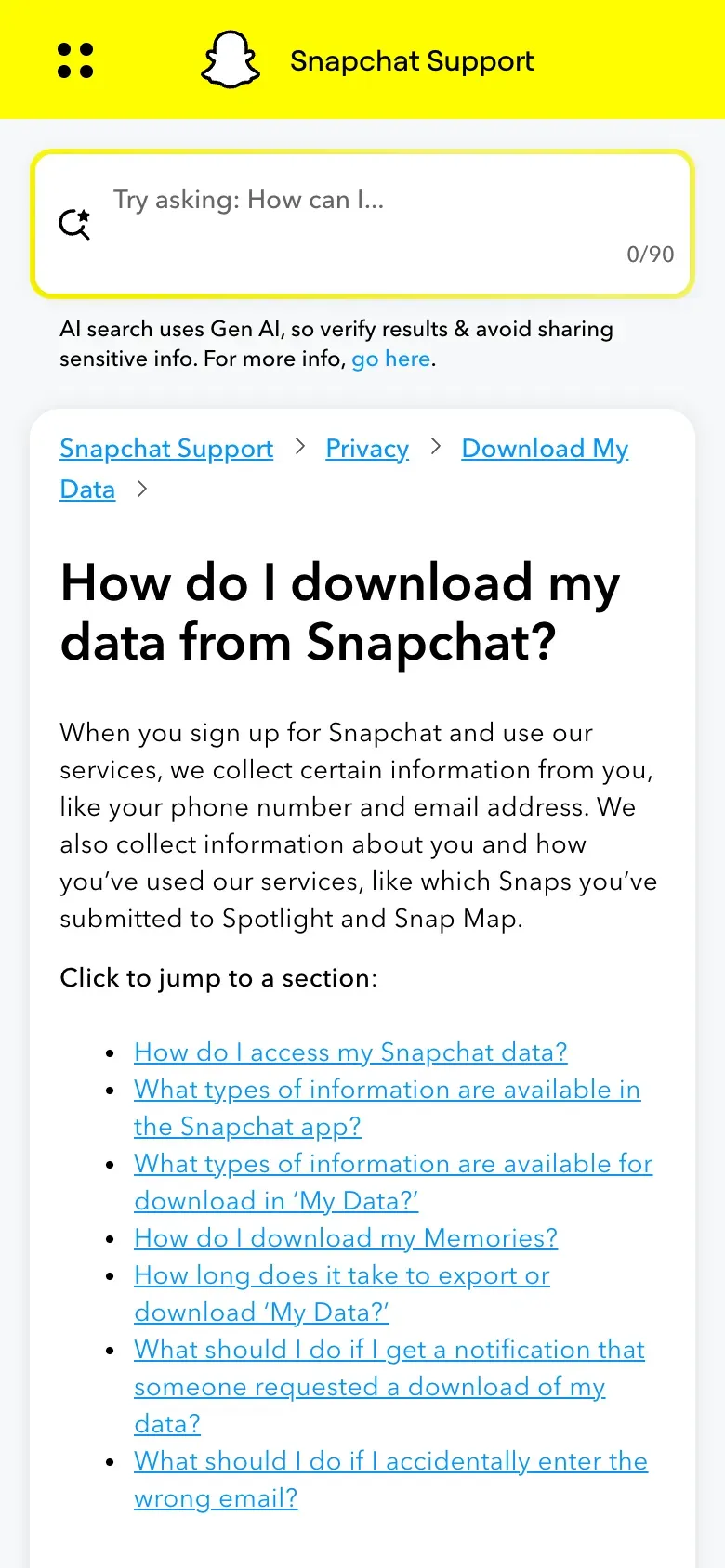
The tool gives you a copy, but it will not tell you who Snapchat shared your data with or why it keeps what it keeps. For that, send the access letter in the next section as well. The guide to the subject access request explains what you are entitled to.
Delete the account
Snapchat’s deletion route is a web portal. The help article says to log in to the Snapchat accounts portal, tap “Delete my account”, input your password and tap “Continue”. You need your password, so this does not help if you cannot log in.
The privacy FAQ adds a warning for people who use more than one Snap product: “Deleting your account will also revoke your access to any other Snap account entities.” Check what else you sign in to with Snapchat before you go ahead.
The help article also lists what survives: “Some deleted account data is retained for legal, security, and business needs. For example, we’ll retain information about any purchases you may have made through Snapchat.” Download your purchase and shop history first if you want a record of it.
If your account is locked
Snapchat’s page for accounts you cannot reach separates the cases:
| Situation | What Snapchat says |
|---|---|
| Temporarily locked | Log in on the web at accounts.snapchat.com and select "Unlock". |
| Permanently locked for breaking the Community Guidelines | It cannot be unlocked in the usual way, but you may "appeal this decision". |
| Deactivated | Log in to the app with that username to bring it back. You have 30 days before permanent deletion. |
| Compromised | Contact the Snapchat Support Bot. |
None of these lines offers deletion for a locked account. A GDPR request still works, because Article 17 does not depend on whether you can still use the app, and Snapchat has to answer in writing within one month (Article 12(3)), including when the answer is no.
Where to send the request
Snapchat publishes no privacy email address for rights requests, only the routes below. This guide found no postal address for data protection requests, so it gives none.
| Route | As Snapchat publishes it |
|---|---|
| Data Protection Officer | dpo [at] snap [dot] com (written this way on the page) |
| Privacy support team | Snapchat help centre request form |
| EEA representative | Snap B.V., Keizersgracht 165, 1016 DP Amsterdam, The Netherlands |
The page spells the address with [at] and [dot] to stop automated scraping. Write it out as a normal address in your email client, and check it against the page. The notice says: “We want you to know that you can submit any inquiries to our privacy support team or Data Protection Officer at dpo [at] snap [dot] com.”
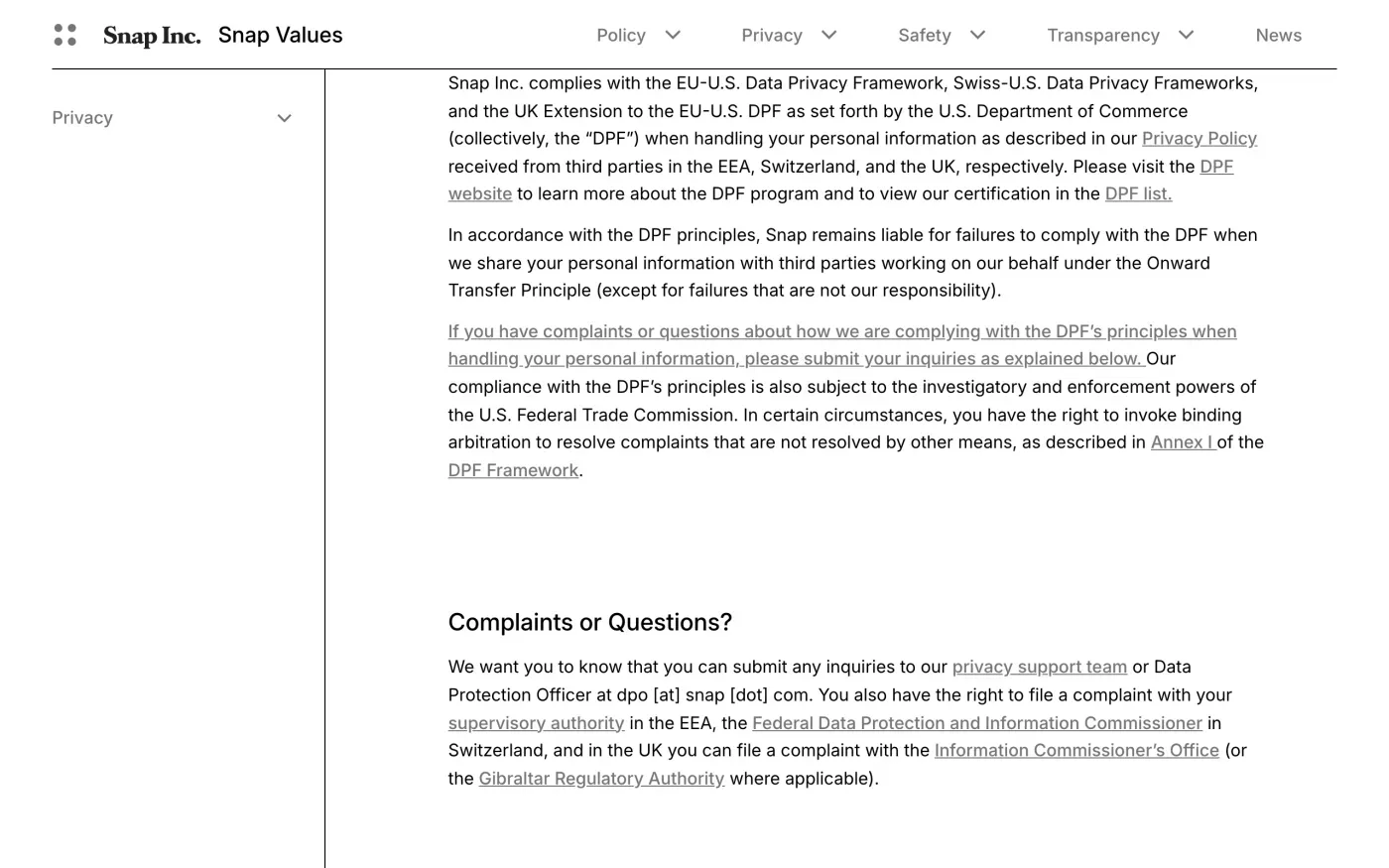
The form needs a help-centre session, so email the DPO and, if you like, file the form too so there is a record in both places. Mark the email “For the Data Protection Officer”.
Who is the controller
The EEA and UK notice says “Snap Inc. is the controller of your personal information.” That is one company for both regions, so there is no separate UK controller to write to. The notice names Snap B.V. as the EEA representative at the Amsterdam address above. UK readers use the same DPO address and use the UK version of the letter.
What to ask for
An email to the DPO has no form fields, so the letter has to say everything. Ask for three things: erasure of your personal data, the date it will be permanently deleted, and a list of what Snapchat keeps after that and the legal reason for each item. If you did not download your data first, ask for access in the same message.
Snapchat’s policy says it has “short retention periods for most data” and that Snaps and Chats “will be deleted by default from our servers within 24 hours after we detect they’ve been opened by all recipients or have expired”. That covers messages. It does not cover your account details, Memories, purchases or support history, which is why the letter asks for each.
Do not send an ID document at the start. Write from the email address on the account and give your username. Snapchat may ask for more only if it has reasonable doubts about who you are (Article 12(6)).
The letter
Fill in the fields and copy it into an email to the DPO address. Add your Snapchat username on a line of its own. The words that change are highlighted.
Dear Snapchat privacy team,
Under Article 15 of the GDPR, I ask for a copy of all the personal data you hold about me.
Please also tell me why you use it, what kinds of data you hold, who you have shared it with, how long you will keep it, where you got it if not from me, and whether you make automated decisions about me.
My account uses the email address [your account email].
Please answer within one month of receiving this request, as Article 12(3) of the GDPR requires.
Kind regards,
[Your name]
Dear Snapchat privacy team,
Under Article 17 of the GDPR, I ask you to erase all the personal data you hold about me.
My account uses the email address [your account email]. If you keep any of my data, please tell me what you keep and the legal reason.
Please answer within one month of receiving this request, as Article 12(3) of the GDPR requires.
Kind regards,
[Your name]
If you are in the UK, use these UK versions, which cite the UK GDPR.
Dear Snapchat privacy team,
Under Article 15 of the UK GDPR, I ask for a copy of all the personal data you hold about me.
Please also tell me why you use it, what kinds of data you hold, who you have shared it with, how long you will keep it, where you got it if not from me, and whether you make automated decisions about me.
My account uses the email address [your account email].
Please answer within one month of receiving this request, as Articles 12(3) and 12A of the UK GDPR require.
Kind regards,
[Your name]
Dear Snapchat privacy team,
Under Article 17 of the UK GDPR, I ask you to erase all the personal data you hold about me.
My account uses the email address [your account email]. If you keep any of my data, please tell me what you keep and the legal reason.
Please answer within one month of receiving this request, as Articles 12(3) and 12A of the UK GDPR require.
Kind regards,
[Your name]
The deletion letter guide and the UK guide explain each part.
Snapchat is one of many accounts
Reflex finds the companies in your Gmail, sends this letter to each from your own address and follows up for three months. Free to join the beta, €19 once when you start.
If Snapchat does not answer
The response deadline is one month from the day Snapchat receives the request, with up to two more months only if it tells you why in that first month. After that, send one reminder, then complain. The steps are in what to do if a company ignores your request.
The EEA and UK notice says you have “the right to file a complaint with your supervisory authority in the EEA”, and in the UK with the Information Commissioner’s Office. In the EU, complain to the authority in the country where you live (Article 77). The EDPB keeps the list of national authorities. In the UK, use the ICO. This guide found no page where Snapchat names a lead authority on its own pages, so this guide does not name one.
To find other accounts you may have forgotten, see how to find which companies hold your data.
Questions
How do I delete my Snapchat account permanently?
Log in to the Snapchat accounts portal, tap "Delete my account", enter your password and tap "Continue". Snapchat deactivates the account for 30 days, then deletes it permanently after 30 more.
Can I get my Snapchat data back after deleting?
Only within 30 days. Snapchat's help centre says "After you deactivate or delete your account, you will have 30 days to download your data." Use the Download My Data tool before then.
Can I delete a locked Snapchat account?
Snapchat's help page on inaccessible accounts offers no deletion route for a locked one. A permanently locked account can only be appealed. You can still send a GDPR erasure request to the Data Protection Officer.
What does Snapchat keep after I delete?
Its help centre says "Some deleted account data is retained for legal, security, and business needs", for example information about purchases made through Snapchat.
Is there a separate UK company?
The EEA and UK privacy notice names Snap Inc. as the controller for both. It lists the ICO as the UK authority and Snap B.V. in Amsterdam as the EEA representative.
Sources
- Snapchat Privacy Policy, Effective 21 September 2026; Control Over Your Information; How Long We Keep Your InformationSnap Inc., checked 15 November 2026
- EEA and UK Privacy Notice, Effective 21 September 2026; Complaints or Questions?Snap Inc., checked 15 November 2026
- How do I deactivate or delete my Snapchat account?Snapchat Support, checked 15 November 2026
- How do I download my data from Snapchat?Snapchat Support, checked 15 November 2026
- I can't access my accountSnapchat Support, checked 15 November 2026
- Frequently Asked Privacy QuestionsSnapchat Support, checked 15 November 2026
- Members of the EDPB, national data protection authoritiesEuropean Data Protection Board, checked 15 November 2026
- Regulation (EU) 2016/679, the GDPR, Articles 12, 15, 17 and 77EUR-Lex, checked 15 November 2026
- Make a complaintICO, checked 15 November 2026