
One Nike profile, many apps
A Nike Member profile is shared across Nike.com, the Nike app and the other Nike apps. Nike’s help centre says that deleting it removes your access to the profile “on any Nike platform”, and that you will not be able to reach your activity data in Nike Run Club and Nike Training Club once your session expires. If you want to keep your runs and workouts, get a copy before you delete.
Get a copy of your data first
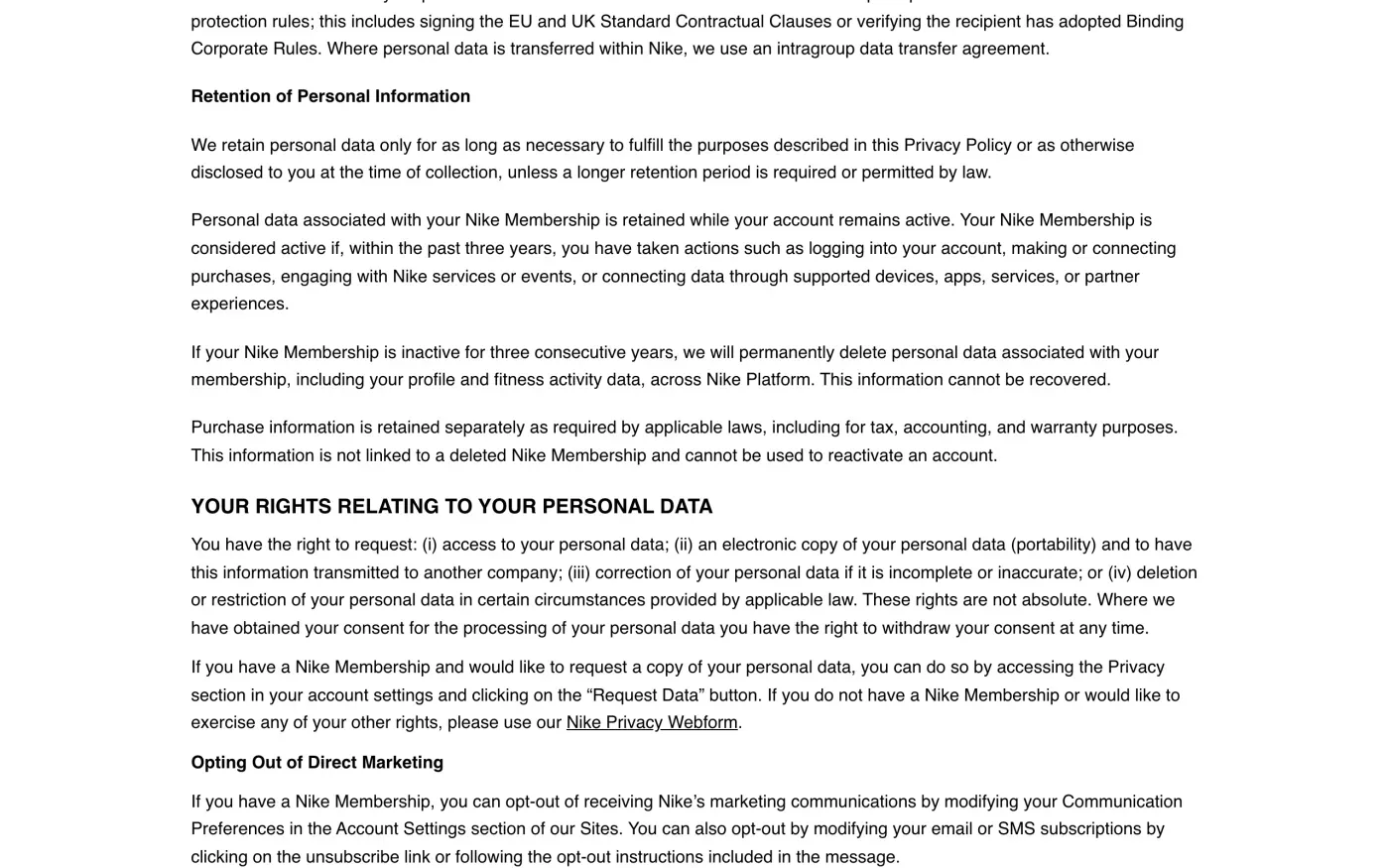
Nike’s privacy policy gives members a button for this:
If you have a Nike Membership and would like to request a copy of your personal data, you can do so by accessing the Privacy section in your account settings and clicking on the “Request Data” button.
Use it while you are still signed in. Deleting the profile ends that route. If you cannot sign in, or you want to ask for more than the download, the letter below asks for the rest.
Delete the profile yourself
Nike’s help centre gives two routes, in the app and on the website.
- In any Nike app, open the settings from your profile.
Tap “Delete Account”, tick “Yes, I want to delete my account”, then tap “Delete Account” again.
- On Nike.com, sign in and open Account Settings.
On a phone, tap the menu, then your name, “Account Settings” and “Account”. On a computer, hover over your name. Scroll down, click “Delete”, tick “Yes, I want to delete my account” and click “Delete Your Account.”
What disappears and what stays
The help centre and the privacy policy together say:
| Data | What Nike says happens |
|---|---|
| Profile and benefits | No longer accessible on any Nike platform |
| Nike Run Club and Nike Training Club activity | Not accessible once your session expires |
| Order history | "No longer associated with the deleted profile". You can look up an order online with the order number and email address, or contact Nike |
| Purchase information | "Retained separately as required by applicable laws, including for tax, accounting, and warranty purposes", not linked to a deleted Member profile and unable to reactivate an account |
| Your posts on Nike social networks or outside Nike.com | Not affected |
| An account you stop using | Permanently deleted after three consecutive years without activity, including the profile and fitness activity data |
| In-store CCTV footage | Kept for 30 days, longer if needed for an incident or a legal claim |
Purchase records kept for tax law fall under the GDPR exception for legal obligations (Article 17(3)(b)). Ask Nike to confirm what it holds under that exception.
Where to send a written request
Nike’s policy gives two routes for rights beyond the download button. For deletion, correction and complaints, it says to use the Nike Privacy Webform at nike.com/help/privacy, which has a category called “Delete My Personal Data”. Its fields are your name, the email used for Nike and a short description. The policy also gives the EU data protection officer:
Nike Privacy Office Nike Retail B.V. Colosseum 1 1213NL Hilversum The Netherlands Email: privacy@nike.com
The form is the route Nike names for exercising your rights. Email leaves a written record in your own mailbox, and the policy lists privacy@nike.com for the data protection officer. Use the email address on your Nike account either way.
Who holds your data
Nike’s list of local entities puts Austria, Belgium, Czech Republic, Denmark, Finland, France, Germany, Greece, Hungary, Ireland, Italy, Luxembourg, Netherlands, Poland, Portugal, Slovenia, Spain, Sweden and the United Kingdom in one group. For these countries it names two companies:
| For | Nike company |
|---|---|
| Purchases, marketing, and certain events and contests | NIKE Retail B.V., Colosseum 1, 1213 Hilversum, Netherlands |
| All other processing on the platforms | NIKE, Inc., One Bowerman Drive, Beaverton, OR 97005, USA |
The list shows no separate company for UK customers. The privacy policy also says your data is stored in the USA and other countries. Name both companies in your request so that nothing held by either is left out.
The letter
Fill in your name and the email on your Nike account. Send it through the Nike Privacy Webform, or by email to privacy@nike.com, and keep a copy. In the UK, use the UK version that cites the UK GDPR. The first letter asks for a copy of your data and the second asks for deletion. Send the first, wait for the copy, then send the second.
Dear Nike privacy team,
Under Article 15 of the GDPR, I ask for a copy of all the personal data you hold about me.
Please also tell me why you use it, what kinds of data you hold, who you have shared it with, how long you will keep it, where you got it if not from me, and whether you make automated decisions about me.
My account uses the email address [your account email].
Please answer within one month of receiving this request, as Article 12(3) of the GDPR requires.
Kind regards,
[Your name]
Dear Nike privacy team,
Under Article 17 of the GDPR, I ask you to erase all the personal data you hold about me.
My account uses the email address [your account email]. If you keep any of my data, please tell me what you keep and the legal reason.
Please answer within one month of receiving this request, as Article 12(3) of the GDPR requires.
Kind regards,
[Your name]
For what Nike must tell you and by when, see the deletion letter guide and the guide to asking for a copy of your data.
More brands than Nike?
Reflex finds the companies in your Gmail, sends this letter to each from your own address and follows up for three months. Free to join the beta, €19 once when you start.
If Nike does not answer
Nike has one month from receiving your request, with up to two more months only if it explains why within the first month (Article 12(3); see the response deadline guide). If that passes, send a reminder from the guide to ignored requests.
Nike’s policy says you may complain to the supervisory authority in the country where you live. Its EU company, Nike Retail B.V., is in the Netherlands, so the Dutch Autoriteit Persoonsgegevens is the authority most likely to take a cross-border complaint. Its complaint page says to contact the organisation first. In the UK, complain to the ICO.
Other shops with similar account problems: Zalando, Vinted, Temu and Shein. To find every company holding your data, see how to find the companies that hold your data.
Questions
How do I delete my Nike account?
Nike's help centre says to open the settings from your profile in any Nike app, or Account Settings on Nike.com, tap or click Delete Account, and tick "Yes, I want to delete my account".
Can I undo a Nike account deletion?
No. Nike's help centre says the action cannot be undone and that deleting your Member profile is permanent.
Will I lose my Nike Run Club runs?
Nike says you will not be able to access your activity data in the Nike Run Club and Nike Training Club apps once your session expires. Request a copy of your data before you delete.
Does Nike delete my order history?
Nike's policy says purchase information is kept separately for tax, accounting and warranty reasons, and is no longer linked to a deleted Member profile.
Does Nike delete inactive accounts by itself?
Yes. Its policy says a Nike Membership inactive for three consecutive years is permanently deleted, including the profile and fitness activity data.
Is there a separate Nike company for UK customers?
Nike's list of local entities groups the United Kingdom with the EU countries. Nike Retail B.V. in the Netherlands and NIKE, Inc. in the USA are named for both.
Sources
- Nike privacy and cookie policy (UK, last updated July 2026), Retention of Personal Information; Your rights; Questions and feedbackNike, checked 15 November 2026
- How do I delete my Nike Member profile?Nike, checked 15 November 2026
- Nike Privacy WebformNike, checked 15 November 2026
- Nike entities and partners responsible under our privacy policy and terms of useNike, checked 15 November 2026
- Submitting a tip-off or a complaint to the APAutoriteit Persoonsgegevens, checked 15 November 2026
- Regulation (EU) 2016/679, the GDPR, Articles 12, 15, 17 and 77EUR-Lex, checked 15 November 2026
- Make a complaintICO, checked 15 November 2026