
Grammarly is now one of several Superhuman products
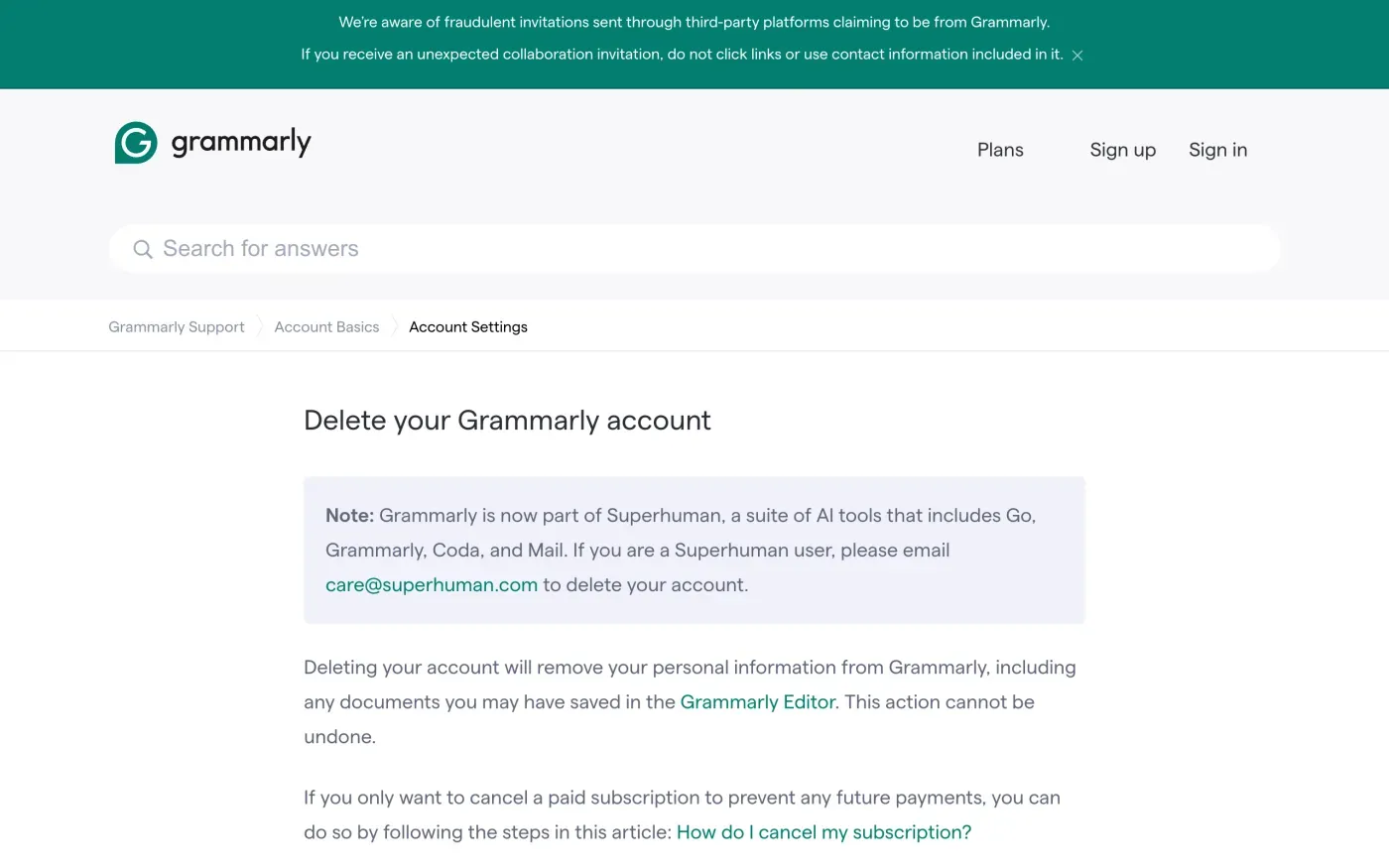
Grammarly’s help centre now opens its delete article with a note:
Grammarly is now part of Superhuman, a suite of AI tools that includes Go, Grammarly, Coda, and Mail. If you are a Superhuman user, please email care@superhuman.com to delete your account.
The old grammarly.com/privacy-policy address redirects to the Superhuman privacy policy, effective 6 July 2026. That policy covers Grammarly, Docs (formerly Coda), Superhuman Go and Superhuman Mail. Which route you need depends on what you use.
| Your account | What Grammarly says | What to do |
|---|---|---|
| Free Grammarly account | Delete it yourself while signed in. | Use the Delete Account button, below. |
| Paid subscription still active | Submit a support ticket before deleting. | Ask support, or email the privacy address below. |
| Account from your employer or school | Ask the subscription admin to remove you first. | Ask the admin, then delete. Or send the letter. |
| Superhuman Mail or Docs | These "have separate procedures" and requests go to privacy@superhuman.com. | Send the letter. |
| Deactivated account, cannot sign in | Removed from an organization: deleted after 30 days unless added back. | See the section on deactivated accounts. |
Cancelling a paid plan does not delete anything. Grammarly’s cancellation article says it stops renewal and you keep paid features until the period ends, and that for a Superhuman suite subscription the cancellation applies across all the apps.
Deleting the account yourself
- Sign in
Go to grammarly.com/signin. Grammarly may ask you to confirm who you are, depending on how you sign in, and in some cases a 6-digit code sent to your account email.
- Open your profile page
The help article puts the button at the bottom of the profile page.
- Choose Delete Account
Grammarly says this removes your personal information, “including any documents you may have saved in the Grammarly Editor”. It “cannot be undone”.
Getting your data before it goes
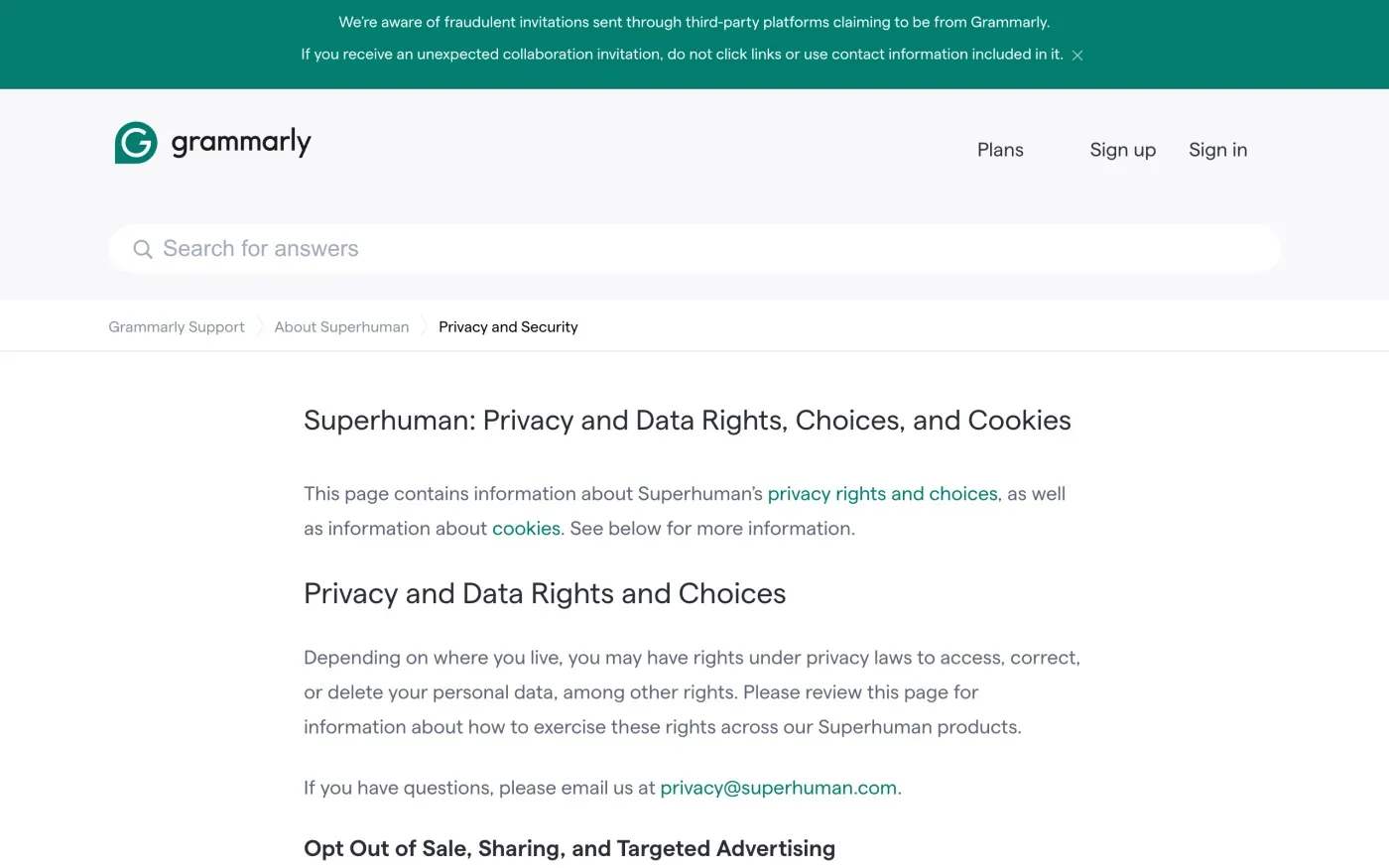
That page says you can submit an access request through your Grammarly account settings, and that you can download the documents you have stored in your account by following its help article. It also lists billing receipts and document statistics as things you can retrieve. Superhuman Mail and Docs users are told to email privacy@superhuman.com instead.
If you want everything Grammarly holds about you, not only your documents, ask for it in writing as well. The subject access request guide explains what you are entitled to.
Where to send a GDPR request
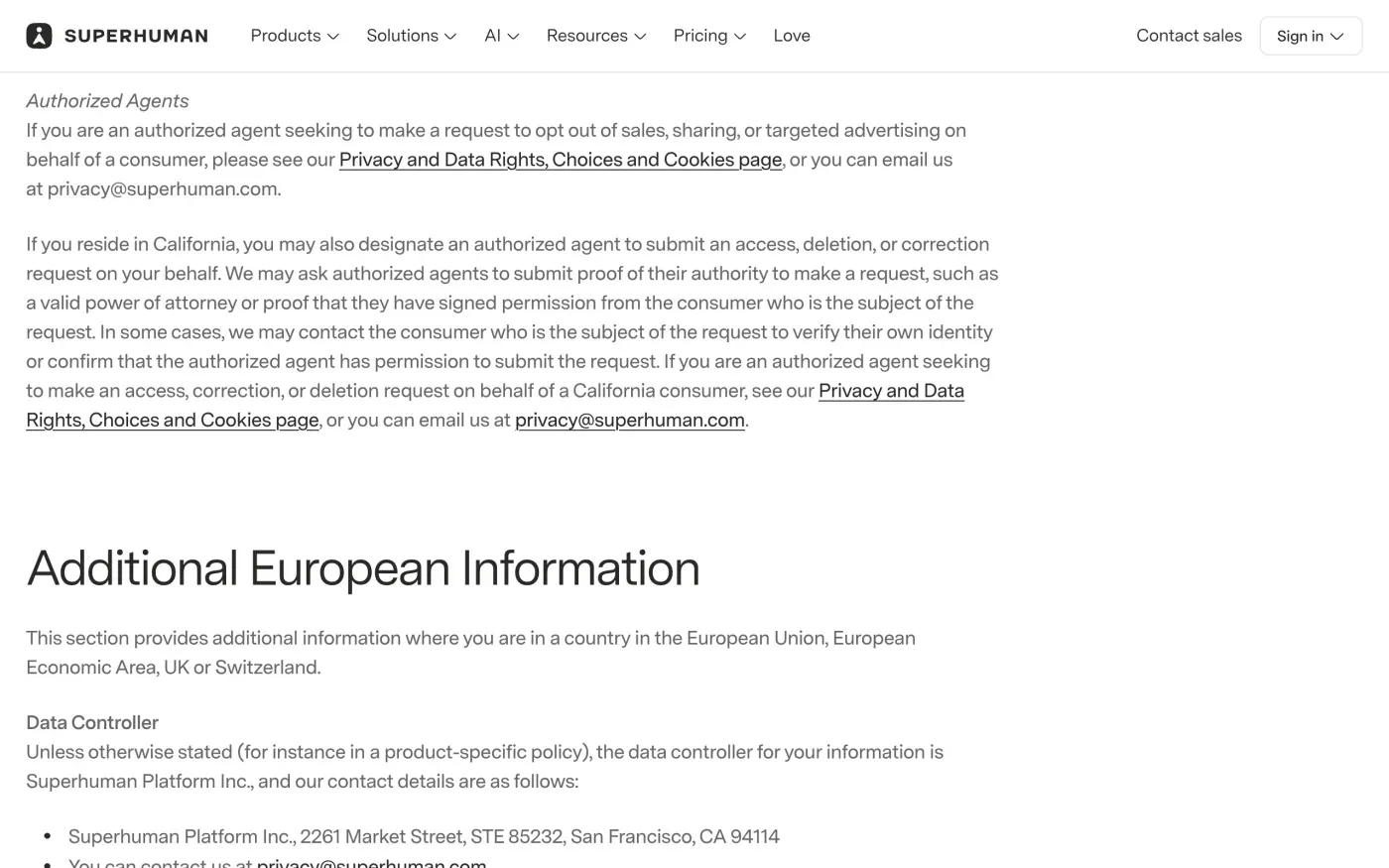
The privacy policy names the contact in its Additional European Information section:
| Who | Contact in the policy |
|---|---|
| Data controller | Superhuman Platform Inc., 2261 Market Street, STE 85232, San Francisco, CA 94114 |
| Privacy email | privacy@superhuman.com |
| Data protection officer | Bird & Bird DPO Services SRL, dpo.superhuman@twobirds.com, Avenue Louise 235 b 1, 1050 Brussels, Belgium |
| Representative in the EEA | VeraSafe Ireland Ltd, Unit 3D North Point House, North Point Business Park, New Mallow Road, Cork T23AT2P, Ireland |
| Representative in the UK | VeraSafe United Kingdom Ltd., 37 Albert Embankment, London SE1 7TL, United Kingdom |
Send the request to privacy@superhuman.com. Copy the DPO address if you want a second record. The policy says “Unless otherwise stated (for instance in a product-specific policy)” the controller is Superhuman Platform Inc., so if you use Superhuman Mail or Docs, say which products your account covers.
The controller is the same whether you live in the EU or the UK. The policy lists no separate UK company, only a UK representative, so a single letter covers both. An American company serving people in Europe must appoint a representative under Article 27 of the GDPR, as a contact point for you and for authorities. The policy points to a VeraSafe contact form for data protection matters, but email to the controller is the route Grammarly’s own pages give for requests.
What Grammarly keeps
The policy gives no retention periods. It says it keeps personal data “for as long as necessary to provide our products to you, to complete the transactions you have requested, to comply with our legal obligations, to resolve disputes, and for other legitimate business purposes”, and that periods depend on “what it is, how it’s used, and how you configure your settings”. It also keeps a record that you asked not to receive marketing so that it can respect that.
Because the policy is vague, ask in the letter for the retention period of anything kept after deletion, and the legal reason. Article 17(3) lets a company keep data only where it needs it for a legal obligation or legal claims.
If you also want to stop your text being used to train AI models, the policy says you can decide this through “the available training control(s) in your account settings”. That is a setting, separate from deletion.
If you cannot sign in
Grammarly’s help centre covers one lockout. The message “Your account has been deactivated” means you were removed from an organization’s subscription. Unless the admin adds you back, the account “will be permanently deleted in 30 days”, and you can then sign up again with the same email address.
For any other lockout, such as a lost password or an email address you no longer reach, the delete button is out of reach. Send the letter from the email address on the account. Article 12(6) lets a company ask for more proof only when it has reasonable doubt about who you are.
Will Grammarly ask for ID
The privacy policy sets no ID rule. Send the letter from your account email and give the name on the account. If Superhuman asks for more, give only what it needs to find your account.
The letter
Fill in your account email and name. Send the first letter to get a copy of your data. Send the deletion letter once you have it, because deleting the account deletes the documents. In the UK, use the versions that cite the UK GDPR.
Dear Grammarly privacy team,
Under Article 15 of the GDPR, I ask for a copy of all the personal data you hold about me.
Please also tell me why you use it, what kinds of data you hold, who you have shared it with, how long you will keep it, where you got it if not from me, and whether you make automated decisions about me.
My account uses the email address [your account email].
Please answer within one month of receiving this request, as Article 12(3) of the GDPR requires.
Kind regards,
[Your name]
Dear Grammarly privacy team,
Under Article 17 of the GDPR, I ask you to erase all the personal data you hold about me.
My account uses the email address [your account email]. If you keep any of my data, please tell me what you keep and the legal reason.
Please answer within one month of receiving this request, as Article 12(3) of the GDPR requires.
Kind regards,
[Your name]
The deletion letter guide explains the deadlines and what Grammarly must tell you if it refuses. UK readers can also use the UK right to be forgotten guide.
More companies than Grammarly?
Reflex finds the companies in your Gmail, sends this letter to each from your own address and follows up for three months. Free to join the beta, €19 once when you start.
If Grammarly does not answer
Grammarly has one month from receiving your request, extendable by two months only if it tells you why within the first month (Article 12(3)). If that passes, send a reminder. The guide to ignored requests has one, and the response deadline guide shows how to count the days.
Then complain to a data protection authority (Article 77). Many companies name a lead authority in one EU country. Grammarly’s privacy policy names none, and its controller is in the United States. The one-stop-shop rule in Article 56 depends on a main establishment in the EU, so complain to the authority in the country where you live. The EDPB list of members links each authority. In the UK, complain to the ICO.
Not sure what else holds your data? The guide to finding the companies that have it covers that.
Questions
How do I delete my Grammarly account?
Sign in, open your profile page and choose Delete Account at the bottom. Grammarly's help article says this removes your personal information, including documents saved in the Grammarly Editor, and cannot be undone.
Why can't I delete my Grammarly account?
Grammarly's help article names three blocks. A paid subscription that is still active needs a support ticket first. An account on an organization's subscription needs the subscription admin to remove you. A Superhuman user is told to email care@superhuman.com.
What is Grammarly's email address for data requests?
Superhuman's privacy policy gives privacy@superhuman.com. Grammarly now belongs to Superhuman, and its help centre points privacy requests there.
Is Grammarly an EU company?
Not according to its privacy policy. It names Superhuman Platform Inc., 2261 Market Street, STE 85232, San Francisco, CA 94114 as the data controller, with VeraSafe as its representative in the EEA (Ireland) and the UK.
Who do I complain to about Grammarly?
The data protection authority in the country where you live, or the ICO in the UK. The policy names no lead authority.
Sources
- Superhuman privacy policy, Effective as of July 6, 2026. Additional European Information, Your Rights and Choices, RetentionSuperhuman, checked 15 November 2026
- Superhuman: Privacy and Data Rights, Choices, and CookiesGrammarly Support, checked 15 November 2026
- Delete your Grammarly accountGrammarly Support, checked 15 November 2026
- I can't sign in: Your account has been deactivatedGrammarly Support, checked 15 November 2026
- How do I cancel my subscription?Grammarly Support, checked 15 November 2026
- Regulation (EU) 2016/679, the GDPR, Articles 12, 17, 27, 56 and 77EUR-Lex, checked 15 November 2026
- Members of the EDPB, national data protection authoritiesEuropean Data Protection Board, checked 15 November 2026
- Make a complaintICO, checked 15 November 2026