
Export first, because deletion is final
Goodreads has one delete button and no undo. Its help article says: “When you delete your account, your shelved books and friends list are permanently removed from Goodreads. You can’t undo this action.” If you spent years rating and shelving books, that list is the part worth saving.
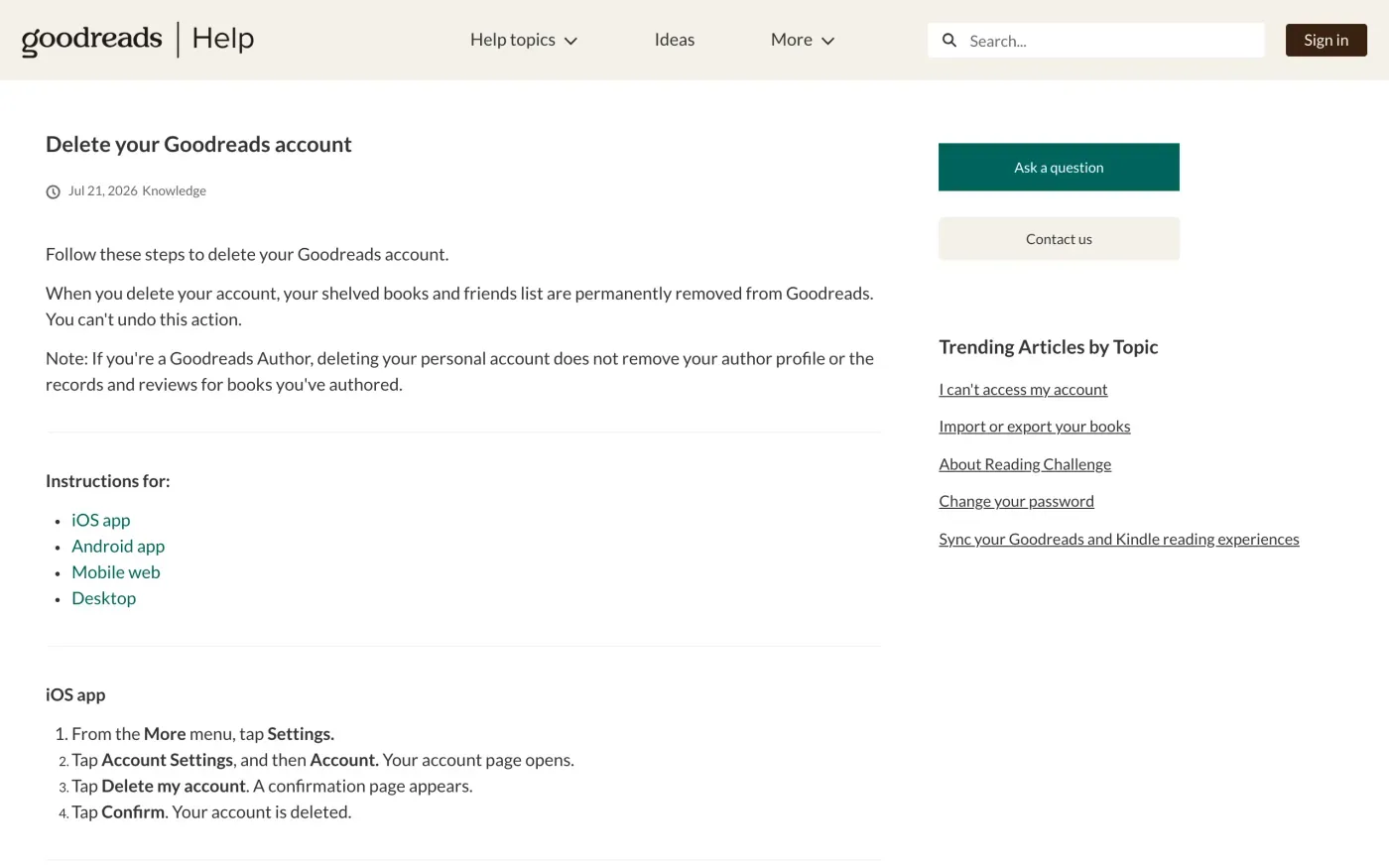
Goodreads’s export is a books file only. On the desktop site, the help centre says to go to My Books, click Import and export under Tools on the left, and under Export click Export Library. The file can take a few minutes for a large library, and then a link appears to download the .csv.
Delete the account yourself
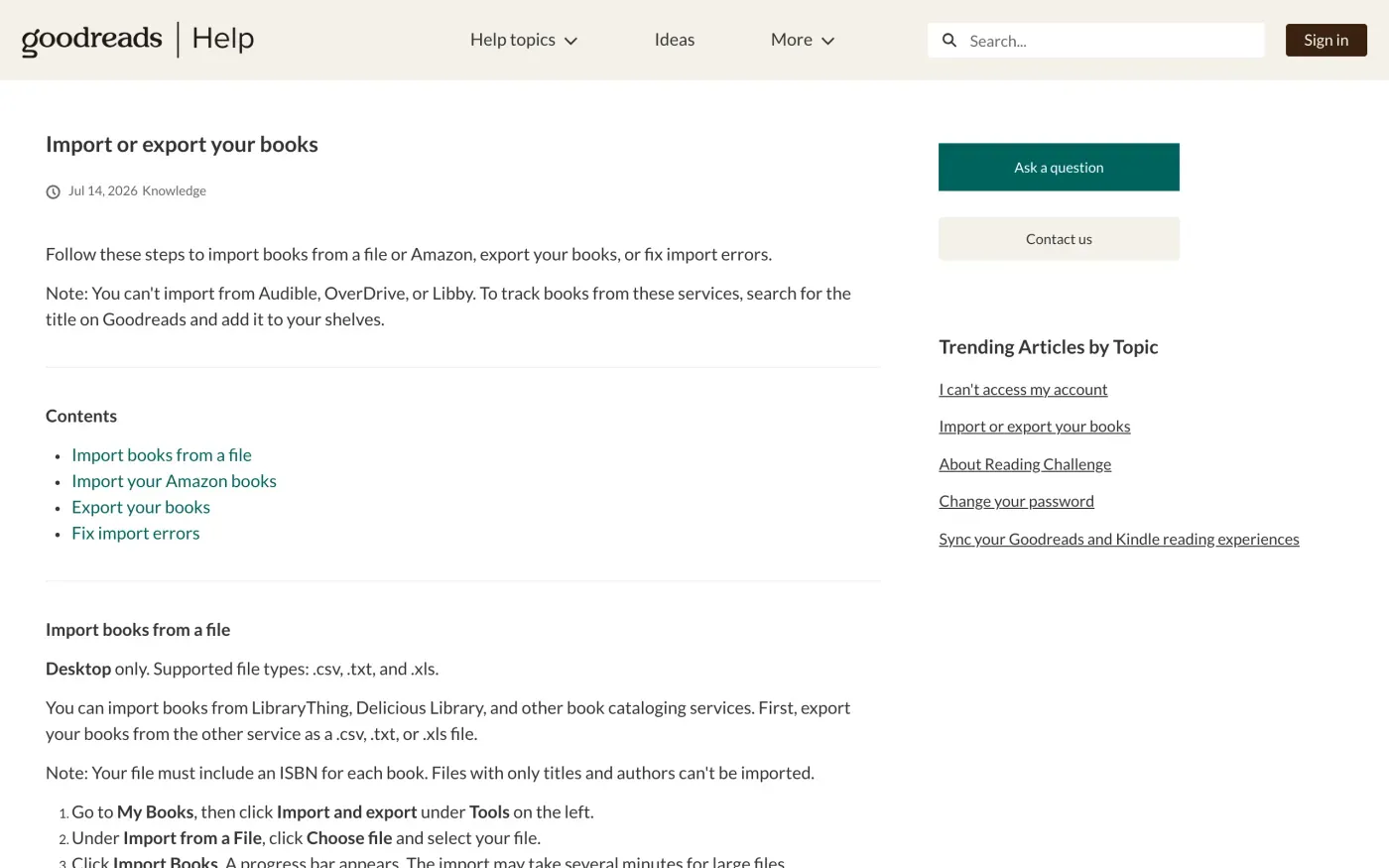
The help centre gives separate steps for the app and the website.
- On the iOS app.
From the More menu, tap Settings. Tap Account Settings, then Account. Tap Delete my account, then Confirm.
- On the Android app.
From the More menu, tap Settings, then Settings and Account. Tap Delete my account, then Confirm.
- On the desktop site.
Click your profile photo, then Account settings. Click the Profile tab, then Delete my Account below your profile photo, then Confirm.
Public posts do not all disappear at once. The privacy notice says: “If you remove User Content, copies may remain viewable in cached and archived pages or if other users have copied or stored your User Content.” Messages work the same way: copies may remain viewable even after you delete them from your inbox or outbox.
If you signed in with Amazon or can’t get in
Goodreads lets you link an Amazon account, with a “Continue with Amazon” sign-in, Kindle books, and synced reading challenges. The help centre says it only supports linking Amazon accounts from the US marketplace. The notice also warns that if you have an account on www.amazon.com, “information gathered by Goodreads may be correlated with any personal information that Amazon.com has and used by Goodreads and Amazon to improve the services we offer.” Deleting Goodreads does not obviously touch that Amazon data, so mention Amazon in your request if the two were linked.
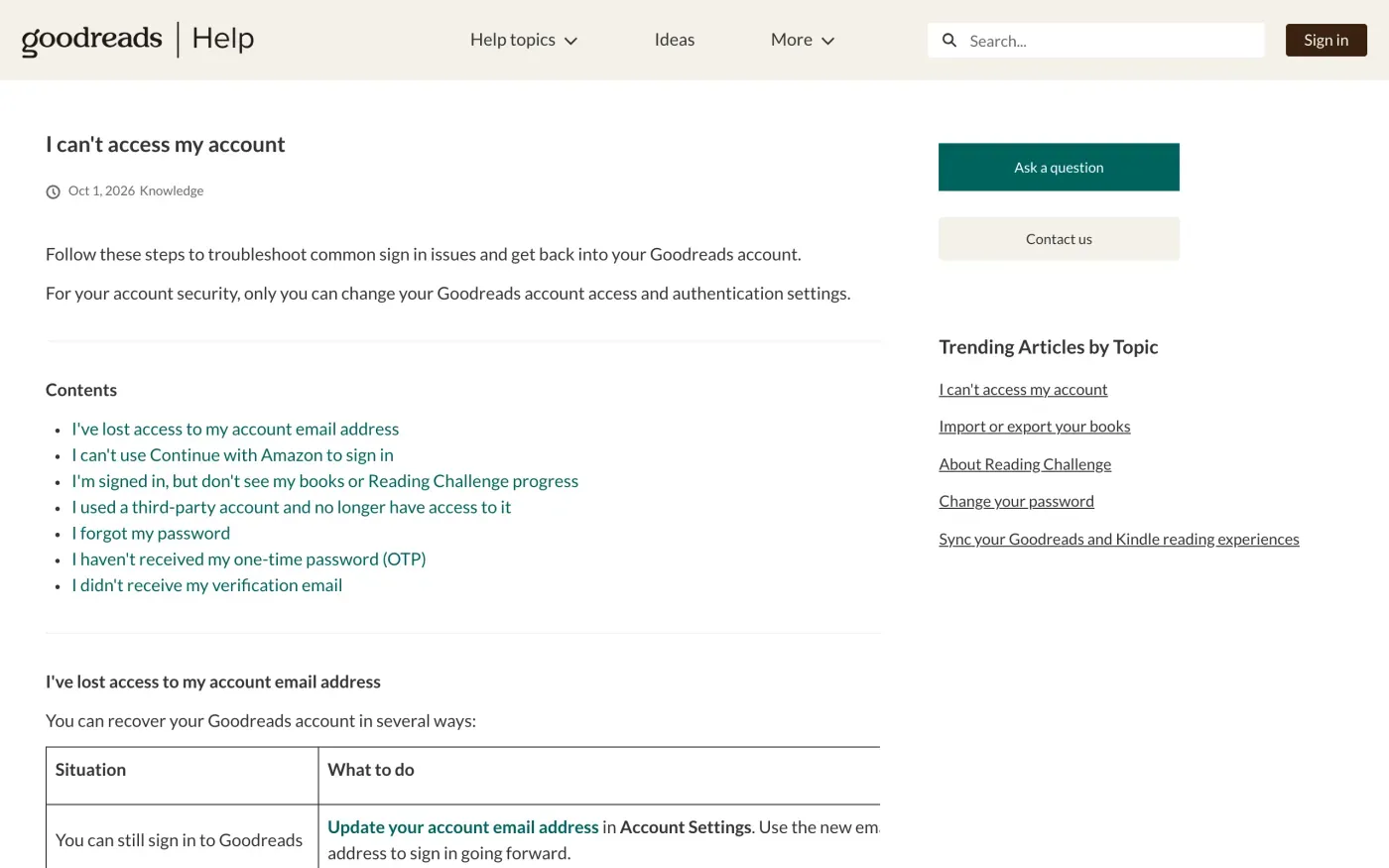
If you cannot sign in at all, the help article I can’t access my account covers a lost email address, a failed Continue with Amazon sign-in, a lost third-party account, a forgotten password and a missing verification email. It adds: “For your account security, only you can change your Goodreads account access and authentication settings.” The delete button needs a signed-in account, so a locked account is where a written request matters most.
Where to send a written request
The privacy notice is short. On requests it says: “to the extent required by applicable law, you may have the right to request access to or delete your personal information. To do so, you may visit here and navigate to the ‘Settings’ tab or contact us.” The “here” link goes to your account settings page, which needs a login. For everything else, Goodreads gives two routes.
| Route | What the notice says | Use it when |
|---|---|---|
| Contact us form | Linked as "contact us" at goodreads.com/about/contact_us. It asks for a topic (such as My account), your device, your role, your email address and a description of your issue. | You want a ticket you can quote back. |
| Post | Goodreads LLC, 188 Spear Street, Suite 250, San Francisco, CA 94105 | You can post the letter, or the form fails. |
The notice does not publish a privacy or data protection email address. We found none on the pages we checked, so we don’t give one. Use the form or the postal address.
A US operator, and what that means for you
The notice names Goodreads LLC, a subsidiary of Amazon.com, Inc., with a San Francisco address, and says the information it collects “is subject to the Amazon Privacy Notice, except as otherwise stated”. We found no EU company, EU representative, data protection officer or separate UK company named on the pages we checked.
The GDPR still applies to a company outside the EU that offers a service to people in the EU (Article 3(2)), and the UK GDPR works the same way for the UK. Write to Goodreads LLC as the company in the notice, and say that you live in the EU or the UK.
What Goodreads keeps
We could not find a retention period. The privacy notice states none for account data, and the help article says nothing about how long data stays after deletion. Your letter should ask for it. Under Article 12(4) of the GDPR, if Goodreads refuses part of your request, it must tell you why.
The letter
Fill in the fields and send it through the Contact us form or by post. The words that change are highlighted. Start with the access letter if you want to see what Goodreads holds before you delete.
Dear Goodreads privacy team,
Under Article 15 of the GDPR, I ask for a copy of all the personal data you hold about me.
Please also tell me why you use it, what kinds of data you hold, who you have shared it with, how long you will keep it, where you got it if not from me, and whether you make automated decisions about me.
My account uses the email address [your account email].
Please answer within one month of receiving this request, as Article 12(3) of the GDPR requires.
Kind regards,
[Your name]
Dear Goodreads privacy team,
Under Article 17 of the GDPR, I ask you to erase all the personal data you hold about me.
My account uses the email address [your account email]. If you keep any of my data, please tell me what you keep and the legal reason.
Please answer within one month of receiving this request, as Article 12(3) of the GDPR requires.
Kind regards,
[Your name]
If you live in the UK, the UK version of the letter cites the UK GDPR instead. How a copy request works is in the guide to asking for a copy of your data, and the deletion letter guide explains the erasure letter.
Got accounts at more companies?
Reflex finds the companies in your Gmail, sends this letter to each from your own address and follows up for three months. Free to join the beta, €19 once when you start.
If Goodreads does not answer
Goodreads has one month from receiving your request to answer, or to tell you within that month why it needs up to two more (response deadlines). Keep the form confirmation or proof of posting. If it misses the date, send one reminder, then complain.
Because we could not confirm an EU entity, we can’t name a lead authority. Article 77 lets you complain to the authority where you live. The EDPB keeps the list of national authorities. In the UK, complain to the ICO. The reminder and the complaint, step by step, are in what to do if a company ignores your request.
Goodreads sits in the Amazon family, so if you have an Amazon account too, Amazon’s guide covers that side.
Questions
Can I undo deleting my Goodreads account?
No. Goodreads's help centre says your shelved books and friends list are permanently removed and that you can't undo the action. Export your books first.
Does exporting my library give me all my Goodreads data?
No. The export is a .csv of your books. It does not cover everything Goodreads holds about you. For the rest, send a request for a copy of your data under Article 15 of the GDPR.
Does deleting Goodreads delete my Amazon account?
The help centre describes linking as a sign-in and sync option between two accounts. Its delete article says nothing about Amazon, so check your Amazon account yourself afterwards.
I'm an author on Goodreads. Does deleting my account remove my author profile?
No. The help article says deleting your personal account does not remove your author profile or the records and reviews for books you've authored.
Which data protection authority do I complain to about Goodreads?
Goodreads's privacy notice names an operator in San Francisco and no EU entity, so we could not confirm a lead authority. Article 77 lets you complain to the authority in the country where you live.
Sources
- Goodreads Privacy Policy, Last updated June 27, 2023; Your Choices About Your Information; Changes to Our Privacy PolicyGoodreads, checked 16 November 2026
- Delete your Goodreads accountGoodreads Help, checked 16 November 2026
- Import or export your books, Export your booksGoodreads Help, checked 16 November 2026
- I can't access my accountGoodreads Help, checked 16 November 2026
- Link your Amazon and Goodreads accountGoodreads Help, checked 16 November 2026
- Contact UsGoodreads, checked 16 November 2026
- Members of the EDPB, national data protection authoritiesEuropean Data Protection Board, checked 16 November 2026
- Regulation (EU) 2016/679, the GDPR, Articles 3, 12, 15, 17 and 77EUR-Lex, checked 16 November 2026
- Make a complaintICO, checked 16 November 2026