
One login, many services
Closing an Amazon account closes the login, and everything attached to it. Amazon’s help page says closing your account “will also close your account on amazon.com, amazon.fr, amazon.com.mx, and all other global sites that use the same credentials”. Its page What Happens When I Close My Account? lists what goes with it:
| Service | What Amazon says you lose |
|---|---|
| Orders and invoices | Your order history and invoices, so proof of purchase for a warranty claim |
| Prime | Memberships "all types across all Amazon websites" |
| Prime Video and Amazon Music | Watchlist, subscriptions, purchased videos, music purchases and playlists |
| Kindle and Audible | Kindle content, notes and annotations; Audible membership, credits and audiobooks |
| Amazon Photos | The account and all content in it |
| Alexa and devices | Voice recordings and other Alexa data; Echo, Fire and Kindle devices are no longer registered to you |
| Gift cards | Your balance is no longer available |
| Seller, AWS, Associates, Flex and Business accounts | Access to them, and "limited or no access" to Fulfilment by Amazon stock and tax documents for Seller accounts |
If you have more than one account, Amazon says to follow the steps “for each of the accounts”.
Get a copy of your data first
Order history and addresses are already in Your Account, but your search history and similar data are not. Amazon’s help page Request your personal information gives the steps:
- Go to Request your data.
Amazon notes that signing in “is required for security reasons”.
- Choose the information you want.
Then select Submit Request.
- Confirm by email.
Select the validation link in the confirmation email Amazon sends to your account.
- Download it.
Amazon sends a secure link to your email address when the data is ready.
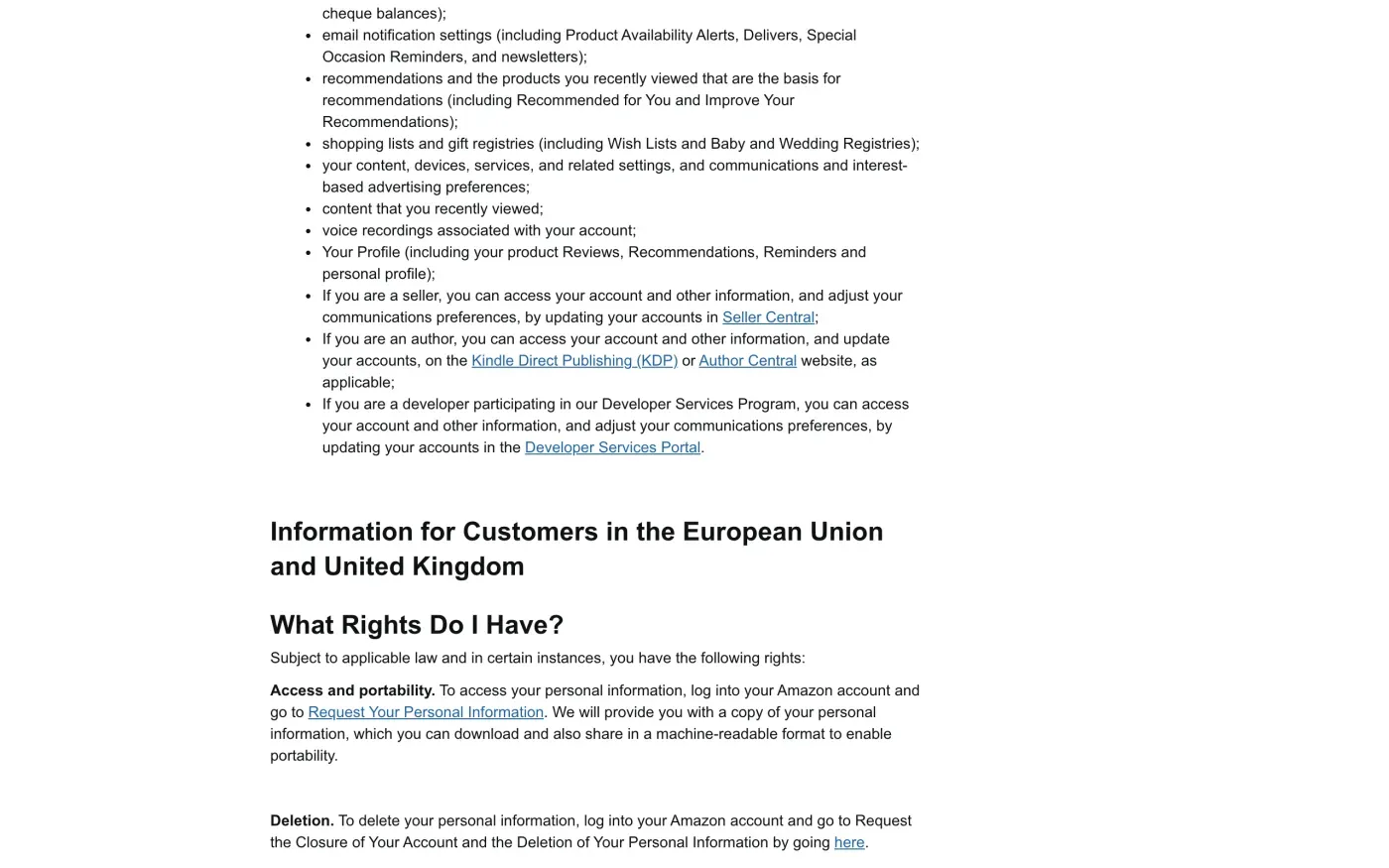
Amazon’s privacy notice says it provides a copy “which you can download and also share in a machine-readable format to enable portability”. That is the right of access (Article 15) and portability (Article 20). The subject access request guide explains what a company must include in a copy.
Close the account and delete the data
- Go to Close Your Amazon Account.
The link is in Amazon’s help page Request the Closure of Your Account and the Deletion of Your Personal Information. On the UK site it is amazon.co.uk/privacy/data-deletion.
- Sign in to the account you want to close.
Review the products and services listed for it.
- Tick the confirmation box.
The wording is “Yes, I want to permanently close my Amazon account and delete my data”. Then select Close my Account.
- Reply to Amazon's confirmation.
Amazon sends a notification to your account email or by text. You must reply “within five days to verify your request”.
The privacy notice names this route for deletion: “log into your Amazon account and go to Request the Closure of Your Account and the Deletion of Your Personal Information”.
If you cannot sign in
Both routes above need a signed-in account. If the account is locked, has an old email or you cannot get a code, Amazon’s help page Why Can’t I Sign into My Account? covers passwords, one-time codes and passkeys. The request page also says to use Account Settings for access problems, and “Regain Access to an Account on Hold” if the account is on hold.
You do not need to sign in to exercise your GDPR rights. Amazon’s privacy notice gives a data protection officer contact for each country site:
| Site | Data protection officer address in the notice |
|---|---|
| amazon.co.uk (UK) | eu-privacy@amazon.co.uk |
| amazon.de (Germany) | eu-privacy@amazon.de |
| amazon.fr (France) | eu-privacy@amazon.fr |
| amazon.it (Italy) | eu-privacy@amazon.it |
| amazon.es (Spain) | eu-privacy@amazon.es |
| amazon.ie (Ireland) | eu-privacy@amazon.ie |
For another country, open the privacy notice on your own Amazon site and look in the section Contacts, Notices & Revisions for the address. The notice also says: “You always have the option contact Customer Service to exercise any of your rights”, through the Customer Service page, “Help with something else”, “Account settings and data privacy”, then “Data Privacy Queries”. Amazon’s request page adds that if you have no account, you can email Amazon.
Send the letter from the email address on the account, and give the account’s name and any recent order number if you can. Amazon may ask for more only when it has reasonable doubts about who you are (Article 12(6)); the deletion letter guide explains what to refuse.
Who holds your data in the EU and the UK
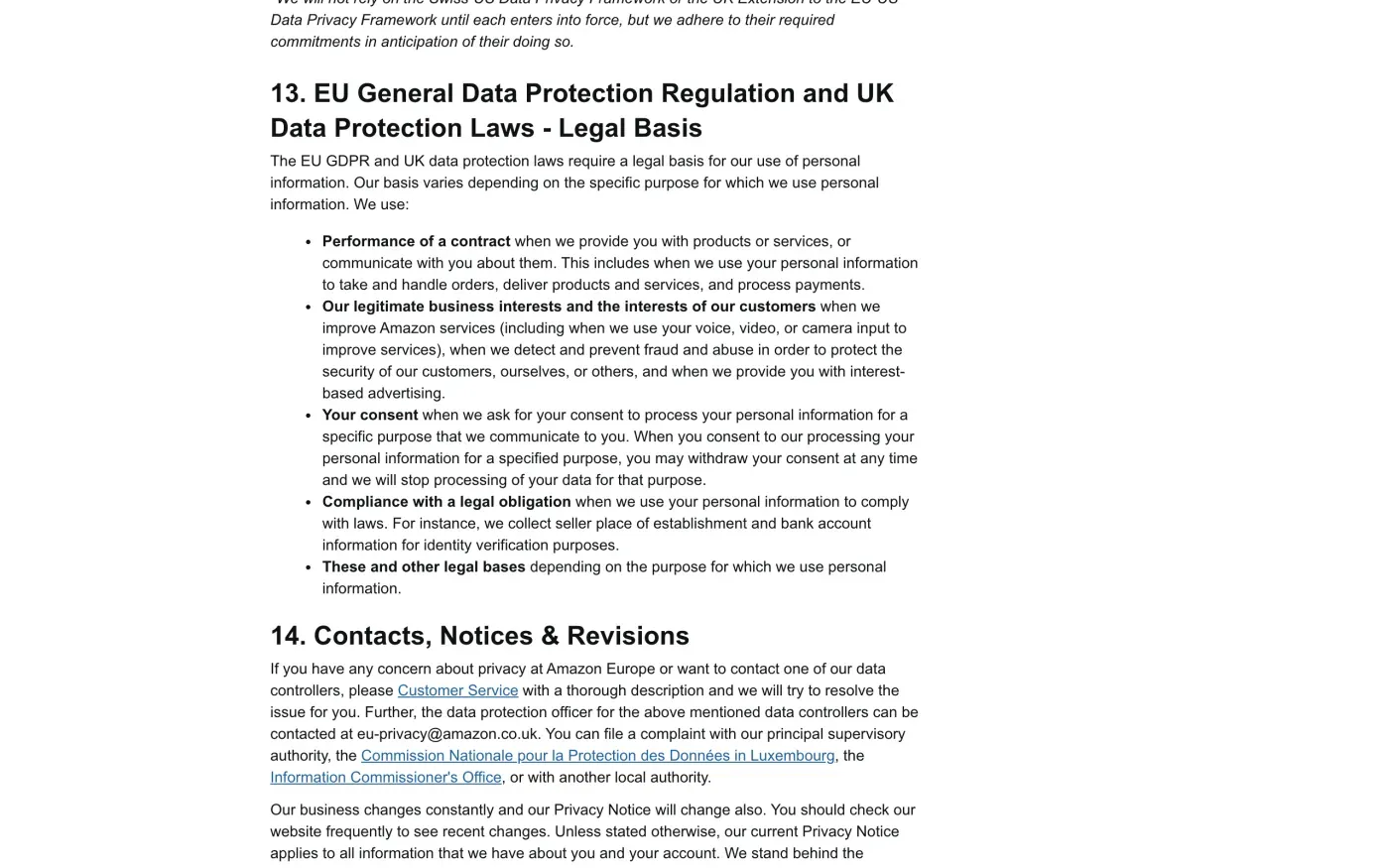
Amazon’s EU notice names three Luxembourg companies, Amazon Europe Core SARL, Amazon EU SARL and Amazon Media EU SARL, all at 38 avenue John F. Kennedy, L-1855, Luxembourg, as data controllers. The UK notice and the Italian, French, Spanish and Irish notices add Amazon Digital UK Limited, 1 Principal Place, Worship Street, London, EC2A 2FA. The German notice names Amazon Digital Germany GmbH, Anni-Albers-Str. 21, 80807 Munich, in its place. Together they are called “Amazon Europe”, and the privacy address for your site covers all of them.
The UK notice is dated 1 August 2024, while the EU notices are dated 28 October 2026, so the UK wording may be older. Use UK GDPR in your letter if you live in the UK.
What Amazon keeps after deletion
Amazon’s German-site notice says that after you close your account it deletes your personal information “except if we need it to comply with our legal obligations and defend our rights”:
| Data | What Amazon says |
|---|---|
| Order data: name, product, order date, delivery address, payment method, price, VAT | Normally kept for 10 years, under laws including the Luxembourg Commercial Code, and to defend legal claims and prevent fraud |
| Limited account information | May be kept "to administer these rights and obligations" |
| Use after closure | "None of this data is used after account closure for marketing or advertising purposes" |
This fits the exception for legal obligations in Article 17(3). Ask Amazon in your letter to confirm what it keeps and the reason for each item.
The letter
Use this if you cannot sign in, if the closure page failed, or if you want a written answer. If you want your data first, send the access letter before the erasure letter, since the account goes with the deletion.
Dear Amazon privacy team,
Under Article 15 of the GDPR, I ask for a copy of all the personal data you hold about me.
Please also tell me why you use it, what kinds of data you hold, who you have shared it with, how long you will keep it, where you got it if not from me, and whether you make automated decisions about me.
My account uses the email address [your account email].
Please answer within one month of receiving this request, as Article 12(3) of the GDPR requires.
Kind regards,
[Your name]
Dear Amazon privacy team,
Under Article 17 of the GDPR, I ask you to erase all the personal data you hold about me.
My account uses the email address [your account email]. If you keep any of my data, please tell me what you keep and the legal reason.
Please answer within one month of receiving this request, as Article 12(3) of the GDPR requires.
Kind regards,
[Your name]
In the UK, use the UK versions below, which cite the UK GDPR. The UK right to be forgotten guide explains the difference.
Dear Amazon privacy team,
Under Article 15 of the UK GDPR, I ask for a copy of all the personal data you hold about me.
Please also tell me why you use it, what kinds of data you hold, who you have shared it with, how long you will keep it, where you got it if not from me, and whether you make automated decisions about me.
My account uses the email address [your account email].
Please answer within one month of receiving this request, as Articles 12(3) and 12A of the UK GDPR require.
Kind regards,
[Your name]
Dear Amazon privacy team,
Under Article 17 of the UK GDPR, I ask you to erase all the personal data you hold about me.
My account uses the email address [your account email]. If you keep any of my data, please tell me what you keep and the legal reason.
Please answer within one month of receiving this request, as Articles 12(3) and 12A of the UK GDPR require.
Kind regards,
[Your name]
More companies than Amazon?
Reflex finds the companies in your Gmail, sends this letter to each from your own address and follows up for three months. Free to join the beta, €19 once when you start.
If Amazon does not answer
Amazon has one month from receiving your request, extendable by two months only if it tells you why within the first month (Article 12(3)). See the response deadline guide, then send a reminder from the guide to ignored requests.
Amazon’s notice names its principal supervisory authority: “the Commission Nationale pour la Protection des Données in Luxembourg”. The CNPD takes cross-border complaints, but Article 77 also lets you complain to the authority where you live, which will pass it on. For Prime Video and Amazon Music, the German-site notice names a different authority for use in the EU, the Bayerisches Landesamt für Datenschutzaufsicht. In the UK, complain to the ICO.
Questions
How do I delete my Amazon account?
Amazon's help page says to go to Close Your Amazon Account, sign in, review the services on the account, tick "Yes, I want to permanently close my Amazon account and delete my data", and select Close my Account. You then have to confirm by replying to the email or text Amazon sends within five days.
Does closing my Amazon account close Prime, Kindle and Audible too?
Yes. Amazon says closing it also closes the account on every Amazon site that uses the same login, and lists Prime, Prime Video, Amazon Music, Kindle, Audible, Alexa, Amazon Photos and devices among what you lose.
Can I get my Amazon data before I delete the account?
Yes. Sign in and use "Request your data". Amazon says you choose what to receive, confirm by email and download it through a secure link.
Can I undo closing my Amazon account?
No. Amazon says a closed account cannot be restored, and you would have to create a new one.
Does Amazon keep anything after I delete my account?
Yes. Amazon says it normally keeps order data such as your name, product, date, delivery address, payment method, price and VAT for 10 years, under laws including the Luxembourg Commercial Code, and says it does not use it for marketing.
Who regulates Amazon in Europe?
Amazon names the Commission Nationale pour la Protection des Données in Luxembourg as its principal supervisory authority. You can also complain to the authority where you live, or to the ICO in the UK.
Sources
- Amazon.de Privacy Notice (English), last updated 28.10.2026, Controllers; What Rights Do I Have?; Additional Information About Data Retention; supervisory authorityAmazon, checked 15 November 2026
- Amazon.co.uk Privacy Notice, last updated 1 August 2024, Section 1, Controllers; section 14, Contacts, Notices & RevisionsAmazon, checked 15 November 2026
- Amazon.it Privacy NoticeAmazon, checked 15 November 2026
- Amazon.fr Privacy NoticeAmazon, checked 15 November 2026
- Amazon.es Privacy NoticeAmazon, checked 15 November 2026
- Amazon.ie Privacy NoticeAmazon, checked 15 November 2026
- Request the Closure of Your Account and the Deletion of Your Personal InformationAmazon, checked 15 November 2026
- What Happens When I Close My Account?Amazon, checked 15 November 2026
- Request your personal informationAmazon, checked 15 November 2026
- Why Can't I Sign into My Account?Amazon, checked 15 November 2026
- Commission Nationale pour la Protection des DonnéesCNPD, Luxembourg, checked 15 November 2026
- Regulation (EU) 2016/679, the GDPR, Articles 12, 15, 17, 20 and 77EUR-Lex, checked 15 November 2026
- Make a complaintICO, checked 15 November 2026