
Download first, then delete
Facebook has one tool that exports your data and another that deletes the account. Once you delete, the export goes with the account: Facebook’s help page for the export says you cannot export a profile that is “scheduled for deletion” until you cancel the deletion.
So do it in this order:
- Export a copy of your information.
Click your profile picture, then Settings and privacy, Settings, Accounts Centre, Your information and permissions, Export your information, Create export. Pick your profile, choose Export to device, then set the information, date range, format and media quality. Choose JSON if you want to move the data elsewhere, or HTML if you want to browse it.
- Download it within four days.
Facebook says that when the export is ready you have “four days” to download it from Available downloads. After that you make a new request.
- Sort out what else depends on the account.
See the next section.
- Delete the account.
Settings and privacy, Settings, Meta Account, Manage account, Manage, Deactivation or deletion. Some accounts instead show Personal details, then Account ownership and control, then Deactivation or deletion. Facebook says both paths exist while it moves people to Meta Accounts.
If you have extra profiles under your main one, Facebook says some information, including ads information, can only be exported from the main profile, which is the first one you made.
What goes with your Facebook account
Facebook’s help page, “Permanently delete your Facebook profile”, lists what deletion takes with it.
| What you use | What Facebook says happens |
|---|---|
| Photos, posts and videos | "permanently deleted". You cannot retrieve anything you added. |
| Messenger | "You'll no longer be able to use Facebook Messenger." |
| Other apps you signed up for with Facebook | "You won't be able to use Facebook Login" for them, such as Spotify or Pinterest. You may need to contact those apps to recover the accounts. |
| Messages you sent to friends | May still be visible to them. Copies are stored in your friends' inboxes. |
| Meta Quest, if you log in with Facebook | Your Meta Quest information goes too, including app purchases and achievements. You can no longer return apps and you lose store credits. |
| Pages only you control | Deleted. You can give someone else full control first. |
| Your other profiles in the same Meta Account | Not affected. |
Before you delete, switch the login on each app that uses “Log in with Facebook” to an email and password, hand over any Page you run, and spend or note your Quest credits. If you only want a break, deactivating keeps your content and Messenger, but it is not deletion and does not erase anything.
The 30 and 90 day clocks
Deletion does not happen on the day you click. Meta’s privacy policy and Help Centre give these timings:
| Stage | What Meta says |
|---|---|
| First 30 days | You can log in and click Cancel deletion. The Help Centre adds that "The number of days that you can cancel an account deletion varies by region." |
| Up to 90 days from the start | Meta says it "may take up to 90 days" to delete your information. While it does, it is not accessible to other people on Facebook. |
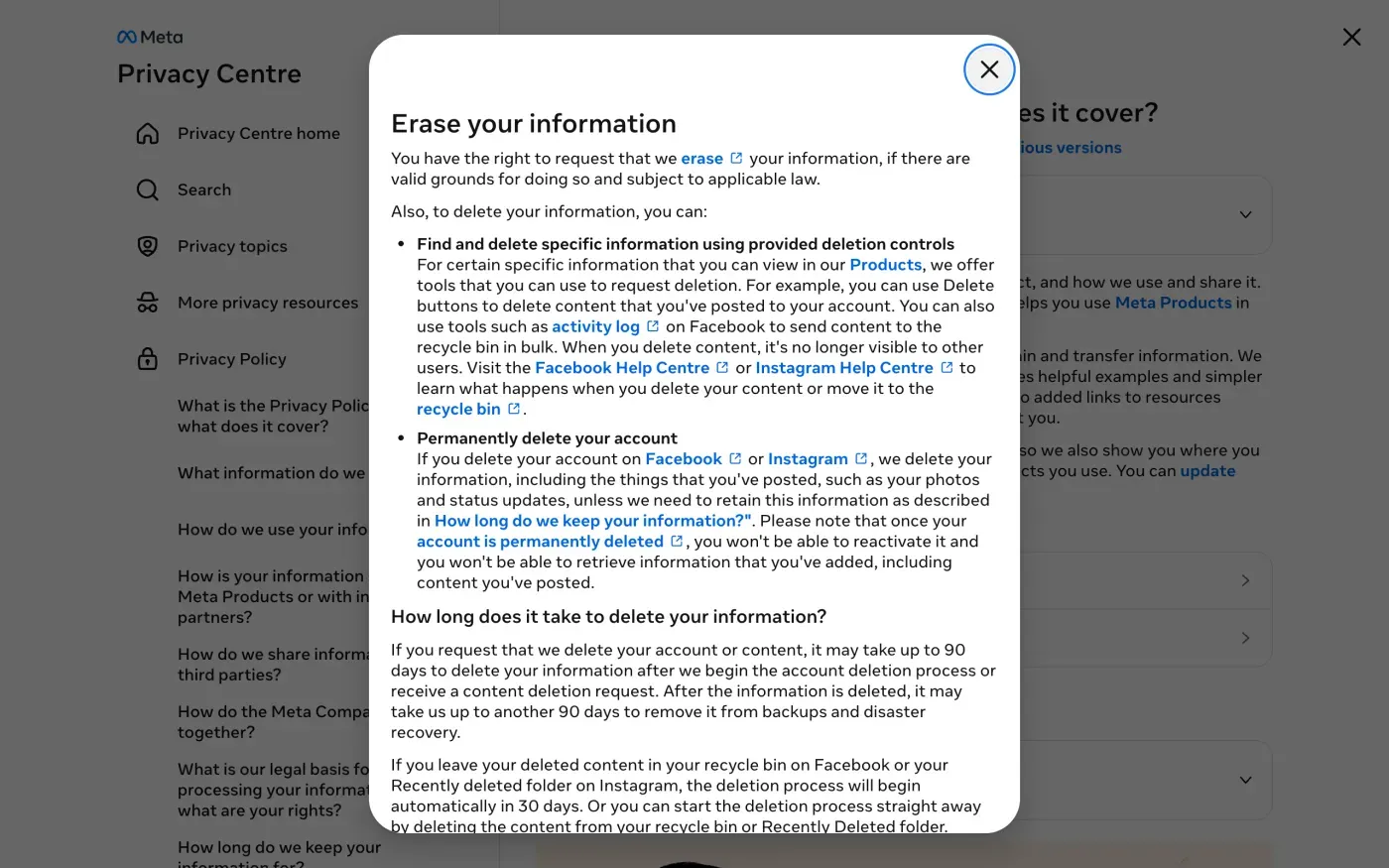
| Up to another 90 days | The privacy policy says it may take "up to another 90 days to remove it from backups and disaster recovery". |
| Longer | The Help Centre says Meta may keep information "for things such as legal issues, terms violations or harm prevention efforts". |
Writing to Meta under the GDPR
A written request asks Meta to confirm what it erased and what it kept, which the account setting does not. Meta’s privacy policy has a single contact section for every Meta product, and it names one company:
The data controller responsible for your information is Meta Platforms Ireland Limited, which you can contact online or by writing to: Meta Platforms Ireland Limited FAO: Privacy Operations Merrion Road Dublin 4 D04 X2K5, Ireland
The policy also says “Contact the Data Protection Officer for Meta Platforms Ireland Limited.” In the policy, both the “contact online” and the Data Protection Officer links open the same page, help.meta.com/support/privacy. An automated browser could not load that page’s contents when this guide was checked, so look at what it offers when you open it. The contact section of the policy gives no email address, so do not trust one you find elsewhere. Use the online route or the postal address.
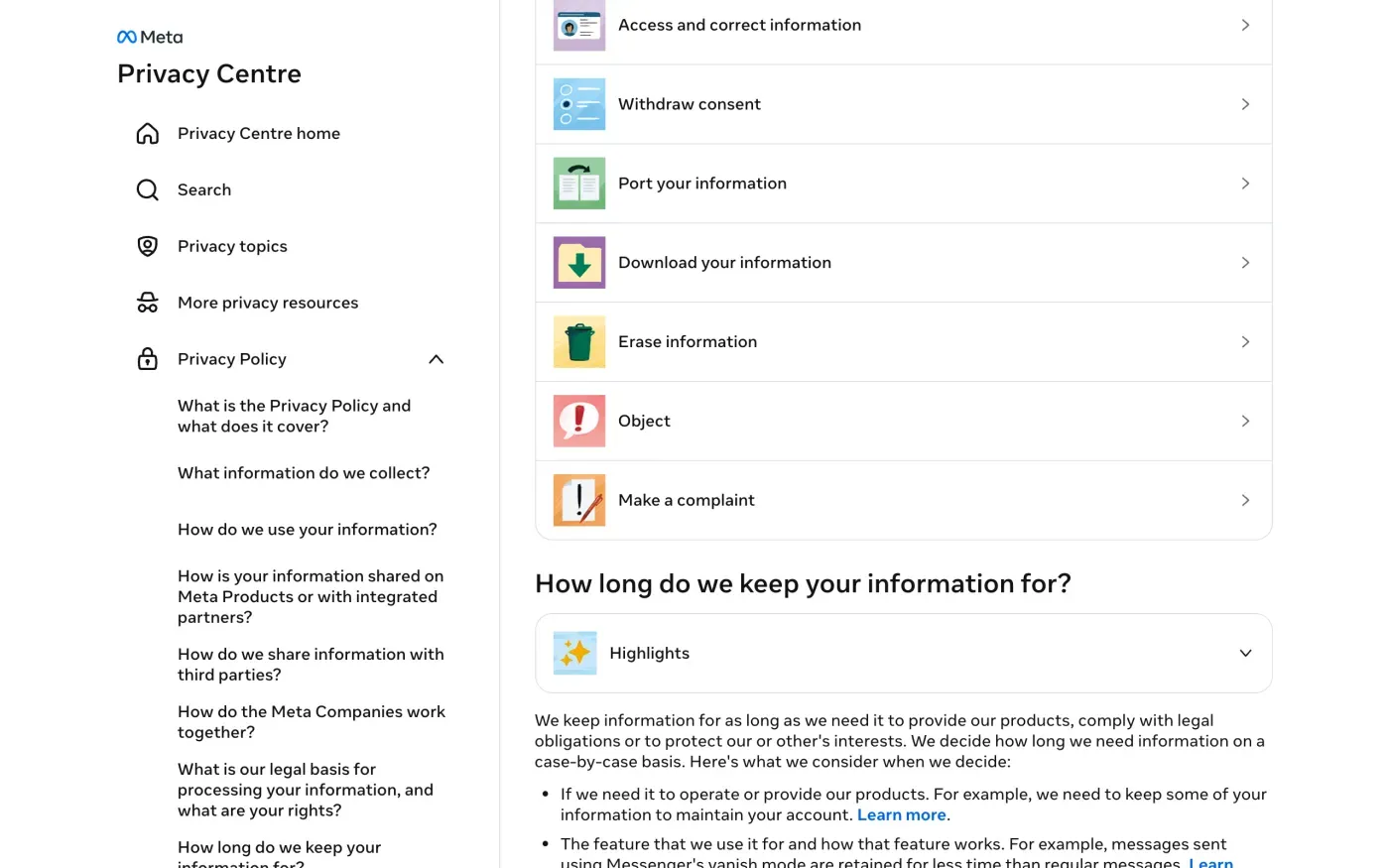
The policy says you have the right to request that Meta “erase” your information “if there are valid grounds for doing so and subject to applicable law”, and that you have the right to access and correct it. It lists Access and correct information, Withdraw consent, Port your information, Download your information, Erase information, Object and Make a complaint as your rights.
What about the UK
The privacy policy names Meta Platforms Ireland Limited as the controller and does not name a separate UK company. If you live in the UK, you can still send the same request, and you can use the version of the letter that cites the UK GDPR. The UK right to be forgotten guide explains it.
Getting your data without an account
If you only want a copy of what Facebook holds, the download tool is the fast route while you can log in. Meta’s help page warns that if you deleted your account “you will not be able to access your account information”. For someone without an account, it says: “If you don’t have a Facebook account but believe that Facebook may have information about you, you can contact us to request a copy of your information.” That is where the access letter comes in, and the subject access request guide explains what to ask for.
The letter
Use the erasure letter to ask Meta to erase your data and to say what it keeps and why. Send the access letter first if you want Meta to confirm and describe everything it holds about you in writing, not only what the download tool exports. For the deadlines and Meta’s duty to answer, see the deletion letter guide and the response deadline guide.
Dear Facebook privacy team,
Under Article 17 of the GDPR, I ask you to erase all the personal data you hold about me.
My account uses the email address [your account email]. If you keep any of my data, please tell me what you keep and the legal reason.
Please answer within one month of receiving this request, as Article 12(3) of the GDPR requires.
Kind regards,
[Your name]
Dear Facebook privacy team,
Under Article 15 of the GDPR, I ask for a copy of all the personal data you hold about me.
Please also tell me why you use it, what kinds of data you hold, who you have shared it with, how long you will keep it, where you got it if not from me, and whether you make automated decisions about me.
My account uses the email address [your account email].
Please answer within one month of receiving this request, as Article 12(3) of the GDPR requires.
Kind regards,
[Your name]
In the UK, use the UK GDPR versions of each letter:
Dear Facebook privacy team,
Under Article 17 of the UK GDPR, I ask you to erase all the personal data you hold about me.
My account uses the email address [your account email]. If you keep any of my data, please tell me what you keep and the legal reason.
Please answer within one month of receiving this request, as Articles 12(3) and 12A of the UK GDPR require.
Kind regards,
[Your name]
Dear Facebook privacy team,
Under Article 15 of the UK GDPR, I ask for a copy of all the personal data you hold about me.
Please also tell me why you use it, what kinds of data you hold, who you have shared it with, how long you will keep it, where you got it if not from me, and whether you make automated decisions about me.
My account uses the email address [your account email].
Please answer within one month of receiving this request, as Articles 12(3) and 12A of the UK GDPR require.
Kind regards,
[Your name]
Facebook is one of many accounts
Reflex finds the companies in your Gmail, sends this letter to each from your own address and follows up for three months. Free to join the beta, €19 once when you start.
If Meta does not answer
Meta has one month from receiving your request, extendable by two more months only if it tells you why within the first month (Article 12(3)). If that passes, send a reminder from the guide to ignored requests.
The privacy policy names the lead authority: “You also have the right to lodge a complaint with Meta Platforms Ireland’s lead supervisory authority, the Irish Data Protection Commission or your local supervisory authority.” The Commission has an online contact form that asks whether you have already engaged with the organisation first, so keep your sent letter and Meta’s reply. In the UK, complain to the ICO.
Not sure which companies hold your data? The guide to finding them covers it. Locked out of your account instead? Vinted’s guide shows the same approach for a blocked account.
Questions
How do I delete my Facebook account permanently?
Open Settings and privacy, then Settings, then Meta Account, then Manage account, then Manage, then Deactivation or deletion, and follow the prompts. Facebook's help page says that after 30 days your account and information are permanently deleted.
Can I change my mind after deleting?
For a while. Facebook's help page says that if it has been less than 30 days since you started the deletion, you can log in and click Cancel deletion. It adds that the number of days varies by region.
How long does Facebook take to delete everything?
Meta's privacy policy says it may take up to 90 days to delete your information after deletion begins, and up to another 90 days to remove it from backups and disaster recovery.
What happens to Messenger when I delete Facebook?
Facebook's help page says you will no longer be able to use Facebook Messenger. Messages you sent may still be visible to the people you sent them to.
Can I deactivate instead of delete?
Yes. Deactivating hides your profile but does not delete your photos, posts or videos, and you can still use Messenger. It is not an erasure under the GDPR.
Which company do I write to?
Meta's privacy policy says the data controller is Meta Platforms Ireland Limited, Merrion Road, Dublin 4, D04 X2K5, Ireland, marked FAO Privacy Operations.
Who do I complain to if Meta does not answer?
The policy names the Irish Data Protection Commission as Meta Platforms Ireland's lead authority, and says you can also use your local authority. In the UK, that is the ICO.
Sources
- Meta Privacy Policy, Effective from 23 July 2026. How to contact Meta; Erase your information; Access and correct informationMeta, checked 15 November 2026
- Permanently delete your Facebook profileFacebook Help Centre, checked 15 November 2026
- Download a copy of your Facebook informationFacebook Help Centre, checked 15 November 2026
- Meta privacy support, The page behind the "contact online" and "Data Protection Officer" links in the privacy policyMeta, checked 15 November 2026
- Contact the Data Protection CommissionData Protection Commission (Ireland), checked 15 November 2026
- Regulation (EU) 2016/679, the GDPR, Articles 12(3), 15, 17 and 77EUR-Lex, checked 15 November 2026
- Make a complaintICO, checked 15 November 2026