
Who you are writing to
CapCut has no European or UK company that you write to. The privacy policy, last updated 15 April 2026, opens with this:
The Services are provided and controlled by Bytedance Pte. Ltd. with its registered address at 1 Raffles Quay, #26-10, South Tower, Singapore 048583
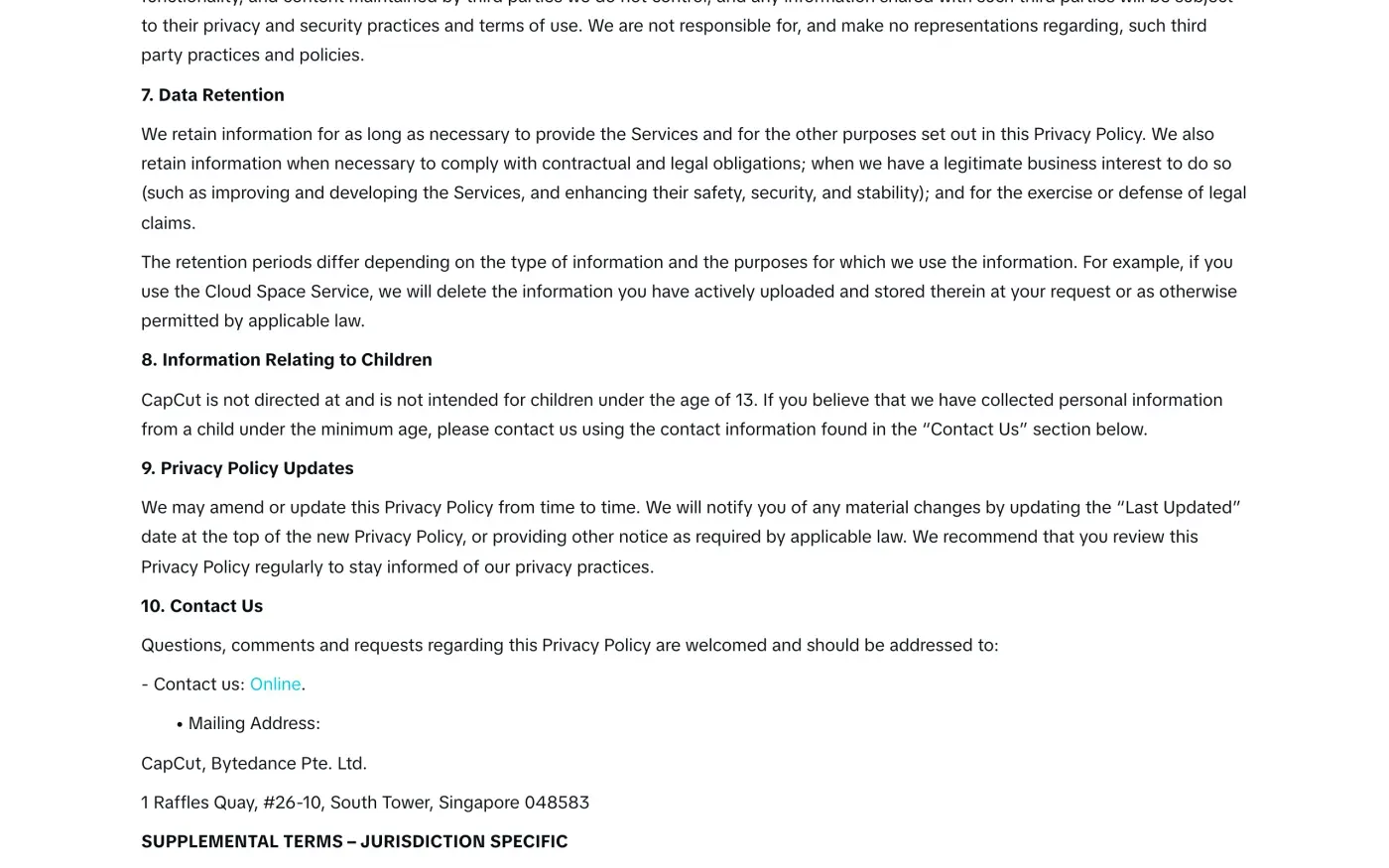
Section 10, Contact Us, gives an online link and one postal address:
The same policy has a section for people in the EEA, Switzerland and the UK. It names two representatives, one for each side, and tells you to send requests through the webform:
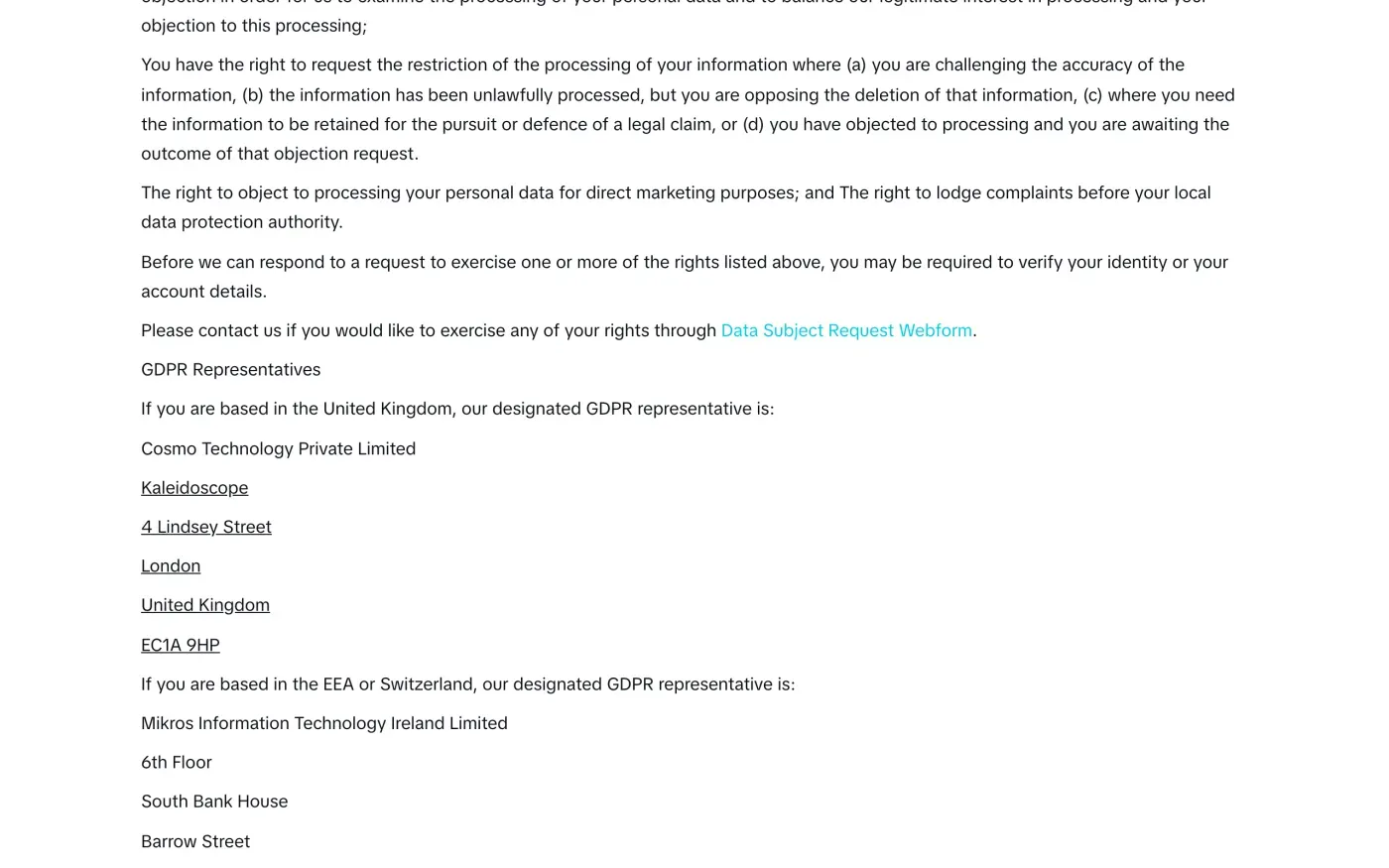
| If you live in | CapCut's designated GDPR representative |
|---|---|
| The United Kingdom | Cosmo Technology Private Limited, Kaleidoscope, 4 Lindsey Street, London, United Kingdom, EC1A 9HP |
| The EEA or Switzerland | Mikros Information Technology Ireland Limited, 6th Floor, South Bank House, Barrow Street, Dublin 4, D04 TR29, Ireland |
A representative is not the company that decides what happens to your data. Article 27 of the GDPR requires a company outside the EU that serves people inside it to appoint one, so that you have a local address. CapCut’s policy does not say the representatives take requests, and it sends you to the webform for that. Use the webform first, and post a copy of your letter to the representative by a method that gives you proof of delivery.
The UK does not have a separate controller. The policy says the same Bytedance Pte. Ltd. runs the service for UK users too, with the London address above as its UK representative.
The privacy request form
The form is at capcut.com/privacy-requests and loads without a login. It covers both CapCut and Dreamina, and it opens by asking for your country of residence and the product your request is about.
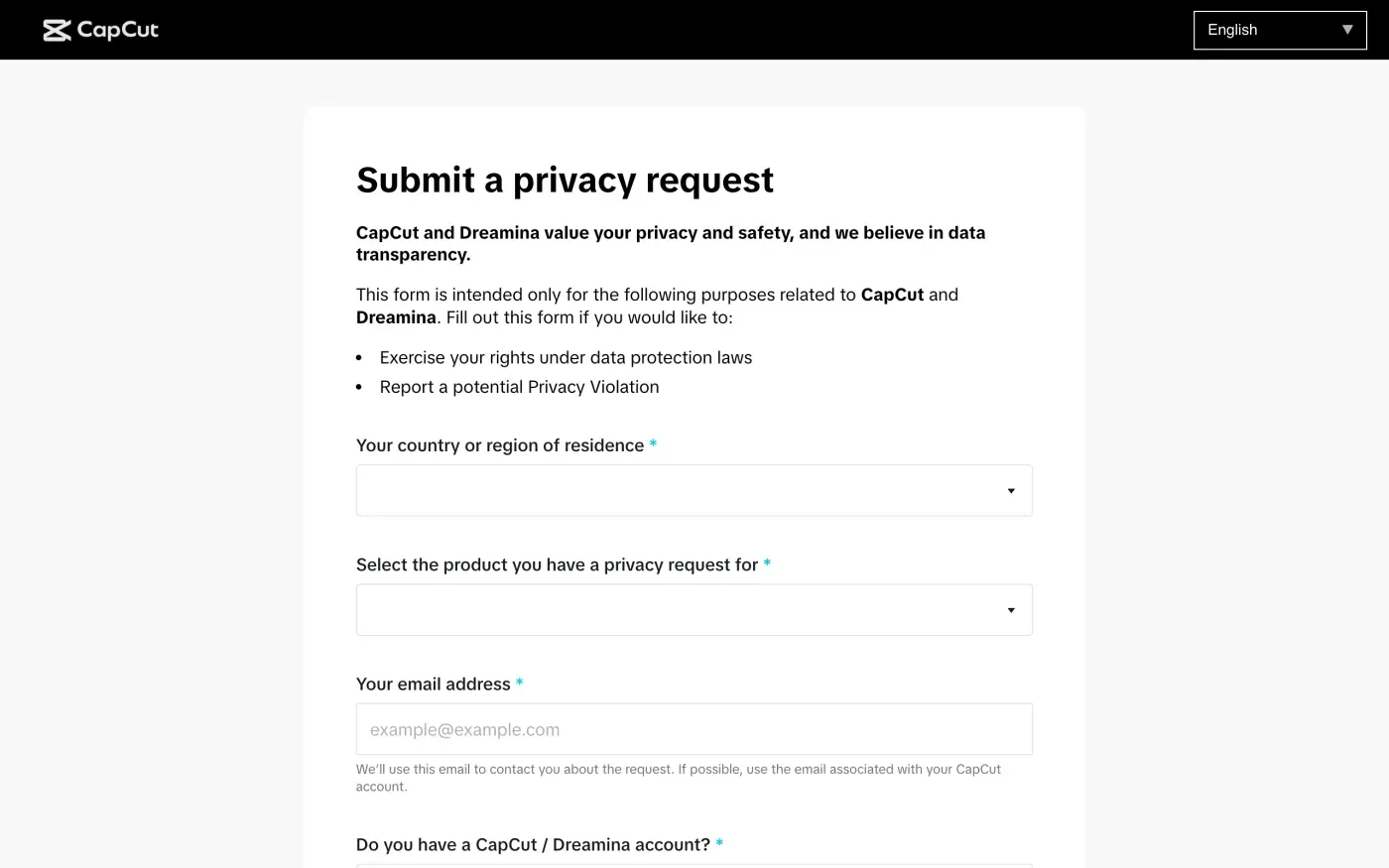
The form tells you to use “the email associated with your CapCut account” if possible. The policy says “you may be required to verify your identity or your account details” before CapCut answers. Under Article 12(6) of the GDPR it may ask for more only if it has reasonable doubts about who you are, so give the account email and your username, and add nothing else until it asks.
The rest of the form lies below the fields in the screenshot and is not described here. If it has a free text box, paste the letter below into it. If it does not, post the letter to the Singapore address and keep the receipt.
One account, several products
The policy says CapCut provides services “through related products that are connected in functionality and use a unified account system”, and that it shares information “with related products and services which share account log-in features”. The privacy request form covers both CapCut and Dreamina, so pick the right product in the form.
The Terms of Service add a separate route for Pippit, another product: “by contacting us via privacy.pippit@bytedance.com for Pippit”. That address is for Pippit, not for CapCut.
The delete button, and what it costs you
The Terms of Service, in the part about ending your account, set out the two routes:
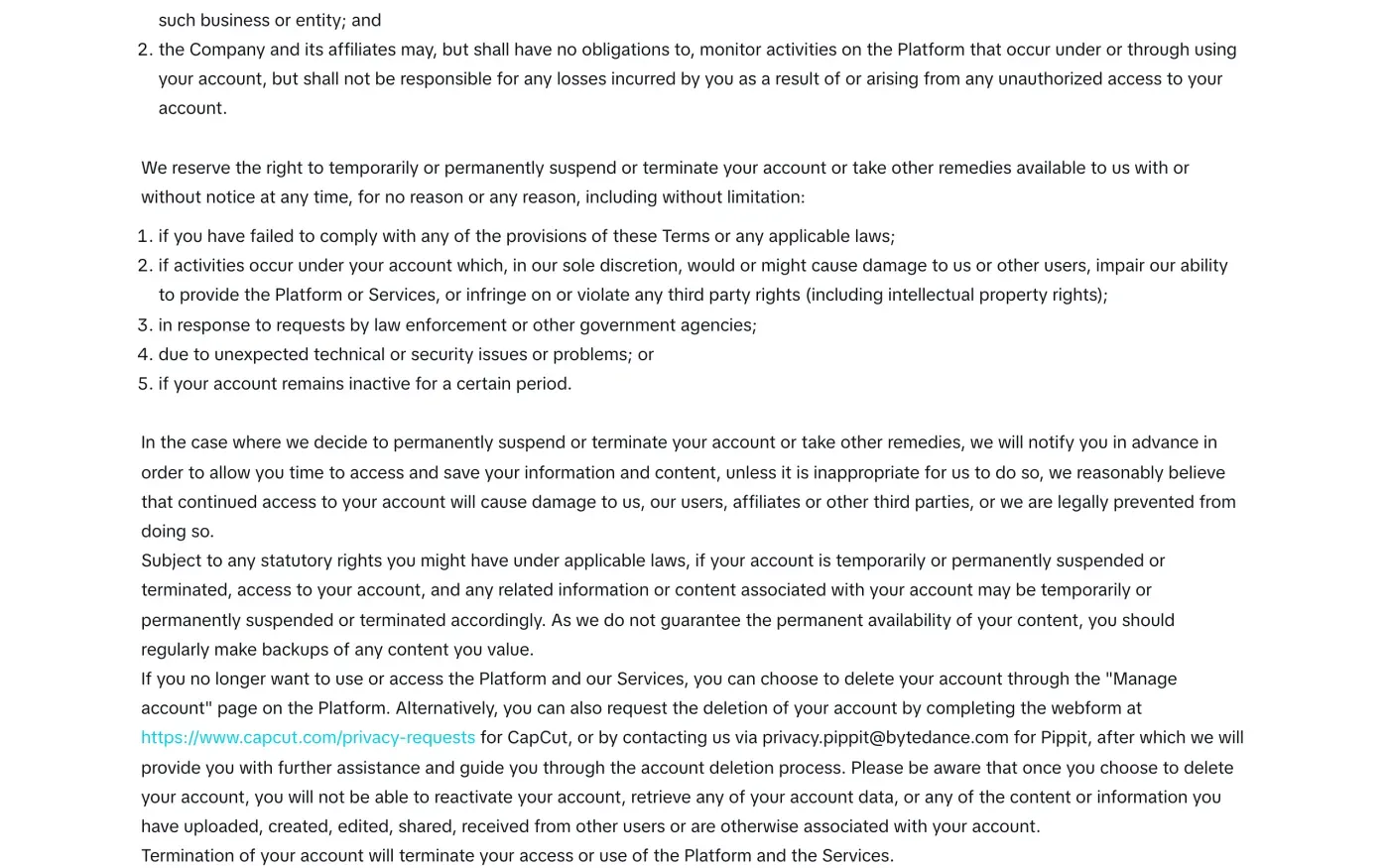
If you no longer want to use or access the Platform and our Services, you can choose to delete your account through the “Manage account” page on the Platform. Alternatively, you can also request the deletion of your account by completing the webform at https://www.capcut.com/privacy-requests for CapCut
It then says: “once you choose to delete your account, you will not be able to reactivate your account, retrieve any of your account data, or any of the content or information you have uploaded, created, edited, shared, received from other users or are otherwise associated with your account.”
CapCut’s Trust Center describes it more softly: “Once you confirm, we start removing your data from our systems—though some information may be kept for a short time to meet legal or operational requirements.”
So deletion takes your projects and your cloud files with it. Before you delete anything:
- Export the videos you made.
CapCut says to use the Export function in the app for project files and media. Its data download tool does not cover them.
- Copy your cloud files.
The policy says that for Cloud Space it deletes “the information you have actively uploaded and stored therein at your request”. Download what you want to keep first.
- Download your personal data.
Use the “Download Your Data” tool, described below, or ask for a copy in the letter.
- Check for a subscription.
CapCut’s own pages do not say what happens to a paid plan at deletion. Cancel it through the store or card you paid with, and keep the receipt.
Getting a copy first
The Trust Center says: “You can access and download your personal data using the Download Your Data tool, available in JSON or TXT format. To export project files or media created in CapCut, use the Export function in the app.” The tool sits at capcut.com/download-your-data. Its page showed nothing without an account, so there is no screenshot of it here. For a fuller copy, with the reasons CapCut uses your data and who it shares it with, send an access request instead. The subject access request guide explains what you can ask for.
What CapCut keeps, and for how long
CapCut publishes no table of retention periods for Europe or the UK. The policy, section 7, says:
We retain information for as long as necessary to provide the Services and for the other purposes set out in this Privacy Policy. We also retain information when necessary to comply with contractual and legal obligations; when we have a legitimate business interest to do so (such as improving and developing the Services, and enhancing their safety, security, and stability); and for the exercise or defense of legal claims.
It adds that “the retention periods differ depending on the type of information and the purposes for which we use the information.” “Legitimate business interest” covers a lot, so your request should ask CapCut to name each kind of data it keeps and the reason for keeping it. The letter below asks for that. The policy’s five-year retention figure appears in the terms for another country, not in the section for the EEA and UK.
Under Article 17(3) of the GDPR a company may keep data it needs to meet a legal duty or to deal with a legal claim. Without such a ground, it cannot keep your data once you ask for deletion merely because the data is useful to it.
The letter
Use this when you send the request by post, or paste it into the form if it has a free text box. If you live in the UK, use the version below that cites the UK GDPR. Put your CapCut account email and username in the details.
Dear CapCut privacy team,
Under Article 17 of the GDPR, I ask you to erase all the personal data you hold about me.
My account uses the email address [your account email]. If you keep any of my data, please tell me what you keep and the legal reason.
Please answer within one month of receiving this request, as Article 12(3) of the GDPR requires.
Kind regards,
[Your name]
For the UK version:
Dear CapCut privacy team,
Under Article 17 of the UK GDPR, I ask you to erase all the personal data you hold about me.
My account uses the email address [your account email]. If you keep any of my data, please tell me what you keep and the legal reason.
Please answer within one month of receiving this request, as Articles 12(3) and 12A of the UK GDPR require.
Kind regards,
[Your name]
To ask for the copy first, use the access letter:
Dear CapCut privacy team,
Under Article 15 of the GDPR, I ask for a copy of all the personal data you hold about me.
Please also tell me why you use it, what kinds of data you hold, who you have shared it with, how long you will keep it, where you got it if not from me, and whether you make automated decisions about me.
My account uses the email address [your account email].
Please answer within one month of receiving this request, as Article 12(3) of the GDPR requires.
Kind regards,
[Your name]
Dear CapCut privacy team,
Under Article 15 of the UK GDPR, I ask for a copy of all the personal data you hold about me.
Please also tell me why you use it, what kinds of data you hold, who you have shared it with, how long you will keep it, where you got it if not from me, and whether you make automated decisions about me.
My account uses the email address [your account email].
Please answer within one month of receiving this request, as Articles 12(3) and 12A of the UK GDPR require.
Kind regards,
[Your name]
For the deadlines and what CapCut must tell you if it refuses, see the deletion letter guide and the response deadline guide. UK readers can also use the UK right to be forgotten guide.
More apps than CapCut?
Reflex finds the companies in your Gmail, sends this letter to each from your own address and follows up for three months. Free to join the beta, €19 once when you start.
If CapCut does not answer
CapCut has one month from receiving your request, extendable by two months only if it tells you why within the first month (Article 12(3)). If that passes, send a reminder through the form again, and by post to the Singapore address. The guide to ignored requests has a reminder letter.
Then complain to a data protection authority (Article 77). CapCut’s policy names no lead authority. It lists “the right to lodge complaints before your local data protection authority”. What follows is our reading, not CapCut’s statement. The one-stop-shop rule in Article 56 depends on a company having an establishment in the EU, and the policy names a Singapore company with a representative in Dublin, which is not an establishment. If that is right, there is no single lead authority, and your own country’s authority is the place to go. The EDPB keeps the list of national authorities. In the UK, complain to the ICO.
Other shopping apps run from outside Europe have their own guides, such as Temu and Shein. To find the other accounts you hold, see how to find companies that hold your data.
Questions
How do I delete my CapCut account?
CapCut's Terms of Service say you can delete your account through the "Manage account" page, or request deletion with the webform at capcut.com/privacy-requests. Once you delete it you cannot reactivate it or get anything back.
Where do I send a GDPR request to CapCut?
The privacy policy points to the Data Subject Request Webform at capcut.com/privacy-requests, and gives a postal address for Bytedance Pte. Ltd. in Singapore. It names no privacy email address for Europe or the UK.
How do I get a copy of my CapCut data?
CapCut says you can access and download your personal data with its "Download Your Data" tool, in JSON or TXT format. Videos and media you made go out through the Export function, not through that tool.
Is there a CapCut company in the EU?
The privacy policy names none. It says the service is provided and controlled by Bytedance Pte. Ltd. in Singapore, and names Mikros Information Technology Ireland Limited in Dublin as its GDPR representative for the EEA and Switzerland.
Who do I complain to if CapCut ignores me?
The policy names no lead authority and says you can complain to your local data protection authority. In the UK that is the ICO.
Sources
- CapCut Privacy Policy, Last updated 15 April 2026. Section 7, Section 10, and the EEA, Switzerland and UK termsCapCut, checked 15 November 2026
- CapCut Terms of Service, Last updated 15 April 2026. Terminating your accountCapCut, checked 15 November 2026
- Submit a privacy requestCapCut, checked 15 November 2026
- Trust Center, Privacy, Frequently asked questionsCapCut, checked 15 November 2026
- Download Your DataCapCut, checked 15 November 2026
- Members of the EDPB, national data protection authoritiesEuropean Data Protection Board, checked 15 November 2026
- Regulation (EU) 2016/679, the GDPR, Articles 12, 15, 17, 27, 56 and 77EUR-Lex, checked 15 November 2026
- Make a complaintICO, checked 15 November 2026