
Download your designs before you delete anything
On Canva your designs, uploads, brand kits and team work all sit under one account. Canva’s help centre says that once an account is deleted it cannot be recovered, and that “all designs, folders, templates, uploads, teams, and apps” you created are permanently deleted. A GDPR erasure request has the same effect, so export first.
Canva has a bulk download. Its help centre describes these steps:
- Open your account settings.
On the homepage, select your profile, then Your account, then Account and security.
- Pick the download.
Choose Download your Canva uploads and designs. If you are part of a team, the option is Download your Canva team uploads and designs.
- Select Request to download.
Canva emails you when the files are ready. Its help centre says exporting can take 24 to 72 hours and that the link works for 14 days.
The bulk download is on desktop only. According to the same page, it includes your first and last name, email, phone number and profession, plus your uploaded images, videos, fonts and designs. It does not cover everything else Canva holds about you. For that, send an access request under Article 15, covered below.
Delete the account in Canva
The in-product route, from Canva’s help centre page Delete account:
- Open Account and security.
Select your profile, then Your account, then Account and security.
- Select Delete account.
It sits under Account actions.
- Confirm.
Enter your password, or the verification code Canva sends to your email if you never set a password, then select Delete Account.
The help centre says the account is deleted 14 days after you submit, and that logging in before then cancels the request. This route needs you to log in. If you cannot, or you want Canva to confirm in writing what it keeps, send a GDPR request instead.
Where to send a GDPR request to Canva
Canva Pty Ltd is based in Sydney, and its privacy policy says it is the controller of your data. Section 14, How to contact us, gives several ways in:
| Route | What Canva publishes |
|---|---|
| Online form | canva.com/help/legal-form. The policy says to use it for any "request in respect of your personal data". |
| Post | Head of Privacy, Canva Pty Ltd, 110 Kippax St, Surry Hills NSW 2010, Australia |
| EU representative | European Data Protection Office (EDPO), 60 Merrion Square South, Dublin 2, D02 HE24, Ireland. Email privacy@edpo.com. Form: edpo.com/gdpr-data-request |
| UK representative | EDPO UK Ltd, Unit 33, Waterside, Schooner Court, 44-48 Wharf Road, London, N1 7UX, United Kingdom. Email privacy@edpo.com. Form: edpo.com/uk-gdpr-data-request |
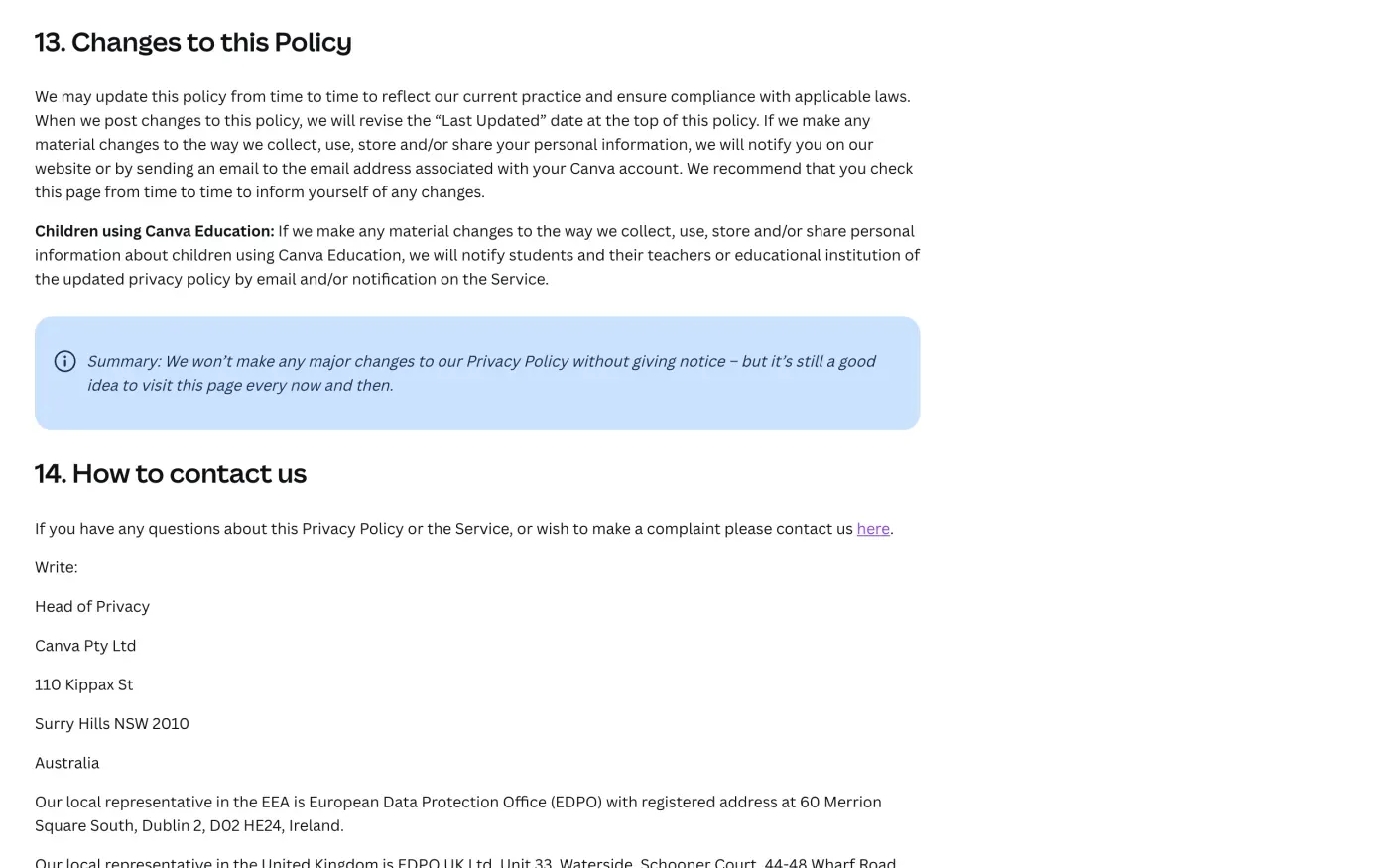
Canva does not publish a plain privacy email of its own. The only email address in its policy is privacy@edpo.com, which belongs to the representative. Article 27 of the GDPR requires a company outside the EU that serves people in the EU to appoint one, and your rights apply through it. Use the form if you want a ticket reference. Email privacy@edpo.com if you want a written trail in your own inbox. Both are listed by Canva. If you are in the UK, say so in the subject line so it reaches EDPO UK Ltd.
Which data a request covers
Canva’s policy says people in the EU and UK can ask for access, correction, deletion or restriction, a structured electronic copy, and can object to its use of their data. Canva also describes a separate setting for how it uses your data to train AI. A deletion request asks for the data to be erased, and an objection is a separate ask you can add if you want it.
If you use more than one Canva account, such as a personal one and a work or school one, send a request for each email address. Say which accounts, and the email address each uses, so Canva can find them.
What Canva keeps
The policy section How long we keep your information says:
Following termination or deactivation of your user account, Canva will retain your profile information and User Content for a commercially reasonable time, and for as long as we have a valid purpose to do so.
It also says it keeps some data to meet legal obligations and for backups. It gives no number of days or months, so ask for them. The letter below asks Canva to state, for any data it keeps, what it is, how long, and the legal reason. Article 17(1) requires erasure “without undue delay” when the data is no longer necessary, which a vague period does not meet.
Will Canva ask for ID
Canva’s policy does not set an ID rule. Send your request from the email address on your Canva account, or give that address in the form, and do not attach a passport or driving licence. Under Article 12(6) of the GDPR a company may ask for more only if it has reasonable doubts about who you are. If Canva asks, give the least that identifies your account, such as the name on it and the last design you made.
The letter
Fill in your name and account email, and send it by the Canva form, or by email to privacy@edpo.com. If you ask for a copy first, send the access letter and wait for the answer before the erasure letter, because erasure ends the account. In the UK, use the UK versions.
Dear Canva privacy team,
Under Article 15 of the GDPR, I ask for a copy of all the personal data you hold about me.
Please also tell me why you use it, what kinds of data you hold, who you have shared it with, how long you will keep it, where you got it if not from me, and whether you make automated decisions about me.
My account uses the email address [your account email].
Please answer within one month of receiving this request, as Article 12(3) of the GDPR requires.
Kind regards,
[Your name]
Dear Canva privacy team,
Under Article 17 of the GDPR, I ask you to erase all the personal data you hold about me.
My account uses the email address [your account email]. If you keep any of my data, please tell me what you keep and the legal reason.
Please answer within one month of receiving this request, as Article 12(3) of the GDPR requires.
Kind regards,
[Your name]
UK members can use the versions that cite the UK GDPR.
Dear Canva privacy team,
Under Article 15 of the UK GDPR, I ask for a copy of all the personal data you hold about me.
Please also tell me why you use it, what kinds of data you hold, who you have shared it with, how long you will keep it, where you got it if not from me, and whether you make automated decisions about me.
My account uses the email address [your account email].
Please answer within one month of receiving this request, as Articles 12(3) and 12A of the UK GDPR require.
Kind regards,
[Your name]
Dear Canva privacy team,
Under Article 17 of the UK GDPR, I ask you to erase all the personal data you hold about me.
My account uses the email address [your account email]. If you keep any of my data, please tell me what you keep and the legal reason.
Please answer within one month of receiving this request, as Articles 12(3) and 12A of the UK GDPR require.
Kind regards,
[Your name]
For how the deadlines work, see the deletion letter guide, the guide to asking for a copy of your data and the UK right to be forgotten guide.
More accounts than Canva?
Reflex finds the companies in your Gmail, sends this letter to each from your own address and follows up for three months. Free to join the beta, €19 once when you start.
If Canva does not answer
Canva has one month from receiving your request, extendable by two months only if it tells you why within the first month (Article 12(3)); see the response deadline guide. Count from the day you sent it, and keep the form confirmation or email. If the month passes, send a reminder; the guide to ignored requests has one.
Canva’s policy names no lead authority. It says you can “report the issue or make a complaint to the data protection authority in your jurisdiction”, which is what Article 77 gives you in any case. The EDPB keeps the list of national authorities. In the UK, complain to the ICO.
Not sure which other companies hold your data? See how to find companies that hold your data.
Questions
How do I delete my Canva account?
Select your profile, then Your account, Account and security, and under Account actions choose Delete account. Canva asks for your password, or a code sent to your email if you never set one. The account is deleted after 14 days, and logging in during that time cancels the request.
Can I get my designs back after deleting my Canva account?
No. Canva's help centre says a deleted account cannot be recovered and that the designs, folders, templates, uploads, teams and apps you created are permanently deleted. Download them first.
Does deleting my account cancel my Canva subscription?
No. Canva's help centre says to cancel a Pro, Teams or Business plan first, because deleting the account does not cancel it.
Where do I send a GDPR request to Canva?
Canva's privacy policy says to contact it through its online form at canva.com/help/legal-form. It also names EDPO as its representative in the EU and EDPO UK Ltd in the UK, both at privacy@edpo.com, and you can write to Head of Privacy, Canva Pty Ltd, 110 Kippax St, Surry Hills NSW 2010, Australia.
Is Canva based in the EU?
No. Its privacy policy says Canva Pty Ltd, in Sydney, Australia, is the controller. It appoints representatives in Ireland and the UK for data protection requests.
Who do I complain to about Canva?
The privacy policy says you can complain to the data protection authority in your jurisdiction. It names no lead authority. In the UK that is the ICO.
Sources
- Canva privacy policy, Last updated 2 November 2026; How long we keep your information; Your rights; How to contact usCanva, checked 15 November 2026
- Delete accountCanva, checked 15 November 2026
- Downloading your personal data, uploads, and designs in bulkCanva, checked 15 November 2026
- Ask about our Terms and PoliciesCanva, checked 15 November 2026
- EU data subject request formEDPO, checked 15 November 2026
- UK data subject request formEDPO UK, checked 15 November 2026
- Regulation (EU) 2016/679, the GDPR, Articles 12, 17, 20, 27 and 77EUR-Lex, checked 15 November 2026
- Make a complaintICO, checked 15 November 2026
- Members of the EDPB, national data protection authoritiesEuropean Data Protection Board, checked 15 November 2026