
Deleting the account does not delete only one app
A Samsung account sits under many things at once: your phone, tablet, watch, TV, Samsung Pay, cloud storage and the Samsung shop. Samsung’s help article says that deleting the account also deletes your account details, personal information and any remaining data, “including downloaded items and purchase history”, across the services connected to it.
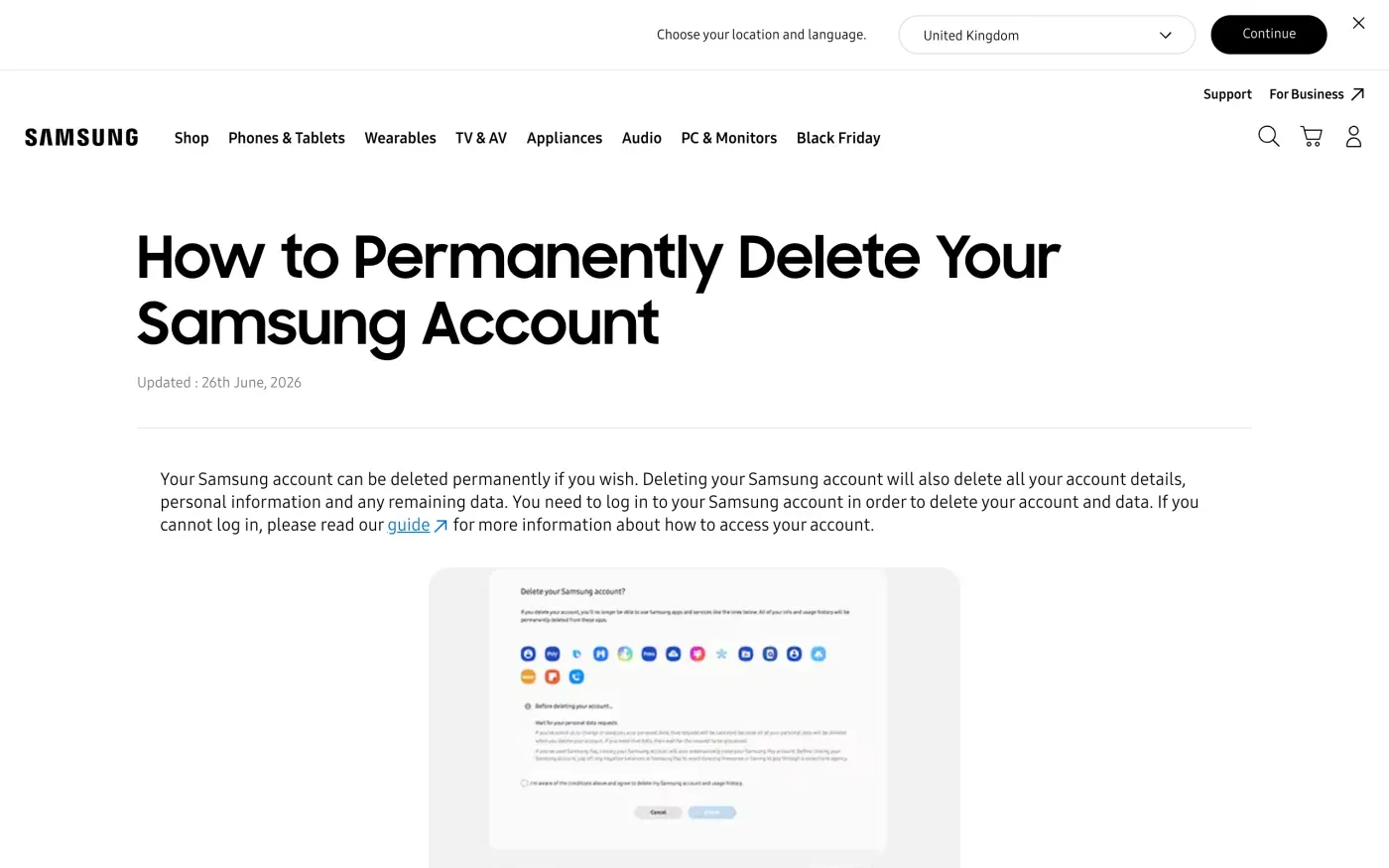
The article gives the steps: sign in, click Profile, click the Samsung account settings button, then click Delete account. It starts with a limit: “You need to log in to your Samsung account in order to delete your account and data.”
Get a copy of your data before you delete
Samsung’s deletion dialog says that if you have asked to change or send your personal data, that request will be cancelled, because all of your personal data is deleted when you delete the account. If you want the copy, wait for it to arrive before you click Delete account. The dialog also says closing the account closes your Samsung Pay account, so settle any negative balance first.
Your right to a copy is Article 15 of the GDPR. Samsung’s privacy policy says you can ask for details about what it has collected, and for your data “in a structured, commonly used and machine-readable format”. The privacy portal’s banner also points to a separate route: “Want to download or access your data? Click here to visit our Samsung Privacy Portal and learn how to download or access the information stored at Samsung for Select services.” Samsung does not say which services, so check what the portal lists for yours. The access letter below covers everything Samsung holds.
Where to send a privacy request
For people in the EEA, UK and Switzerland, its Contact us section says Samsung has appointed a Data Protection Officer, “who can be contacted by reached via the Privacy Support Page at www.samsung.com/request-desk or via postal mail at”:
European Data Protection Officer Samsung Electronics (UK) Limited Samsung House, 2000 Hillswood Drive, Chertsey, Surrey KT16 0RS, United Kingdom
The Privacy Support Page sends you to a country form. It has one route for people who have a Samsung account, with a New request button, and one for people who do not or who cannot log in.
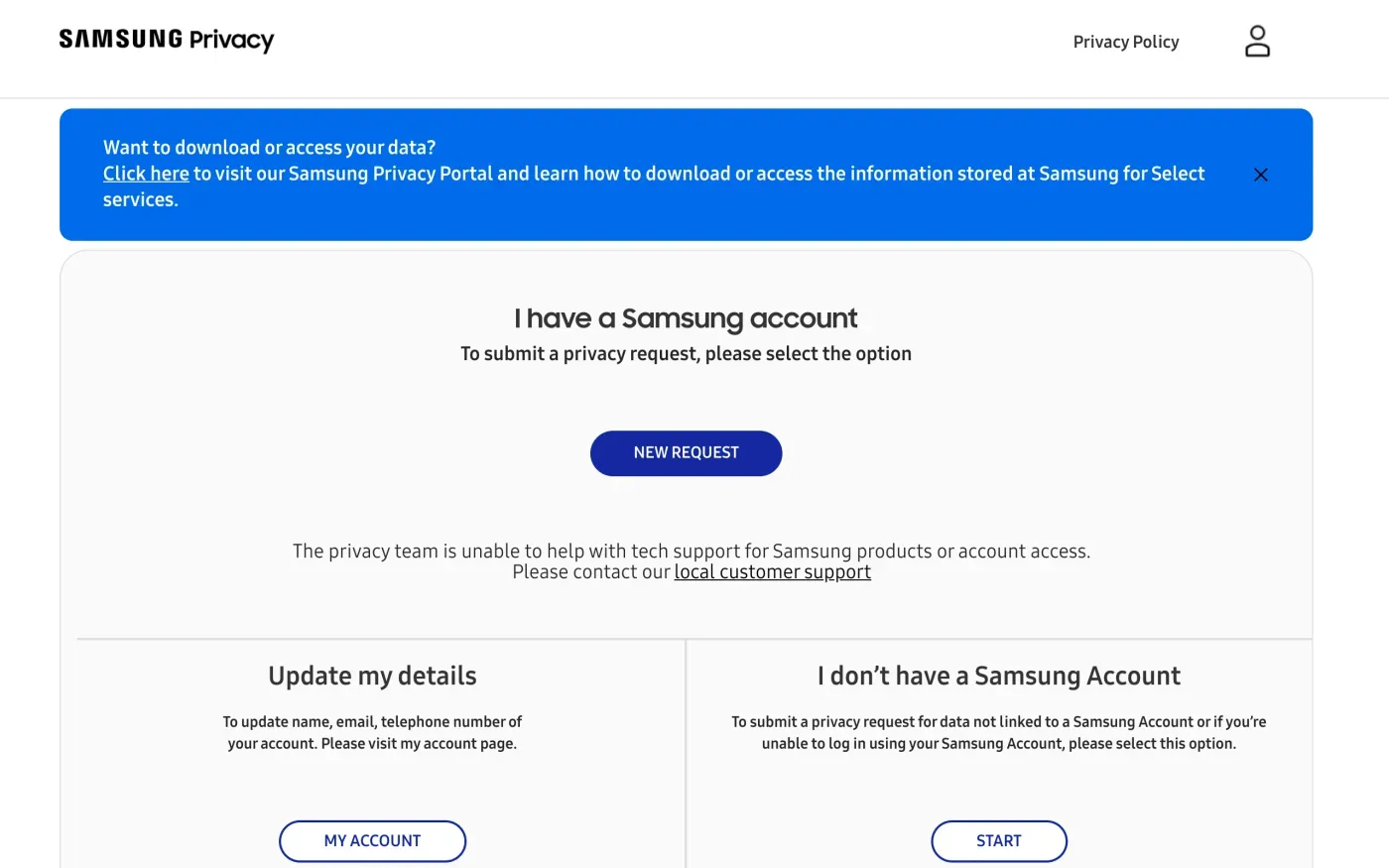
The page says: “To submit a privacy request for data not linked to a Samsung Account or if you’re unable to log in using your Samsung Account, please select this option.” It also says “The privacy team is unable to help with tech support for Samsung products or account access.” If you are locked out, use the form’s second option or write to the DPO, and send a separate message to local customer support to recover the login.
One email address appears in Samsung’s UK privacy materials. The UK live chat privacy notice says: “You may contact Samsung’s data protection team at dataprotection.seuk@samsung.com to request that your personal data is deleted.” Samsung’s UK device loan privacy notice names the same address for people who “would like to exercise your GDPR rights”. The main privacy policy names the form and the postal address instead, so use the form if you can, and the email as a second route.
Who is the controller
Samsung’s policy for Europe says: “Samsung Electronics is the data controller of your personal information”, meaning Samsung Electronics Co., Ltd., 129, Samsung-ro, Yeongtong-gu, Suwon-si, Gyeonggi-do 16677, Republic of Korea. For some direct marketing and personalised advertising in Europe, Samsung Electronics (UK) Limited is also a controller. Samsung adds that some European Samsung subsidiaries are controllers “including for customer services and some marketing activities” and have their own local privacy policy.
So a request about your shop order or a repair may sit with your country’s Samsung company, while the DPO route covers the main policy. Name your country, your Samsung account email and the services you used in the letter, and ask Samsung to say which companies hold your data.
| If your request is about | Start with |
|---|---|
| Your Samsung account and connected services | Account settings, or the Privacy Support Page |
| Everything Samsung holds about you | The letter below, to the European Data Protection Officer |
| A shop order or repair in your country | Your country's Samsung privacy policy, and the DPO |
| Chat with Samsung customer support | dataprotection.seuk@samsung.com |
| Locked out of the account | The privacy form option for people who cannot log in |
The UK supplement
For UK residents, Samsung publishes a United Kingdom supplement, effective 30 September 2026, that takes priority over the main policy if the two conflict. Its Contact us section says: “If you would like to make a privacy request, update your preferences, or if you have a privacy concern, you can contact us at www.samsung.com/request-desk, or via postal mail” at the same Chertsey address, addressed to the European Data Protection Officer. Samsung Electronics (UK) Limited acts as controller for the UK live chat service.
What Samsung says it keeps
Samsung does not give fixed retention periods. Its policy says: “We will not keep your personal information for longer than is necessary for the purpose for which it was collected.” It keeps data for at least as long as it uses it to provide a service, for as long as the law, a contract or its statutory obligations require, and for as long as the original purpose needs, or longer for statistical purposes. It also says: “We will not delete data that we are required by law to retain”, and lists backups, archiving, fraud prevention and legal obligations as reasons it may keep some.
Because no periods are published, ask for them. The letter below asks Samsung to say what it kept and the legal reason (Article 12(4)). Samsung also warns that deleting your data “may also result in a loss of access to Services we provide”.
The letter
Send the letter from your Samsung account email address, and put it in the Privacy Support Page form or in an email or letter to the DPO. If you want a copy first, send the access letter, then the erasure letter once you have received it.
Dear Samsung privacy team,
Under Article 15 of the GDPR, I ask for a copy of all the personal data you hold about me.
Please also tell me why you use it, what kinds of data you hold, who you have shared it with, how long you will keep it, where you got it if not from me, and whether you make automated decisions about me.
My account uses the email address [your account email].
Please answer within one month of receiving this request, as Article 12(3) of the GDPR requires.
Kind regards,
[Your name]
Dear Samsung privacy team,
Under Article 17 of the GDPR, I ask you to erase all the personal data you hold about me.
My account uses the email address [your account email]. If you keep any of my data, please tell me what you keep and the legal reason.
Please answer within one month of receiving this request, as Article 12(3) of the GDPR requires.
Kind regards,
[Your name]
If you are in the UK, use the UK versions, which cite the UK GDPR.
Dear Samsung privacy team,
Under Article 15 of the UK GDPR, I ask for a copy of all the personal data you hold about me.
Please also tell me why you use it, what kinds of data you hold, who you have shared it with, how long you will keep it, where you got it if not from me, and whether you make automated decisions about me.
My account uses the email address [your account email].
Please answer within one month of receiving this request, as Articles 12(3) and 12A of the UK GDPR require.
Kind regards,
[Your name]
Dear Samsung privacy team,
Under Article 17 of the UK GDPR, I ask you to erase all the personal data you hold about me.
My account uses the email address [your account email]. If you keep any of my data, please tell me what you keep and the legal reason.
Please answer within one month of receiving this request, as Articles 12(3) and 12A of the UK GDPR require.
Kind regards,
[Your name]
For the rules behind each letter, see the deletion letter guide, the guide to getting a copy of your data and the UK right to be forgotten guide.
More companies than Samsung?
Reflex finds the companies in your Gmail, sends this letter to each from your own address and follows up for three months. Free to join the beta, €19 once when you start.
If Samsung does not answer
Samsung has one month from receiving your request, and may extend it by two months only if it tells you why within the first month (Article 12(3)). The response deadline guide explains the count. If the month passes, send a reminder from the guide to ignored requests.
Samsung’s policy does not name an EU lead authority. It says only that you can complain to the relevant supervisory authority and points to the EDPB’s list. Article 77 lets you complain to the authority where you live, which passes the complaint on if another authority leads (Article 56). Find yours in the EDPB list of members. In the UK, complain to the ICO.
Questions
How do I delete my Samsung account?
Samsung's help article says to sign in at account.samsung.com, open your profile, choose the account settings button and click Delete account. You need to be logged in.
What happens to my Galaxy phone if I delete the account?
Samsung warns that deleting the account does not sign it out of your devices, and that afterwards you cannot sign in to them to reset them or erase their information. Sign out of each device first.
Can I delete my Samsung data if I cannot log in?
Yes. Samsung's privacy portal has a separate option for people who cannot log in with their Samsung account. You can also write to the European Data Protection Officer.
Who is responsible for my data at Samsung?
Samsung's privacy policy names Samsung Electronics Co., Ltd. in South Korea as the data controller. For some marketing in Europe, Samsung Electronics (UK) Limited is also a controller, and local Samsung subsidiaries can be controllers for customer service.
Where do I complain if Samsung does not answer?
Samsung's policy says you can complain to the relevant supervisory authority and points to the EDPB list for the EU and to the ICO for the UK. In the EU, that is the authority where you live.
Sources
- Samsung privacy policy (Ireland, English), Effective 30 September 2026. What are your rights?, Contact usSamsung, checked 15 November 2026
- Samsung privacy policy and United Kingdom supplement, Effective 30 September 2026. Contact us, United Kingdom supplement, Live chat privacy policySamsung, checked 15 November 2026
- Samsung Privacy Support Page, Redirects to a country page on europe-samsung.com/gdpr/webformSamsung, checked 15 November 2026
- How to permanently delete your Samsung account, Updated 26 June 2026Samsung, checked 15 November 2026
- Members of the EDPB, national data protection authoritiesEuropean Data Protection Board, checked 15 November 2026
- Regulation (EU) 2016/679, the GDPR, Articles 12, 15, 17, 56 and 77EUR-Lex, checked 15 November 2026
- Make a complaintICO, checked 15 November 2026