
Three ways to delete a Joyn account
Joyn’s help article gives different routes by device, and no single button works everywhere. Check which one matches how you watch.
| Where you use Joyn | How to start deletion |
|---|---|
| iPhone, iPad or Apple TV | App version 2022.12.0 or later: tap the person icon at top left, then "Account", and follow the steps. |
| Android phone, Huawei or Android TV | App version AOS 5.60.0 (phone) or ATV-5.51.0 (Android TV) or later: start it in the app. |
| Smart TV, browser or an older app | Email dsgvo@service.joyn.de asking for the account to be deleted, from the address you registered with. |
The help article puts the email route like this: “Sende uns eine E-Mail an dsgvo@service.joyn.de mit Bitte um Löschung des Accounts. Schicke die Anfrage unbedingt von der E-Mail-Adresse, mit der du dich bei Joyn registriert hast.” Joyn wants the request to come from the registered address so it can match it to your account.
Joyn says it will carry out the deletion “ggf. nach Ablauf des Abos oder Testzeitraums”, so it may wait until a paid period or trial has run out.
Your 7Pass login stays
Many Joyn accounts sign in through 7Pass, the ProSiebenSat.1 group’s shared login. Deleting Joyn does not remove it. Joyn’s FAQ says the deletion has “keinen Einfluss auf deinen bestehenden Account bei 7Pass”, and that you unlink Joyn from 7Pass yourself in your 7Pass account. The steps arrive in the confirmation email Joyn sends to the address of the deleted account, so keep that inbox open.
If you want 7Pass gone as well, that is a separate request to a separate service. Joyn says it cannot unlink it for you.
Delete the community account separately
Posts and messages in the Joyn Community are not covered by the account deletion. Joyn’s help centre says to email community@service.joyn.de with the subject “Community Account löschen”, from your registered address. Your public posts are anonymised and your private messages deleted. You keep your Joyn login.
Joyn’s FAQ says deleting the main account also ends your community access. Its privacy statement adds that when a community account is deactivated, posts are not deleted automatically, so send the community request as well if you want your posts anonymised.
Where to send a privacy request
For anything beyond the delete button, Joyn’s privacy statement names the company and the contacts. The provider is Seven.One Entertainment Group GmbH, Medienallee 7, 85774 Unterföhring, Germany. It gives info@joyn.de and the phone number 0800 - 439 5696 for general questions. For data protection it says the team and the data protection officer are reachable at the postal address with the keyword “Datenschutz”, and by email at datenschutz@joyn.de.
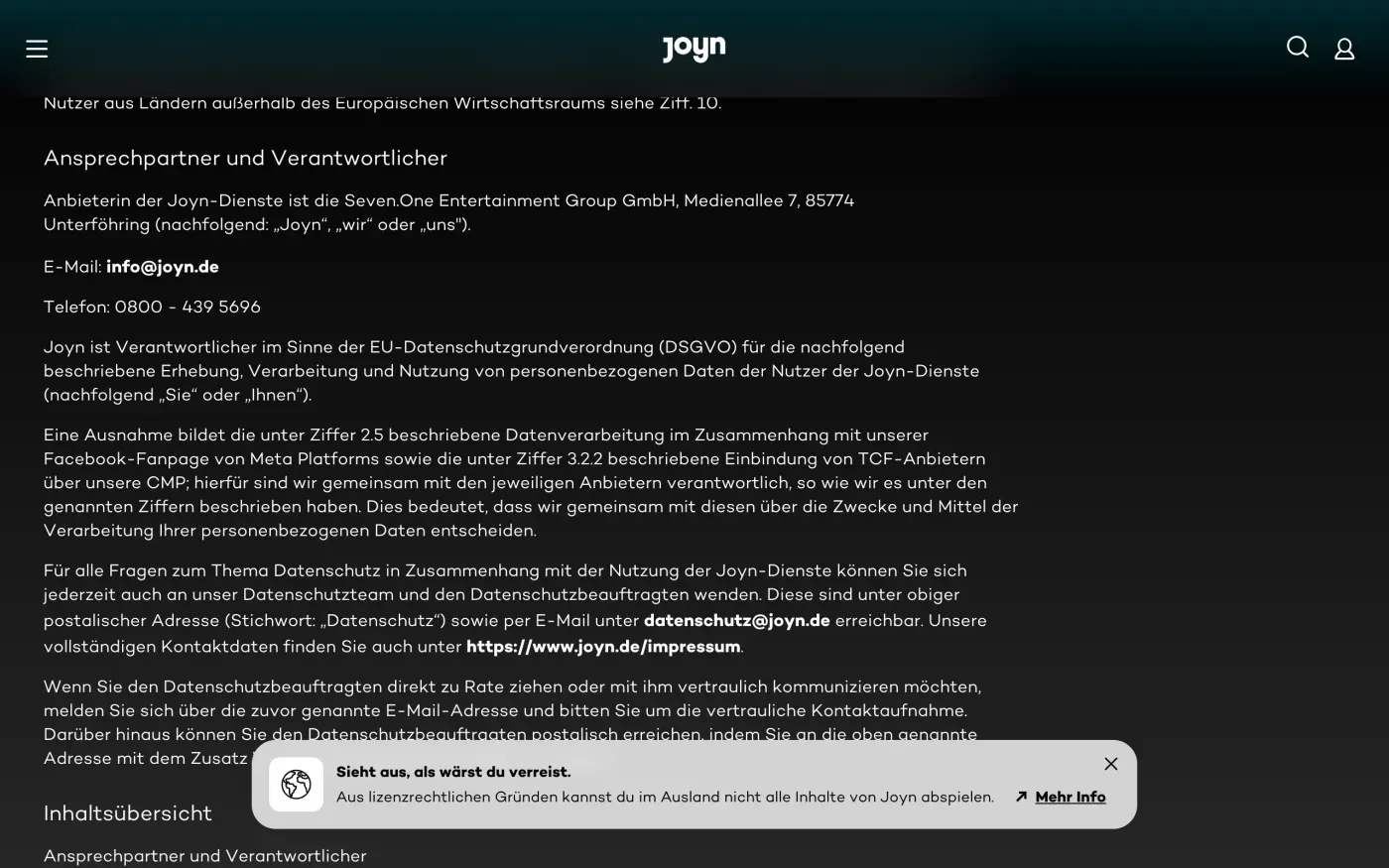
The statement says that to speak to the data protection officer in confidence, you email that address and ask for a confidential contact. By post, you write to the same address with “z. Hd. Datenschutzbeauftragter”.
The help centre gives dsgvo@service.joyn.de for account deletion, and the privacy statement gives datenschutz@joyn.de for privacy questions in general. For a deletion request, write to the first and copy the second.
Get a copy of your data first
If you want to keep a record of what Joyn holds, ask before you delete, because the web tool needs a working login. Joyn’s help centre says to log in through a web browser, open the account area, and under “Datenschutz” request your personal data “mit nur einem Klick”. It adds that you cannot do this in the mobile app.
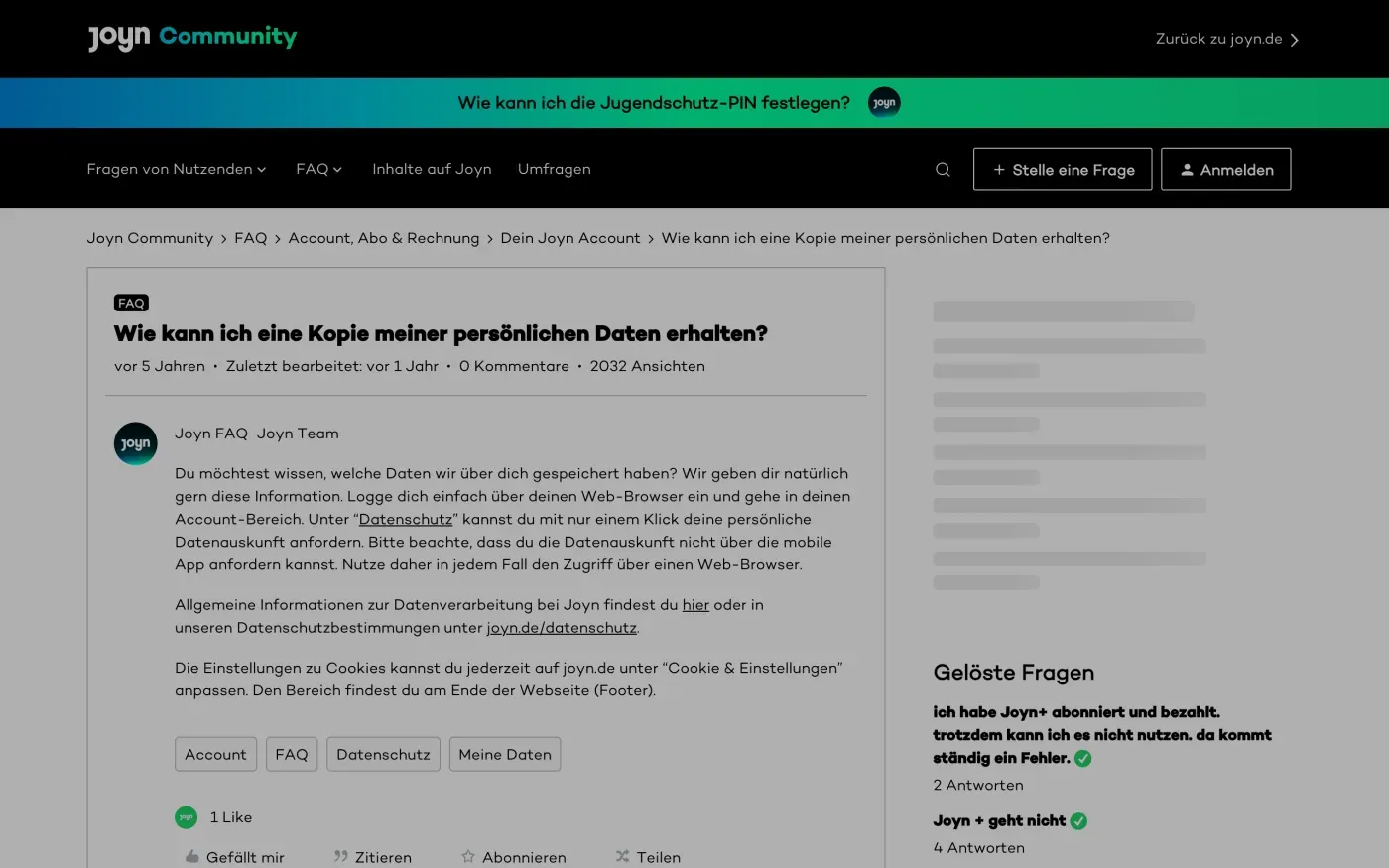
If you cannot log in, or you want more than the tool gives, send the access letter in the next section and cite Article 15. The topic guide on how to ask for a copy of your data covers what you are entitled to.
What Joyn keeps after you close the account
Closing the account does not erase everything. Joyn’s privacy statement lists what it holds on to, and why.
| Data | How long | Reason in Joyn's statement |
|---|---|---|
| Registration data and the record of your sign-up (IP address, time, email confirmation) | 48 months after the account closes | To check whether a new sign-up already used a free trial |
| Data under tax or commercial law, such as invoices | Until the legal period ends, blocked from other use | Legal retention rules |
| Copy of an ID used for age checks | Six months | Proof that the check was done |
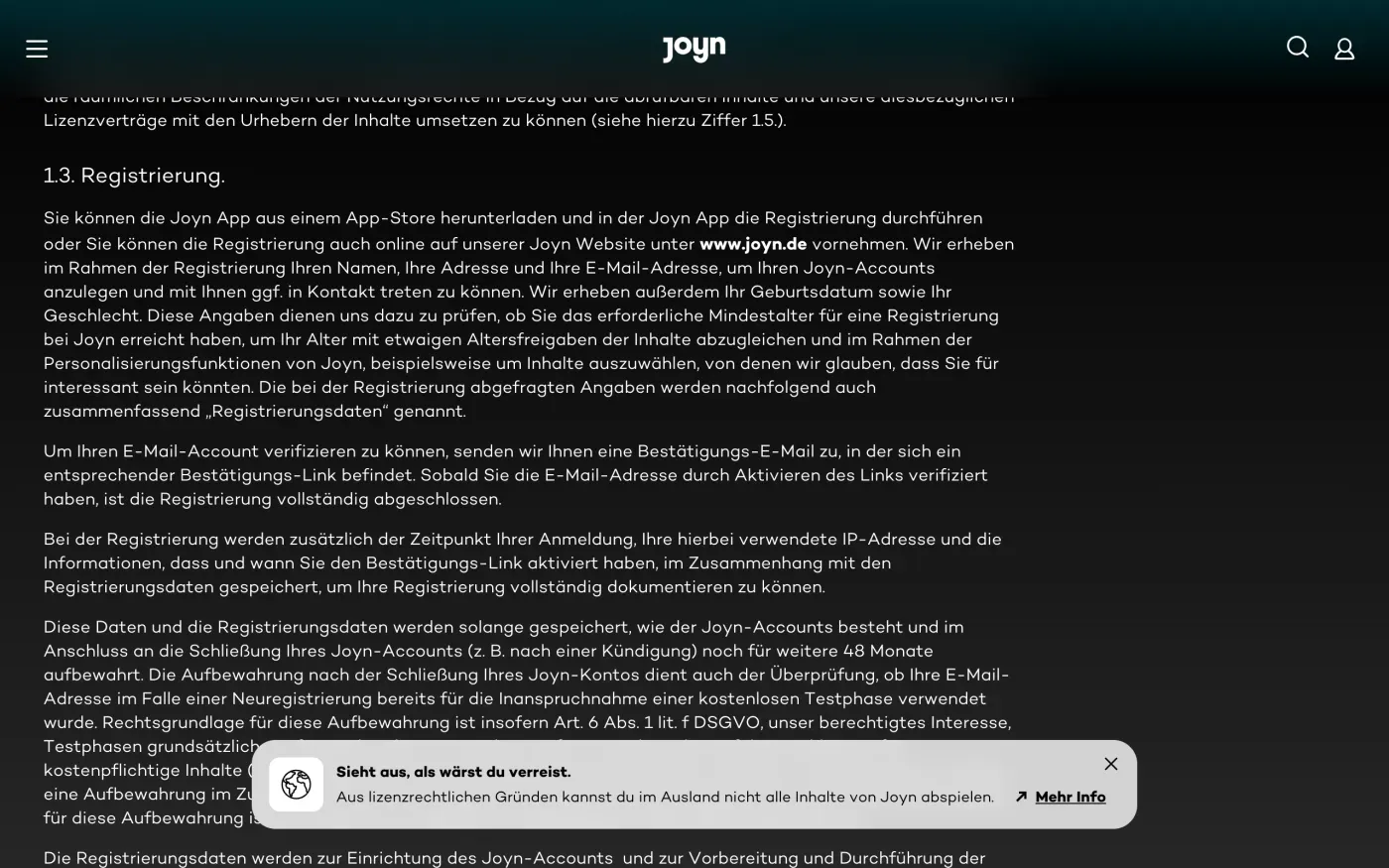
The statement ties the 48 months to Article 6(1)(f), Joyn’s “berechtigtes Interesse” in giving trials only to new customers. It also says that data under a retention duty is blocked until the period ends. If you think 48 months is too long for a free-trial check, say so in your request and ask Joyn to explain why its interest outweighs yours. It must answer within one month (Article 12(3)).
The letter
Fill in the fields and copy the text into an email. Send the erasure request to dsgvo@service.joyn.de from your registered address, with datenschutz@joyn.de in copy. Choose the access letter if you want the copy of your data first.
Dear Joyn privacy team,
Under Article 17 of the GDPR, I ask you to erase all the personal data you hold about me.
My account uses the email address [your account email]. If you keep any of my data, please tell me what you keep and the legal reason.
Please answer within one month of receiving this request, as Article 12(3) of the GDPR requires.
Kind regards,
[Your name]
Dear Joyn privacy team,
Under Article 15 of the GDPR, I ask for a copy of all the personal data you hold about me.
Please also tell me why you use it, what kinds of data you hold, who you have shared it with, how long you will keep it, where you got it if not from me, and whether you make automated decisions about me.
My account uses the email address [your account email].
Please answer within one month of receiving this request, as Article 12(3) of the GDPR requires.
Kind regards,
[Your name]
Joyn is run from Unterföhring in Germany, so the UK versions of the letters do not apply. The deletion letter guide explains the request in general.
Streaming accounts are easy to forget
Reflex finds the companies in your Gmail, sends this letter to each from your own address and follows up for three months. Free to join the beta, €19 once when you start.
If Joyn does not answer
Joyn has one month from receiving your request to answer, or to tell you within that month why it needs more time. See the response deadline for how that month is counted. If it misses it, send one reminder, then complain.
Joyn is based in Bavaria, and its privacy statement says: “In Bayern ist die zuständige Aufsichtsbehörde: Bayerische Landeszentrale für neue Medien (BLM), Medienbeauftragter für den Datenschutz, Heinrich-Lübke-Str. 27, 81737 München.” It also says you can complain to a supervisory authority in the member state where you live, work or where the breach happened. Article 77 of the GDPR gives you that right, and the EDPB keeps the list of national authorities.
The reminder and the complaint, step by step, are in what to do if a company ignores your request.
Questions
Can I delete my Joyn account from the website?
Joyn's help centre does not list a delete button on the website. It points you to the iOS, tvOS and Android apps, or to an email to dsgvo@service.joyn.de if your device is not covered.
Do I have to cancel Joyn+ before deleting?
Yes. Joyn's help centre asks you to cancel a Joyn+ subscription before you send the request. If you pay through the App Store, Google Play, Amazon or Huawei AppGallery, you cancel there yourself.
Does deleting Joyn delete my 7Pass account?
No. Joyn says the deletion has no effect on your 7Pass account. You unlink the two yourself in 7Pass, and Joyn explains how in the confirmation email it sends you.
How do I get a copy of my Joyn data?
Log in through a web browser, open your account area and use Datenschutz to request your data in one click. Joyn says this does not work in the mobile app.
Which authority do I complain to about Joyn?
Joyn's privacy statement names the Bavarian media regulator, the BLM, for Bavaria. It also says you can complain to the authority where you live. Article 77 of the GDPR gives you that choice.
Sources
- Wie kann ich meinen Joyn Account löschen?, Joyn FAQ, last edited April 2026Joyn, checked 16 November 2026
- Wie kann ich eine Kopie meiner persönlichen Daten erhalten?Joyn, checked 16 November 2026
- Wie kann ich meinen Community Account löschen?Joyn, checked 16 November 2026
- Fragen zur Anmeldung mit 7PassJoyn, checked 16 November 2026
- Joyn Datenschutzerklärung (version 1.16), Ansprechpartner und Verantwortlicher; 1.3 Registrierung; 1.10 Altersverifikation; 6.4 Speicherdauer; 8 Ihre RechteJoyn, checked 16 November 2026
- ImpressumJoyn, checked 16 November 2026
- Members of the EDPB, national data protection authoritiesEuropean Data Protection Board, checked 16 November 2026
- Regulation (EU) 2016/679, the GDPR, Articles 12, 15, 17 and 77EUR-Lex, checked 16 November 2026