
Deleting the account is not deleting your data
Your repositories live inside your GitHub account, so the delete button removes your work as well. Backing up, closing the account and erasing personal data are three separate jobs with different routes.
| What you want | Route | What it does |
|---|---|---|
| Keep a copy of your work | Settings, Account, Export account data | An archive of the account data GitHub stores, plus separate backups of your repositories |
| Close the account | Settings, Account, Delete your account | Deletes your repositories, wikis, issues and pull requests. GitHub cannot restore them. |
| Have GitHub erase personal data or send you a copy | Email privacy@github.com | A GDPR request that GitHub must answer in writing, with the reasons for anything it keeps |
Do them in that order, because you cannot export from an account that is gone.
Back up first
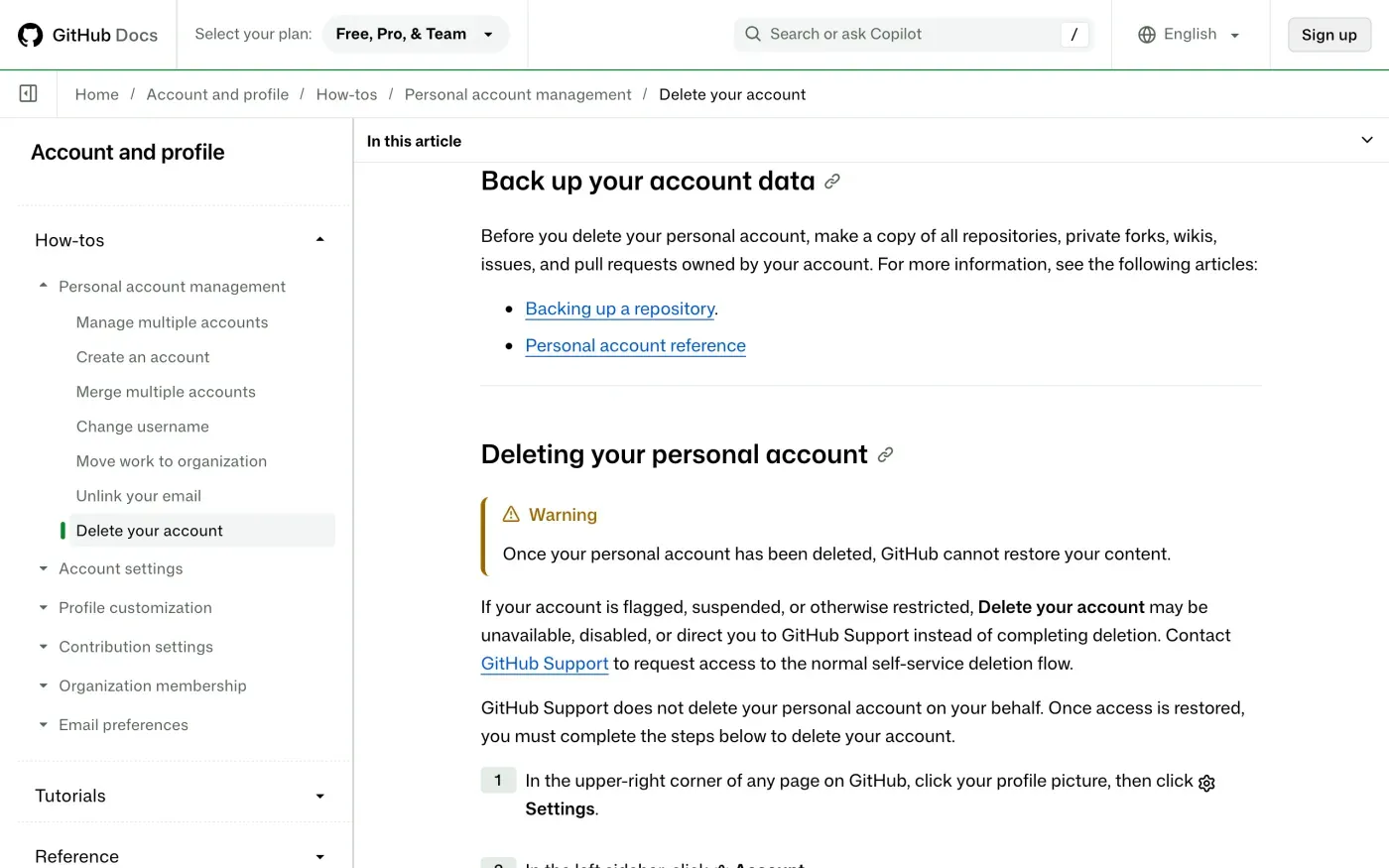
GitHub’s deletion page tells you to make a copy before you delete: “all repositories, private forks, wikis, issues, and pull requests owned by your account”. Two routes cover this, and they are not the same thing.
The account export is the data GitHub stores about you. GitHub’s help page says it is packaged as a tar.gz file and sent as a download link to your primary email address, and the link expires after seven days by default. It works as a self-service copy of your data.
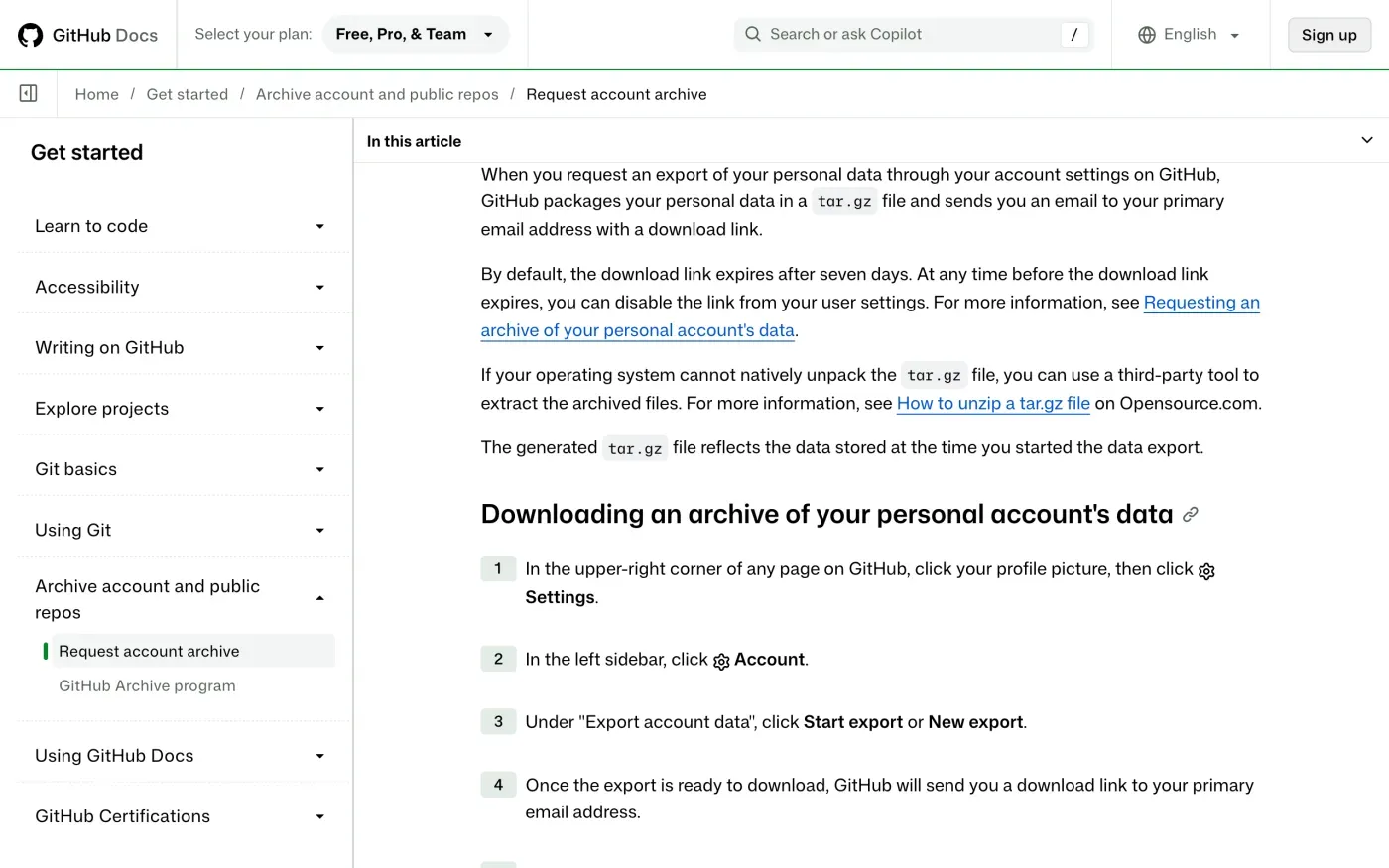
For your code, GitHub’s page sends you to its Backing up a repository article. A clone of each repository you care about is the safest copy, because the export holds metadata and the deletion removes the originals.
Delete the account
GitHub’s steps: click your profile picture in the upper-right corner, then Settings. In the left sidebar click Account. At the bottom of the page, under Delete account, click Delete your account. In the box that opens, type your username or email in the first field and the phrase from the prompt in the second.
What happens to your work and username
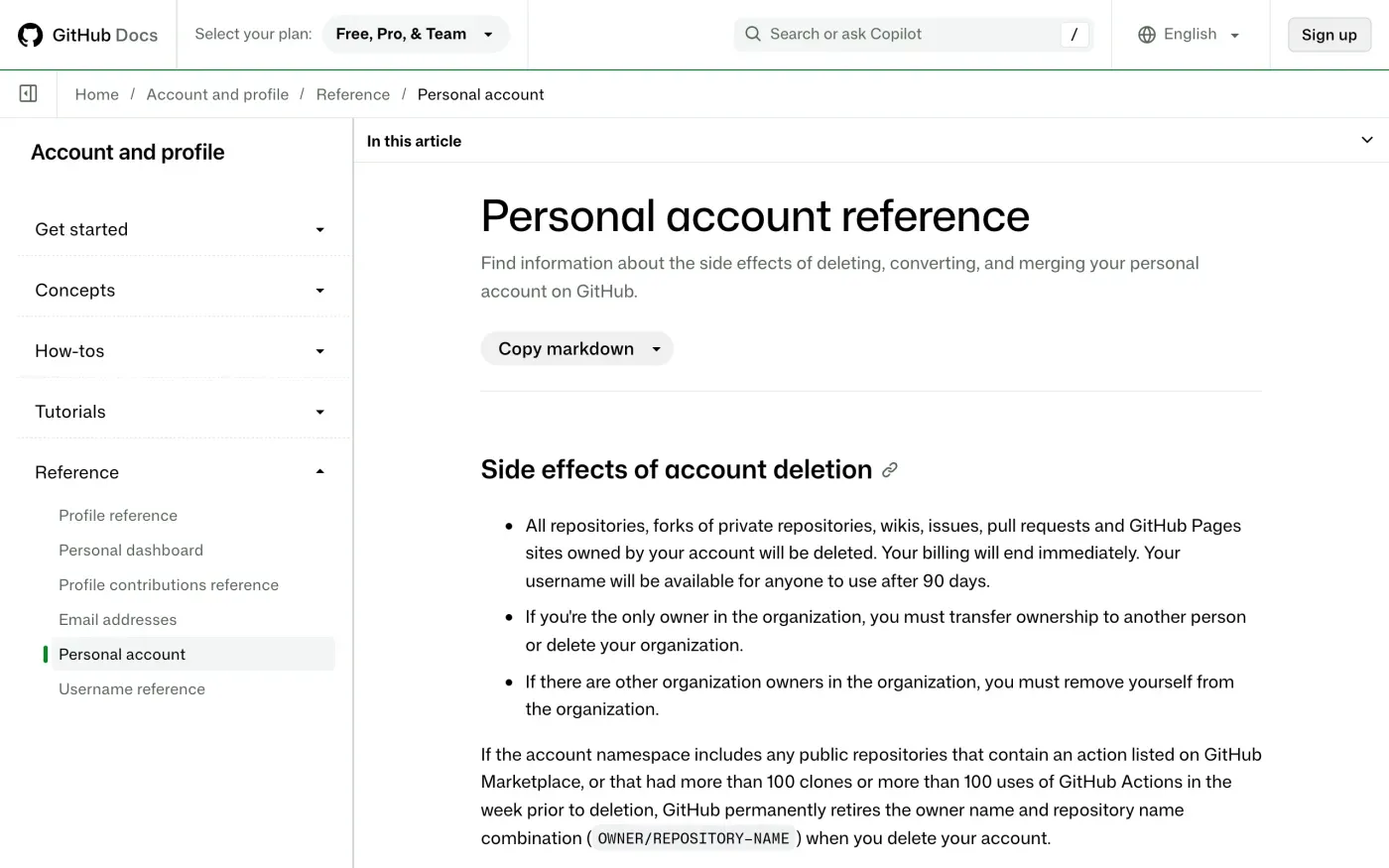
GitHub’s Personal account reference lists the side effects:
| Item | What GitHub says |
|---|---|
| Repositories, forks of private repositories, wikis, issues, pull requests, Pages sites | Deleted |
| Billing | Ends immediately |
| Your username | Available for anyone to use after 90 days |
| Public repositories with a Marketplace action, or over 100 clones or 100 Actions uses in the week before deletion | GitHub permanently retires the owner name and repository name combination |
| Packages and container images in GitHub Packages | Deleted, which "may break projects that depend on" them |
Your public commits and issues in other people’s repositories are not on this list, and GitHub’s pages do not say what happens to them. If you want them handled, say so in the letter below and ask GitHub to answer in writing.
If the button is missing or your account is locked
GitHub’s deletion page says: “If your account is flagged, suspended, or otherwise restricted, Delete your account may be unavailable, disabled, or direct you to GitHub Support instead of completing deletion.” It adds that GitHub Support “does not delete your personal account on your behalf”. Support restores the normal flow, and then you complete the steps yourself.
If you cannot get in at all, the privacy email is the other route. A GDPR erasure request does not depend on being able to log in, and GitHub must answer it. Send it from the email address on the account so GitHub can match it.
Where to send a GDPR request
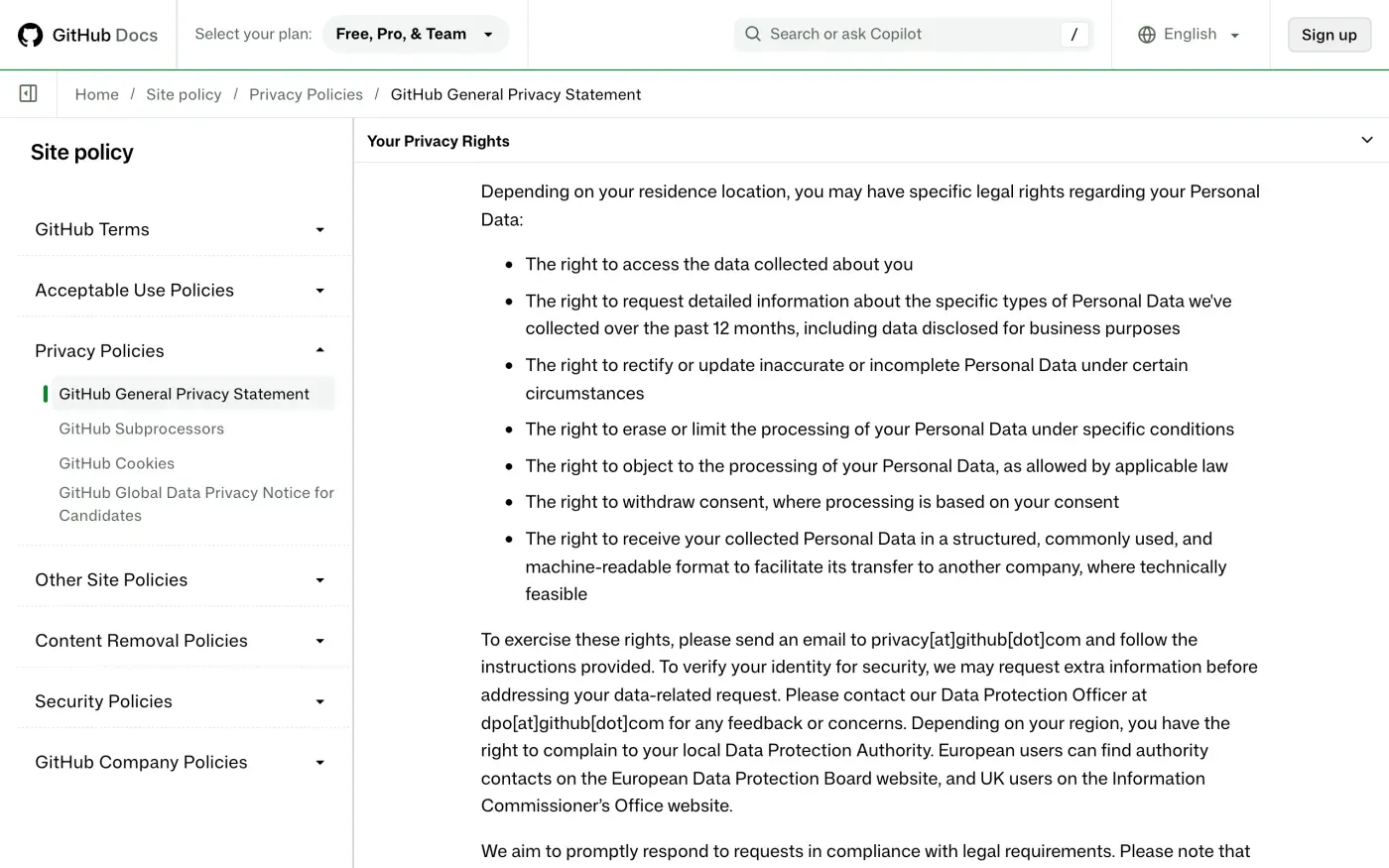
GitHub’s privacy statement, effective 27 April 2026, says in Your Privacy Rights:
To exercise these rights, please send an email to privacy[at]github[dot]com and follow the instructions provided. To verify your identity for security, we may request extra information before addressing your data-related request. Please contact our Data Protection Officer at dpo[at]github[dot]com for any feedback or concerns.
The statement prints both addresses with [at] and [dot]. Written normally, they are privacy@github.com for requests and dpo@github.com for the Data Protection Officer.
The Contact Us section names two controllers and gives postal addresses:
| Entity | Address in the statement |
|---|---|
| GitHub B.V. | Prins Bernhardplein 200, Amsterdam, 1097JB, The Netherlands |
| GitHub, Inc. | 88 Colin P. Kelly Jr. St., San Francisco, CA 94107, United States |
The statement does not say which entity handles which user, and it names no separate UK controller. One email to privacy@github.com covers both. The Contact Us section also mentions a contact form, but gives no link to it in the text, so this guide uses email.
What GitHub says it keeps
The statement gives no table of retention periods. Its Security and Retention section says:
We’ll retain your Personal Data as long as your account is active and as needed to fulfill contractual obligations, comply with legal requirements, resolve disputes, and enforce agreements. The retention duration depends on the purpose of data collection and any legal obligations.
After the rights list it adds: “we may retain certain data as necessary for legal obligations or for establishing, exercising, or defending legal claims.” That matches the exceptions in Article 17(3) of the GDPR. Because no period is published, ask GitHub in the letter to list what it keeps after deletion and for how long. It has to give you the reason for anything it refuses to erase (Article 12(4)).
ID checks
GitHub’s statement says it “may request extra information” to verify your identity. Send the request from the email address on the account and name the username. If GitHub asks for more, it should only be what it needs to find the account (Article 12(6)). Do not send a passport unless it explains why.
The letter
Fill in your account email and username, then send it to privacy@github.com. If you want a copy of your data before it goes, use the access letter first, since deleting the account ends the export route. The guide to subject access requests explains what GitHub must send.
Dear GitHub privacy team,
Under Article 17 of the GDPR, I ask you to erase all the personal data you hold about me.
My account uses the email address [your account email]. If you keep any of my data, please tell me what you keep and the legal reason.
Please answer within one month of receiving this request, as Article 12(3) of the GDPR requires.
Kind regards,
[Your name]
For a copy of your data first:
Dear GitHub privacy team,
Under Article 15 of the GDPR, I ask for a copy of all the personal data you hold about me.
Please also tell me why you use it, what kinds of data you hold, who you have shared it with, how long you will keep it, where you got it if not from me, and whether you make automated decisions about me.
My account uses the email address [your account email].
Please answer within one month of receiving this request, as Article 12(3) of the GDPR requires.
Kind regards,
[Your name]
In the UK, use the versions that cite the UK GDPR: the UK right to be forgotten guide has the erasure one. For deadlines and what GitHub must say if it refuses, see the deletion letter guide and the response deadline.
More accounts than GitHub?
Reflex finds the companies in your Gmail, sends this letter to each from your own address and follows up for three months. Free to join the beta, €19 once when you start.
If GitHub does not answer
GitHub has one month from receiving your request, extendable by two months only if it tells you why within the first month (Article 12(3)). If that passes, send a reminder; the guide to ignored requests has one.
Then complain to a data protection authority (Article 77). GitHub’s statement does not name a lead authority. It says: “Depending on your region, you have the right to complain to your local Data Protection Authority. European users can find authority contacts on the European Data Protection Board website, and UK users on the Information Commissioner’s Office website.”
GitHub B.V. is in Amsterdam, so the Dutch Autoriteit Persoonsgegevens is the likely lead authority. That is our inference, not something GitHub states. You do not have to complain in the Netherlands. Your own country’s authority, on the EDPB list, will take it and pass it on. The Dutch authority takes complaints in Dutch or English, through an online form or by post, and asks you to contact the organisation first. In the UK, complain to the ICO.
Questions
What is GitHub's email address for data deletion requests?
Its privacy statement says to send an email to privacy@github.com to exercise your rights. The statement prints it as privacy[at]github[dot]com. The Data Protection Officer is at dpo@github.com, printed the same way.
Can I get my deleted GitHub account back?
GitHub's help page says that once a personal account is deleted, GitHub cannot restore your content. Your username becomes available to anyone after 90 days.
Why is the Delete your account button missing or sending me to Support?
GitHub says that if your account is flagged, suspended or restricted, the button may be unavailable or point you to GitHub Support. Support does not delete the account for you. It restores the normal route, and you finish the deletion yourself.
Do I have to leave my organizations before deleting?
Yes. If you are the only owner of an organization, GitHub says you must transfer ownership to another person or delete the organization. If there are other owners, you must remove yourself.
How do I download my GitHub data before deleting?
In Settings, then Account, under Export account data, click Start export or New export. GitHub emails a download link to your primary email address. The link expires after seven days by default.
Who regulates GitHub in the EU?
GitHub's privacy statement does not name a lead authority. It lists GitHub B.V. in Amsterdam as one of two controllers, so the Dutch Autoriteit Persoonsgegevens is the likely lead authority. You can complain to the authority where you live in any case.
Sources
- GitHub General Privacy Statement, Effective 27 April 2026; Your Privacy Rights, Security and Retention, Contact UsGitHub, checked 16 November 2026
- Deleting your personal accountGitHub Docs, checked 16 November 2026
- Personal account reference, Side effects of account deletionGitHub Docs, checked 16 November 2026
- Requesting an archive of your personal account's dataGitHub Docs, checked 16 November 2026
- Submitting a tip-off or a complaint to the APAutoriteit Persoonsgegevens, checked 16 November 2026
- Members of the EDPB, national data protection authoritiesEuropean Data Protection Board, checked 16 November 2026
- Regulation (EU) 2016/679, the GDPR, Articles 12, 15, 17 and 77EUR-Lex, checked 16 November 2026
- Make a complaintICO, checked 16 November 2026