
Closing your account is not deleting it
Chess.com has two exits, and only deleting removes your data. The privacy policy says you can cancel your account in the Manage Account section of the settings, but then “the PI and other Account information is not deleted permanently. We store the User information to allow the User to reopen their Account at any time.” Closing the account leaves everything in place.
| Close account | Delete account | |
|---|---|---|
| What happens to your data | Kept, so you can reopen the account | Removed or anonymised, except what Chess.com must keep |
| Can you undo it | Yes, reopen at any time | Only within 10 days, by signing in. After that, not even staff can undo it |
| Premium subscription | Your choice | Cancelled immediately |
| Where | Settings, Manage Account | chess.com/my-data, or the app: Settings, Account, Remove my data |
What to do before you press Delete
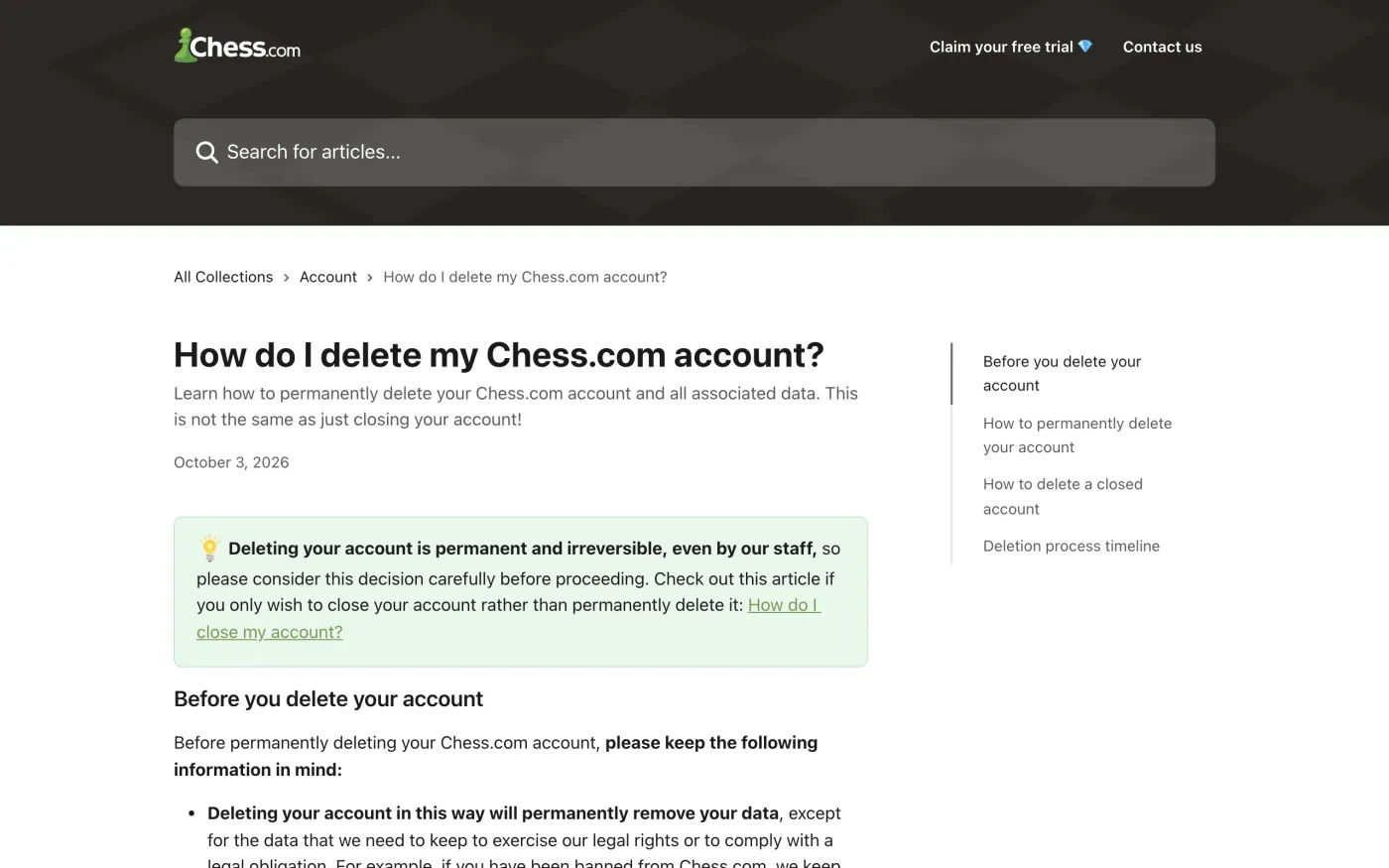
Chess.com’s help centre lists what deletion does not cover. Check these first.
- Public content stays. “This will not delete your game records, your comments, or other public posts.” They are anonymised, but they remain. If you want forum posts, comments or notes gone, delete them yourself while you can still sign in.
- Check what you want to keep. The My data page shows the personal information stored on your account, such as user IDs, username, email and mobile device details. If you want your game history, check that it is covered, because the help article does not list it.
- A subscription ends at once. An active premium subscription is cancelled immediately, and affiliate payments stop if you are in the affiliate programme.
- Your email and linked social accounts get blocked. The policy says that after a deletion request Chess.com will “block your email address and social media accounts from being used on Chess.com in the future”. You cannot make a fresh account with them later.
How to delete it, step by step
- Sign in at chess.com/my-data.
Enter your password when asked. This is the same page you use to see the data Chess.com holds on you.
- Scroll to Right to be Forgotten.
Enter your username and press Delete. In the app, go to the More menu, then Settings, then Account, switch on Remove my data, read the disclaimer and tap Delete Account.
- Do not sign in for 10 days.
Chess.com says “The deletion process will take 10 days” and that signing in before then cancels it. Chess.com does not say what counts as signing in, so stay logged out on every device and app.
If you are locked out, closed or banned
The My data button needs a working login. Chess.com’s help centre gives a separate route for a closed account: contact Support through Help and Support, type “I want to delete my closed account” and follow the prompts.
A ban is different. The help article says that if you were banned, Chess.com keeps some data to exercise its legal rights, and the privacy policy adds that for a breach of the Fair Play Policy it “may determine that retaining your username publicly is necessary to exercise our right of freedom of expression”. In that case the account is anonymised but cannot be fully deleted.
Where to send a GDPR request
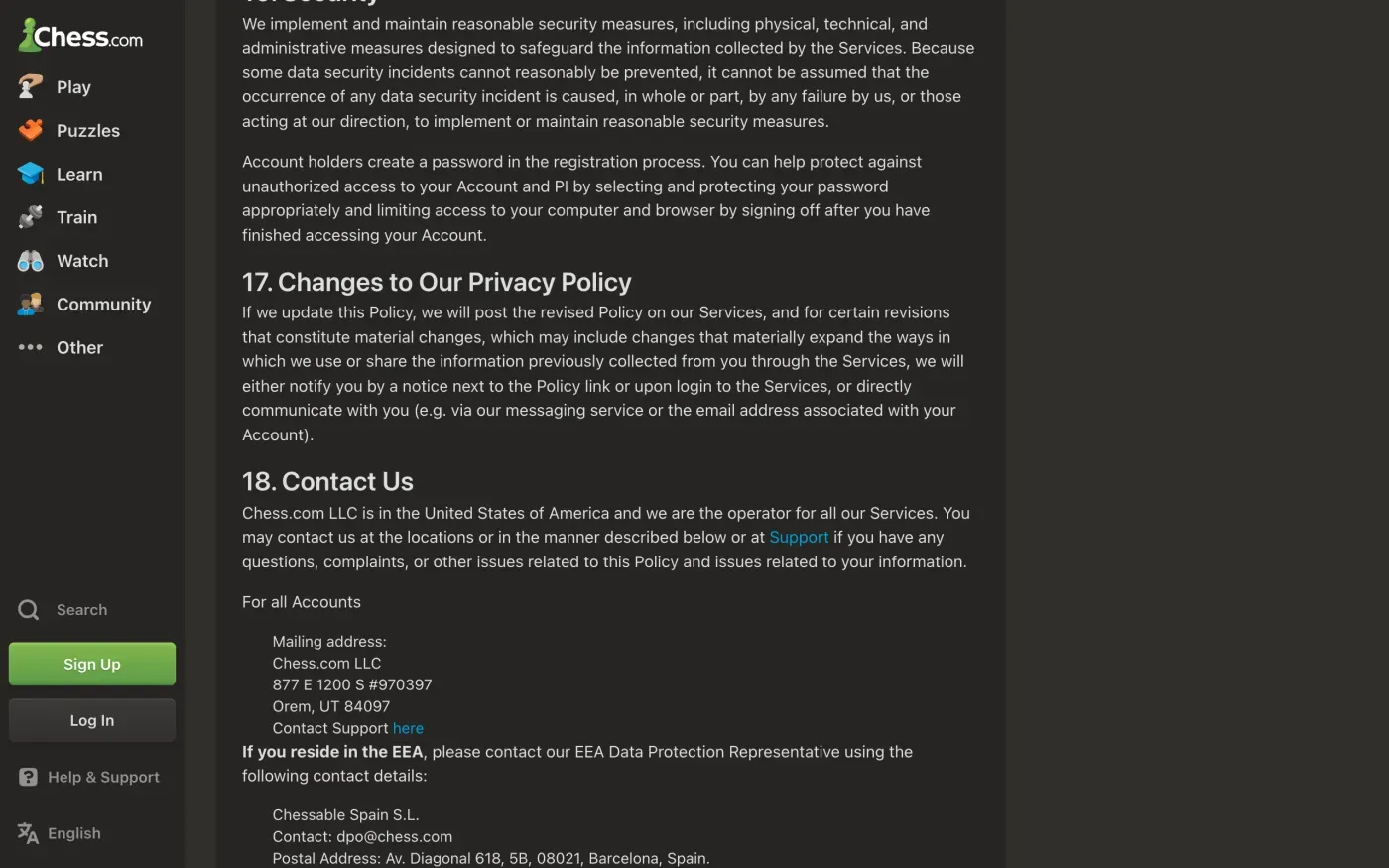
For a written request, use the contacts in section 18 of the privacy policy. It says “Chess.com LLC is in the United States of America and we are the operator for all our Services.” For people in Europe it gives a representative, not a company in your country.
| Who | Contact in the privacy policy |
|---|---|
| EEA representative | Chessable Spain S.L., dpo@chess.com, Av. Diagonal 618, 5B, 08021, Barcelona, Spain |
| UK representative | Chessable Ltd., dpo@chess.com, 86-90 Paul Street, London, EC2A 4NE |
| Operator, for all accounts | Chess.com LLC, 877 E 1200 S #970397, Orem, UT 84097, or contact Support through the help centre |
Send the email from the address your account uses and give your username. The UK representative has its own entry but the same email address. A UK reader can use the UK version of the letter.
Chess.com may ask you to confirm the account is yours. It can only ask for what it needs for that (Article 12(6)), so offer your username and the account email before an ID document.
What Chess.com keeps
The policy is short on periods. It says it keeps personal information “for as long as necessary to provide our Products and Services” and to meet legal obligations, and that after you delete it will “delete or anonymize” your personal information. The help centre adds that data needed “to exercise our legal rights or to comply with a legal obligation” is not removed. It publishes no figures for how long that is, so ask for them in your letter.
The letter
Fill in the fields and copy the letter into an email to dpo@chess.com. Add your username. Use the access letter first if you want a full copy of what Chess.com holds before you erase it.
Dear Chess.com privacy team,
Under Article 17 of the GDPR, I ask you to erase all the personal data you hold about me.
My account uses the email address [your account email]. If you keep any of my data, please tell me what you keep and the legal reason.
Please answer within one month of receiving this request, as Article 12(3) of the GDPR requires.
Kind regards,
[Your name]
To get a copy of your data first, use the access letter or see how to write a deletion letter. If you are in the UK, the UK erasure guide cites the UK GDPR.
Chess.com is one of many accounts
Reflex finds the companies in your Gmail, sends this letter to each from your own address and follows up for three months. Free to join the beta, €19 once when you start.
If Chess.com does not answer
A company has one month to answer a request, and can extend by up to two more months if it tells you why within the first month (Article 12(3)). The response deadline guide shows how to count it. If the month passes, send one reminder, then complain. The steps are in what to do if a company ignores your request.
Chess.com LLC is a US company, and its policy names no EU establishment, only representatives. I found no lead authority named in it. Under Article 77 you can complain to the data protection authority in the country where you live. The EDPB keeps the list of national authorities. In the UK, complain to the ICO.
Questions
What is the difference between closing and deleting a Chess.com account?
Closing keeps all your information so you can reopen the account at any time. Deleting removes your personal data, cancels any premium subscription and cannot be undone, even by Chess.com staff.
How long does Chess.com take to delete an account?
Chess.com says the deletion happens after 10 days. If you sign in before the 10 days are up, the request is cancelled and you have to start again.
Will my games disappear when I delete my account?
No. Chess.com says deleting your account will not delete your game records, comments or other public posts. They stay in anonymised form. Remove forum posts, comments and notes yourself before you delete.
Can I delete an account that Chess.com closed or banned?
A closed account cannot use the My data button. Chess.com tells you to contact Support and choose "I want to delete my closed account". For a ban, it says it keeps some data to exercise its legal rights, so ask in writing what it holds.
Who do I write to as a GDPR request?
Chess.com's privacy policy gives dpo@chess.com for its EEA representative (Chessable Spain S.L.) and its UK representative (Chessable Ltd.). The operator is Chess.com LLC in the United States.
Sources
- Chess.com privacy policy, Account deletion and reactivation; Contact us (section 18). Last updated 25 March 2026Chess.com, checked 16 November 2026
- How do I delete my Chess.com account?, Before you delete your account; deletion process timelineChess.com Help, checked 16 November 2026
- GDPR and the right to be forgotten. How can I view or delete my account data?Chess.com Help, checked 16 November 2026
- Members of the EDPB, national data protection authoritiesEuropean Data Protection Board, checked 16 November 2026
- Regulation (EU) 2016/679, the GDPR, Articles 12, 15, 17 and 77EUR-Lex, checked 16 November 2026
- Make a complaintICO, checked 16 November 2026