
One request, two shops, several accounts
Boozt runs more than one shop. Its privacy policy says Boozt A/S is the data controller for Boozt.com, Booztlet.com and their apps, and it adds a rule about linked accounts:
Please note that if a deletion request is made on either Boozt or Booztlet, and there are accounts associated with the same email address on both platforms, both accounts will be subject to deletion. Please note that if you have several accounts, the request needs to be made for each individual account, for example if you have used different email addresses to shop with us.
So the work depends on how many accounts you have.
| Your situation | What Boozt says | What to do |
|---|---|---|
| Boozt and Booztlet, same email address | One deletion request removes both accounts. | Request deletion once, and check you want both gone. |
| Two accounts under different email addresses | The request "needs to be made for each individual account". | Send the request once per email address, from that address. |
| You only want to leave Booztlet or Boozt | No separate option is described. | Do not request deletion on one shop if you want to keep the other under the same email. |
If you are not sure which addresses you used, search your inbox for order confirmations from Boozt and Booztlet first. The guide to finding who holds your data shows how.
Delete the account yourself
Boozt’s help article describes the route. You need to be able to log in.
- Open My Profile.
Log in to My Boozt and open the “My Profile” tab.
- Click Manage.
Click the button “Manage” next to the “Make a request to delete customer data” section. Boozt shows you what will happen when you delete the account.
- Request the deletion.
Click the button “Request account deletion” under that information.
- Confirm by email.
Boozt sends you an email where you have to confirm that you wish to delete the account.
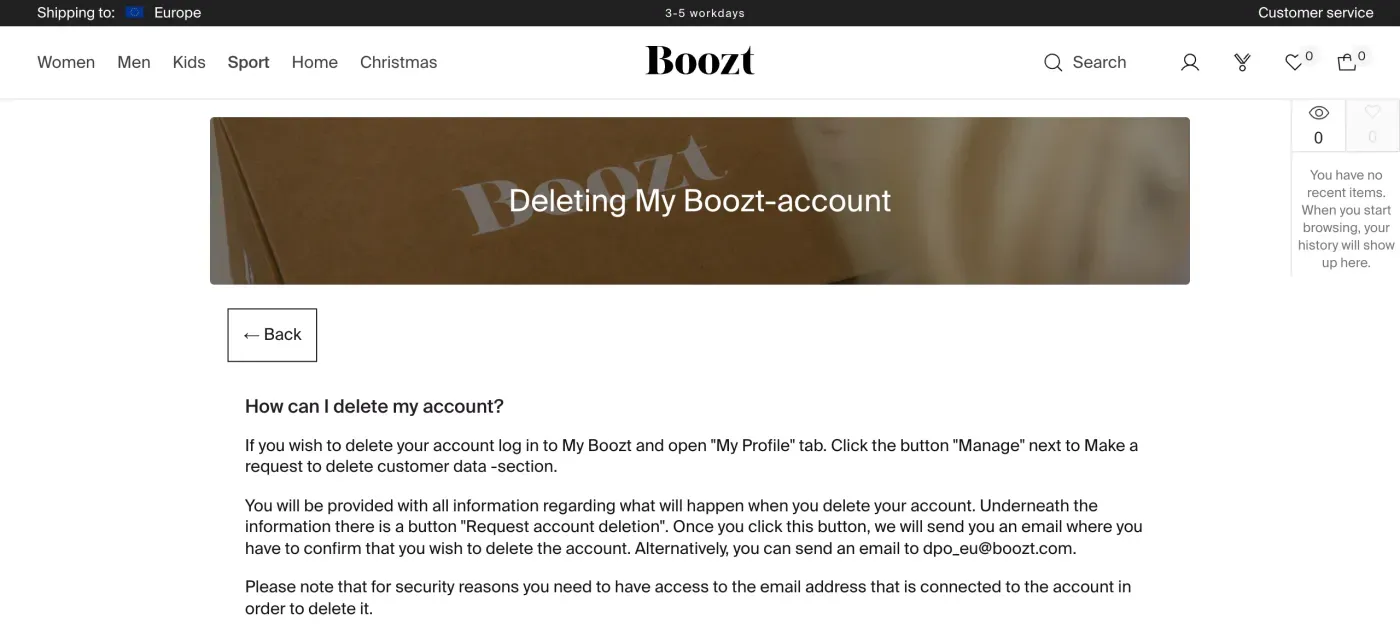
The article ends with a limit: “for security reasons you need to have access to the email address that is connected to the account in order to delete it.” If that inbox is gone, the button route will not work for you, so email instead and say why.
When you cannot log in, or want it in writing
The email route is the one the policy gives for everything else. Boozt’s privacy policy, section 1.11, says:
You can contact us via: dpo_eu@boozt.com
Or by post: Boozt A/S Attn: Legal Department Under Krystallen 1, 1562 Copenhagen Denmark
The Boozt Group’s data protection page gives the same email address for its data protection officer, with a Malmö postal address: Attn: DPO/Legal Department, Hyllie Boulevard 35, Malmö 215 37, Sweden. The privacy policy names Boozt A/S in Copenhagen as the controller, so use that address for post.
The policy does not name a form for requests, and it does not set a deadline for the email route. An email gives you a written answer, which the button does not. Under Article 17 of the GDPR and Article 12(3), Boozt must answer within one month. Where it cannot delete something, the policy itself says: “In such a case, we will inform you about these reasons in writing.”
Get a copy of your data first
Deleting the account ends your access to it, so ask for the copy first. Boozt’s privacy policy, section 1.7.1, says:
If you want to access the information we process about you - we have created an automatic way for you to perform a personal data access request – you can find it in your account under My Profile – Collect personal data.
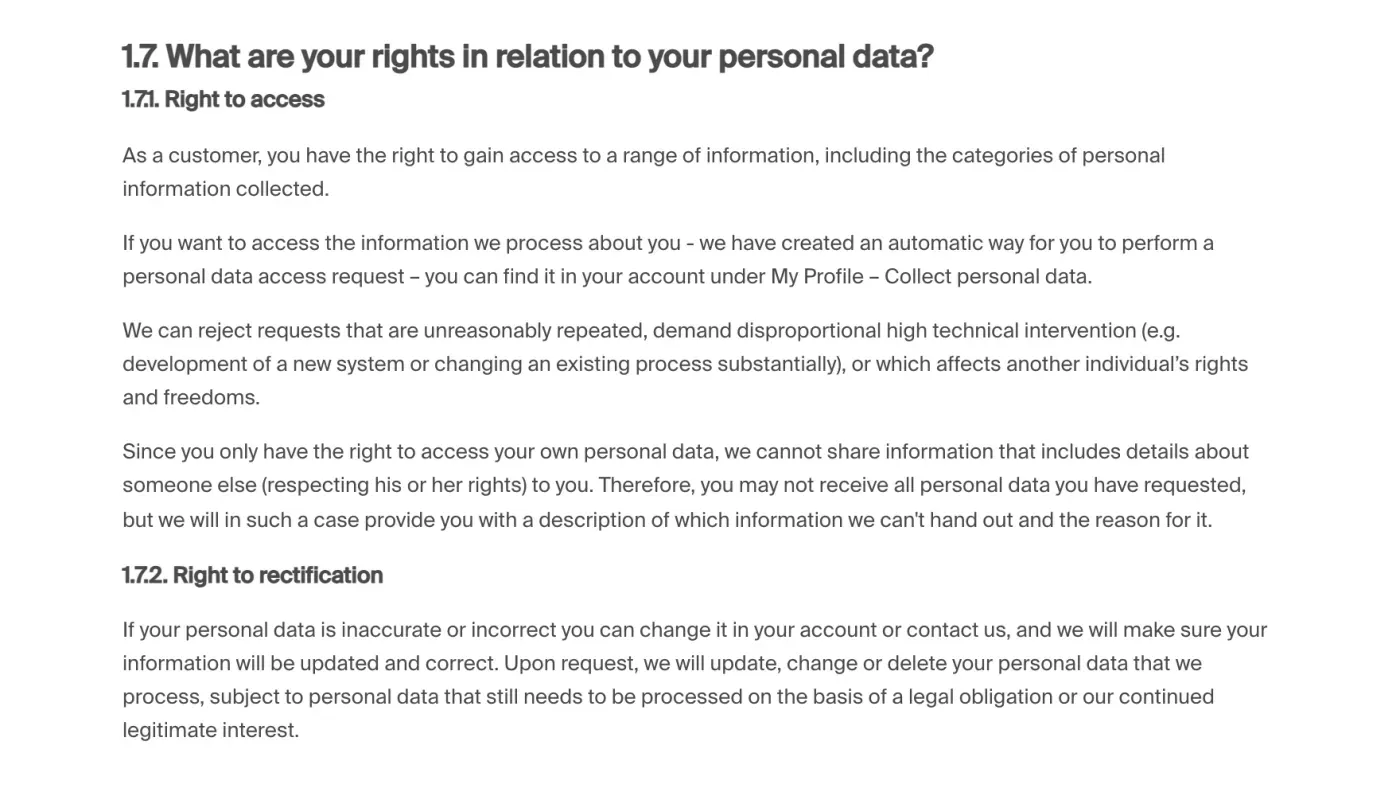
The policy adds that Boozt can reject requests that are unreasonably repeated, and that you may not receive data that includes details about someone else, in which case it will describe what it holds back and why. For a written access request instead, see the subject access request guide.
What Boozt keeps after you delete
Section 1.3 of the privacy policy lists how long Boozt keeps data for each purpose. The ones that matter when you leave:
| Purpose | What the policy says |
|---|---|
| Orders and returns | "until the seventh year following the end of the calendar year in which the financial year ended", under the Swedish Bookkeeping Act (1999:1078) |
| Invoice information, for legal obligations | The same period, under the Swedish Accounting Act |
| Fair Use restriction | "for the duration of the relevant restriction period" |
| Content personalisation from your searches and purchases | "12 months after the specific personal information has been collected" |
| Marketing based on your consent | Until you withdraw consent, or 12 months without contact; proof of consent for up to 5 years after withdrawal |
| Club Boozt membership | For as long as you are a member |
The seven-year period covers the records Boozt needs for its books. Your profile, searches and marketing data have their own, shorter periods. When you ask, Boozt should delete what it does not need and tell you in writing what it keeps and why (Article 12(4)). The letter below asks for exactly that.
If Boozt has limited your shopping
Boozt’s privacy policy describes a Fair Use policy. To enforce it, the policy says Boozt may process your name, contact details, device data, order data and payment methods, and data on returned items and return reasons, claims and complaints, and may cancel orders or limit your ability to shop with it. If it limits you, it keeps your data to maintain the restriction “for the duration of the relevant restriction period.”
A published case shows what that means in practice. In a decision of 4 April 2025, published by the EDPB, the Swedish Authority for Privacy Protection (IMY) dealt with a complaint from a customer who had been blocked from shopping under the Fair Use policy after placing 43 orders between 2012 and 2017, 26 of them returned in whole or in part, and who had asked for erasure. According to the decision, Boozt Fashion AB had erased what it could, kept the order data it needed for the Swedish Accounting Act and the data needed to maintain the restriction, and had since stopped using her data for the Fair Use policy. IMY found that Boozt had complied with the erasure request and closed the case.
If you have been blocked, deleting the account may not remove the record of the block while it applies. Ask Boozt in your email how long it will keep the restriction data. You can also object to processing based on legitimate interest, which is the basis the policy gives for Fair Use processing. The policy says to email dpo_eu@boozt.com for that.
The letter
Fill in the email address of each account and send it to dpo_eu@boozt.com from that address, so Boozt can match it to the account. If you have two accounts under two addresses, send it once from each.
Dear Boozt privacy team,
Under Article 17 of the GDPR, I ask you to erase all the personal data you hold about me.
My account uses the email address [your account email]. If you keep any of my data, please tell me what you keep and the legal reason.
Please answer within one month of receiving this request, as Article 12(3) of the GDPR requires.
Kind regards,
[Your name]
If you want the copy first, use the access version, or the My Profile route above, then send the erasure letter.
Dear Boozt privacy team,
Under Article 15 of the GDPR, I ask for a copy of all the personal data you hold about me.
Please also tell me why you use it, what kinds of data you hold, who you have shared it with, how long you will keep it, where you got it if not from me, and whether you make automated decisions about me.
My account uses the email address [your account email].
Please answer within one month of receiving this request, as Article 12(3) of the GDPR requires.
Kind regards,
[Your name]
Boozt’s privacy policy names no UK controller, so the EU letters are the ones to use. For the deadlines and what Boozt must tell you if it refuses, see the deletion letter guide and the response deadline guide.
More shops than Boozt?
Reflex finds the companies in your Gmail, sends this letter to each from your own address and follows up for three months. Free to join the beta, €19 once when you start.
If Boozt does not answer
Boozt has one month from receiving your request, extendable by two months only if it tells you why within the first month (Article 12(3)). If that passes, send a reminder; the guide to ignored requests has one.
If there is still no answer, complain to a data protection authority (Article 77). Boozt’s privacy policy, section 1.10, says you may complain “to the national Supervisory Authority in your country” and links to the EDPB list of authorities. It does not name a lead authority. The only published Boozt decision we found was made by Sweden’s IMY as lead authority for Boozt Fashion AB, so a complaint you file at home is likely to be passed to IMY. IMY has an online complaint service and recommends contacting the company first, which your letter will have done.
Questions
How do I delete my Boozt account?
Log in to My Boozt, open the My Profile tab, click Manage next to "Make a request to delete customer data", then click "Request account deletion" and confirm in the email Boozt sends you. Alternatively, email dpo_eu@boozt.com.
Can I delete my Boozt account without access to its email address?
Boozt's help article says that for security reasons you need access to the email address connected to the account in order to delete it. If you have lost that inbox, email dpo_eu@boozt.com, explain, and use the letter in this guide.
Does deleting Boozt also delete my Booztlet account?
Yes, if both accounts use the same email address. Boozt's privacy policy says both accounts will be deleted. If you used different email addresses, the request has to be made for each account.
Does Boozt delete my order history?
Not at once. Its privacy policy says transaction and return information is kept until the seventh year following the end of the calendar year in which the financial year ended, under the Swedish Bookkeeping Act.
Can I get a copy of my Boozt data first?
Yes. Boozt's privacy policy says you can make an access request in your account under My Profile, Collect personal data. Ask for the copy before you delete the account.
Who regulates Boozt?
Boozt's privacy policy only points you to your national data protection authority. A published 2025 decision on a Boozt Fashion AB complaint was handled by the Swedish authority IMY as lead authority, so a cross-border complaint is likely to end up there.
Sources
- Privacy & Cookie Policy, Sections 1.3, 1.7.1, 1.7.3, 1.10 and 1.11Boozt, checked 16 November 2026
- How do I delete my account?Boozt, checked 16 November 2026
- Group Policy Data ProtectionBoozt Group, checked 16 November 2026
- Data protection at BooztBoozt Group, checked 16 November 2026
- Final decision under the General Data Protection Regulation, Boozt Fashion AB (IMY-2024-11472)Swedish Authority for Privacy Protection, published by the EDPB, checked 16 November 2026
- Your rights as a data subjectSwedish Authority for Privacy Protection (IMY), checked 16 November 2026
- IMY's e-servicesSwedish Authority for Privacy Protection (IMY), checked 16 November 2026
- Members of the EDPB, national data protection authoritiesEuropean Data Protection Board, checked 16 November 2026
- Regulation (EU) 2016/679, the GDPR, Articles 12, 15, 17 and 77EUR-Lex, checked 16 November 2026