
Delete the account, then wait 7 days
Pinterest’s own deletion route sits inside the account and ends with an email. Its help centre gives these steps.
| Where | What Pinterest says to do |
|---|---|
| Web | Click the more-options icon, choose Settings, then Account management, then Delete account, and follow the prompts. Confirm by email. |
| App | Tap your profile picture, choose Account management, scroll down and tap "Delete your data and account", follow the prompts and confirm by email. |
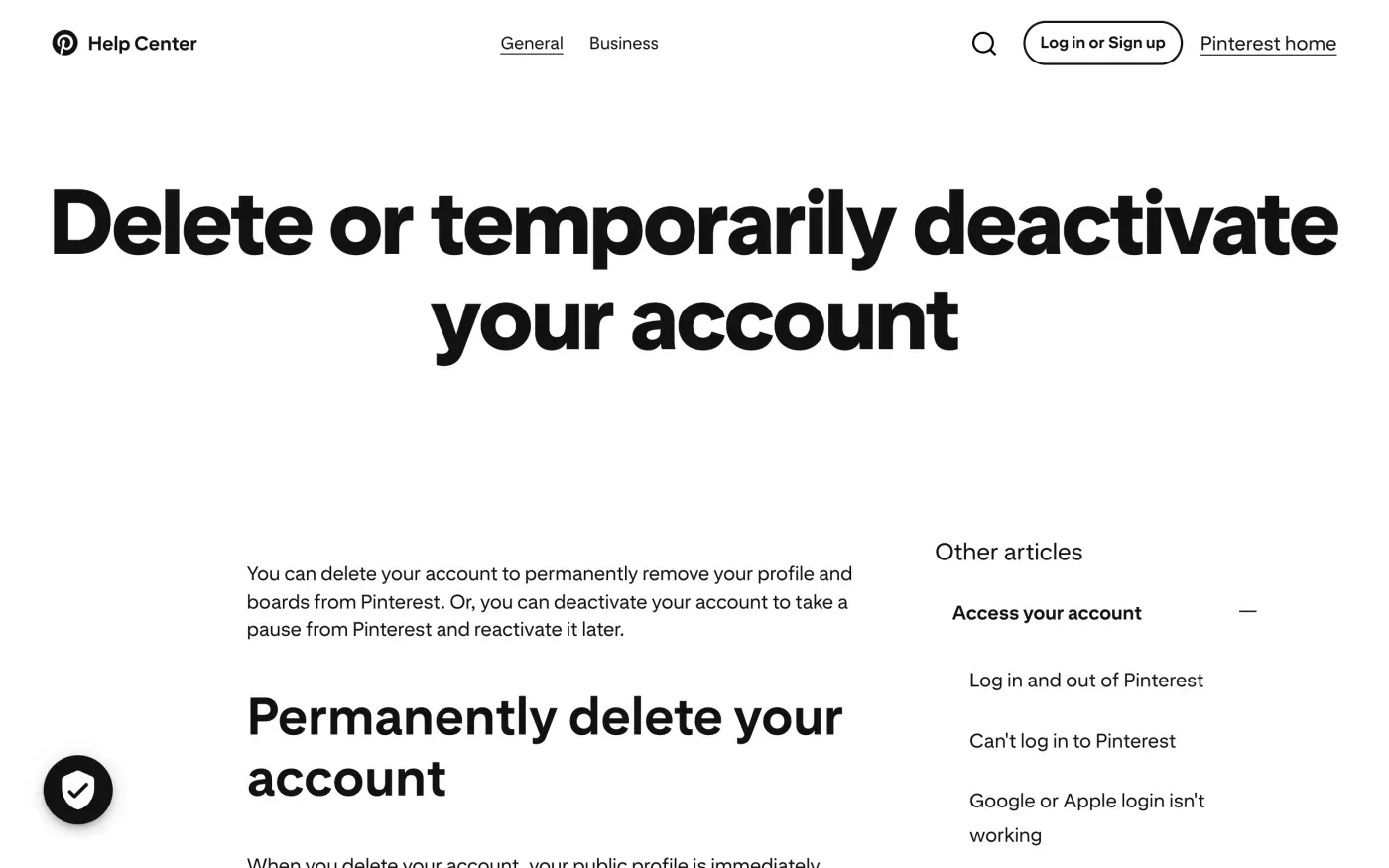
The timing matters more than the button. The help centre says:
Your public profile is immediately deactivated.
and that your account and personal data are permanently deleted in 7 days. Until then you can reactivate. For California residents, it says to contact support first to reactivate. Pinterest’s help centre tells you not to log in to a deactivated account, since that reactivates it, so stay logged out after you confirm.
If you run a business account, Pinterest says any outstanding balance not yet settled will be charged to the card that was on file when the spend occurred. Settle ad bills first.
Download a copy first
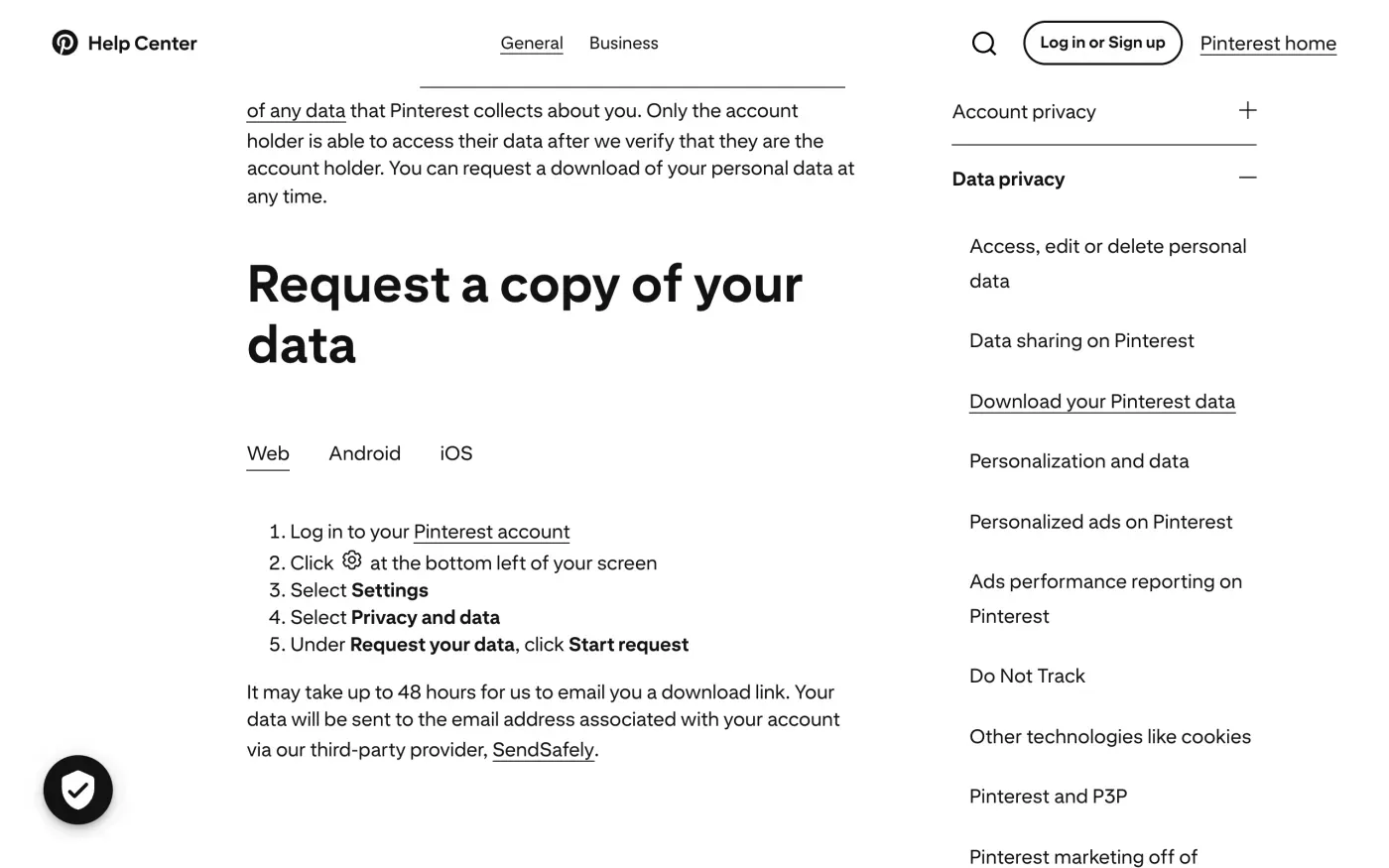
If you want your pins, boards and account data before they go, ask for the download before you delete. The deletion takes the account with it.
- Open Settings.
On the web, click the settings icon at the bottom left of your screen, then Settings. In the app, tap your profile picture, then your profile photo at the top left.
- Choose Privacy and data.
Under Request your data, click or tap Start request.
- Check your email.
Pinterest says “It may take up to 48 hours for us to email you a download link”, sent to the address on your account through its third-party provider, SendSafely.
The tool covers the account’s own download. If you need to see what Pinterest holds beyond the file, or what it keeps after deletion, ask in writing. The subject access request guide explains how.
Where to send a written request
Pinterest does not publish a privacy email for erasure requests. Its privacy policy says:
The best way to get in touch with us or to exercise your options described above is through the Help Center.
and, separately, that you can contact its Data Protection Officer through a contact form: https://help.pinterest.com/data-protection-officer-contact-form. The section for the EEA, Switzerland and the UK adds that for any of the rights it lists, “you can also submit a request to our DPO regarding the use and disclosure of your information.”
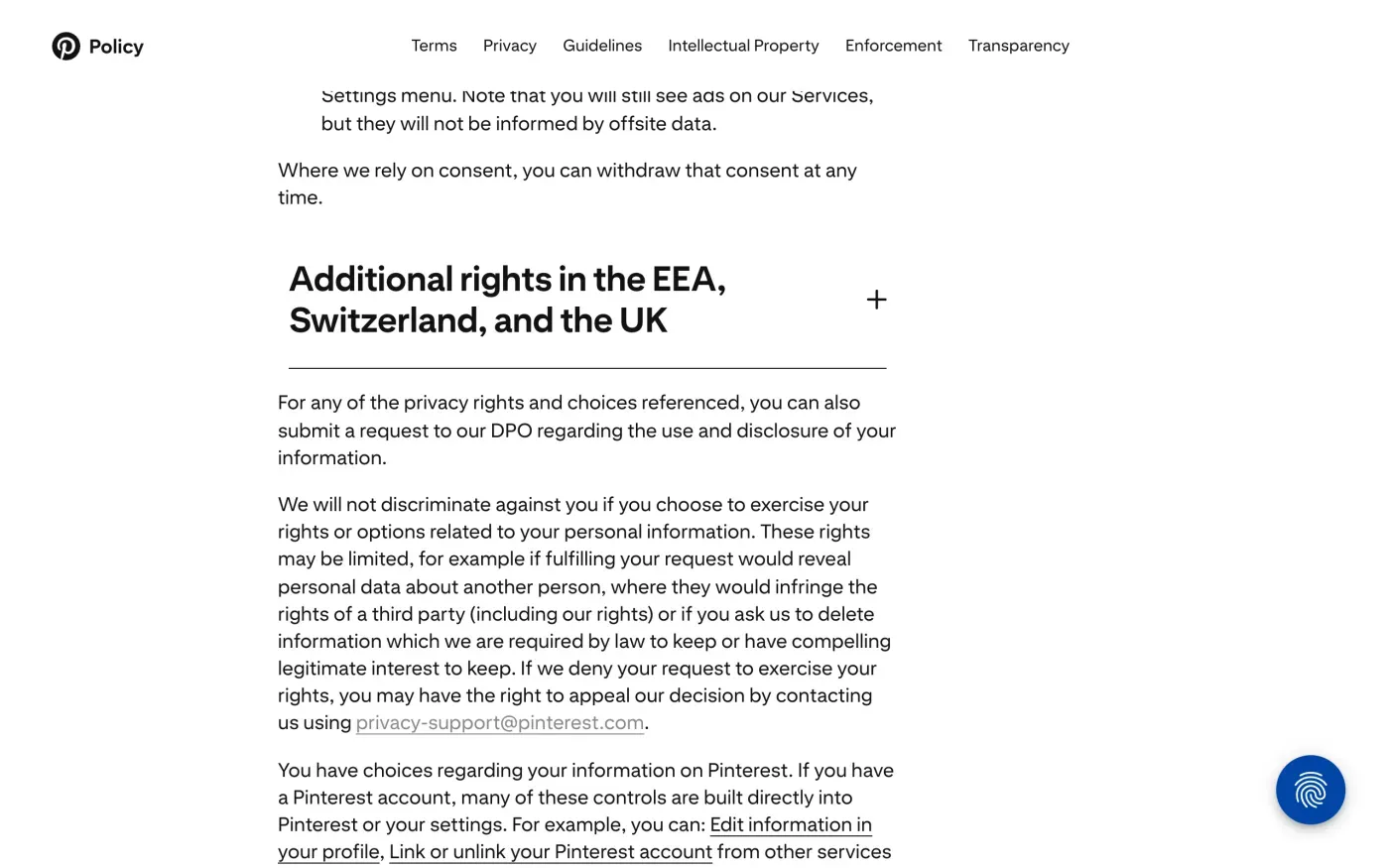
That address, privacy-support@pinterest.com, is the one the policy gives for appealing a refused request: “If we deny your request to exercise your rights, you may have the right to appeal our decision by contacting us using privacy-support@pinterest.com.” Pinterest does not call it the place for a first request, so use the form for that and keep the address for an appeal.
A form gives you no sent copy, so paste the letter below into it and save a screenshot or the confirmation email.
Who holds your data in the EU and UK
The privacy policy, effective 12 November 2026, names Pinterest Europe Ltd., Waterloo Exchange, 3rd Floor, Waterloo Road, Dublin 4, Ireland, for people in the EEA, Switzerland and the UK, and Pinterest, Inc., 651 Brannan St., San Francisco, CA 94107, USA. The policy names no separate UK company, so a UK reader writes to the same entities and can use the UK wording of the letter.
What Pinterest says it keeps
After an account is closed, the policy says Pinterest keeps some information for legal and regulatory reasons, including for as long as it needs it for a legal claim, litigation or regulatory proceeding. It also gives these periods:
| Data | What the policy says |
|---|---|
| Account information | Kept for as long as your account is in existence |
| Log data | 25 months |
| Communications | 2 years |
The policy also says rights may be limited if you ask it to delete information it is required by law to keep or has compelling legitimate interest to keep. Ask Pinterest to name what it kept and why (Article 12(4)). The letter asks for the legal reason behind any refusal.
The letter
Fill in the fields, then paste it into the data protection officer form, or send it by email if Pinterest gives you an address in reply. Use the same email address as your account. In the UK, use the UK version.
Dear Pinterest privacy team,
Under Article 17 of the GDPR, I ask you to erase all the personal data you hold about me.
My account uses the email address [your account email]. If you keep any of my data, please tell me what you keep and the legal reason.
Please answer within one month of receiving this request, as Article 12(3) of the GDPR requires.
Kind regards,
[Your name]
Dear Pinterest privacy team,
Under Article 17 of the UK GDPR, I ask you to erase all the personal data you hold about me.
My account uses the email address [your account email]. If you keep any of my data, please tell me what you keep and the legal reason.
Please answer within one month of receiving this request, as Articles 12(3) and 12A of the UK GDPR require.
Kind regards,
[Your name]
To see everything Pinterest holds, not only what the download tool gives you, send an access request first.
Dear Pinterest privacy team,
Under Article 15 of the GDPR, I ask for a copy of all the personal data you hold about me.
Please also tell me why you use it, what kinds of data you hold, who you have shared it with, how long you will keep it, where you got it if not from me, and whether you make automated decisions about me.
My account uses the email address [your account email].
Please answer within one month of receiving this request, as Article 12(3) of the GDPR requires.
Kind regards,
[Your name]
For deadlines and what a company must tell you if it refuses, see the deletion letter guide and the response deadline guide.
Pinterest is one of many
Reflex finds the companies in your Gmail, sends this letter to each from your own address and follows up for three months. Free to join the beta, €19 once when you start.
If Pinterest does not answer
Pinterest has one month from receiving your request to answer, extendable only if it tells you why within that month (Article 12(3)). If that passes, send a reminder, then use the guide to ignored requests. You can also use the appeal address above for a refusal.
For people in the EEA, the privacy policy names the Data Protection Commission in Ireland as the relevant authority. Under Article 77 you can also complain to the authority in the country where you live. The DPC’s contact page explains how to reach it. In the UK, the policy names the Information Commissioner’s Office, and you can complain to the ICO.
Questions
How long does Pinterest take to delete an account?
Pinterest's help centre says your public profile is deactivated immediately and your account and personal data are permanently deleted in 7 days. Logging in during those 7 days lets you reactivate it.
Can I download my Pinterest data before deleting?
Yes. In Settings, under Privacy and data, choose Start request under Request your data. Pinterest says it may take up to 48 hours to email you a download link, sent through its provider SendSafely.
Is there a Pinterest email address for deletion requests?
The privacy policy names a data protection officer contact form and the Help Center as its ways to exercise your rights. It gives privacy-support@pinterest.com for appealing a refused request.
Which company holds my data in the EU or UK?
The privacy policy names Pinterest Europe Ltd., Waterloo Exchange, 3rd Floor, Waterloo Road, Dublin 4, Ireland, for people in the EEA, Switzerland and the UK, alongside Pinterest, Inc. in the US.
Who regulates Pinterest?
The policy names the Data Protection Commission in Ireland for the EEA and the Information Commissioner's Office for the UK.
Sources
- Pinterest privacy policy, Effective 12 November 2026; Additional rights in the EEA, Switzerland, and the UK; contact and retention sectionsPinterest, checked 15 November 2026
- Delete or temporarily deactivate your accountPinterest Help Center, checked 15 November 2026
- Download your Pinterest dataPinterest Help Center, checked 15 November 2026
- Data protection officer contact formPinterest Help Center, checked 15 November 2026
- Contact the Data Protection CommissionData Protection Commission (Ireland), checked 15 November 2026
- Regulation (EU) 2016/679, the GDPR, Articles 12, 15, 17 and 77EUR-Lex, checked 15 November 2026
- Make a complaintICO, checked 15 November 2026